
We love customization here at XDA, and when it comes to Windows 11, there's no shortage of tools to help you get the exact experience you want. But most of those — whether it's something like Start11, StartAllBack, ExplorerPatcher, or Windhawk — focus on taking elements you already know and tweaking them. Sometimes they restore lost functionality, other times they add something completely new. But at their core, they feel more like tweaks than anything else. But that's where Rainmeter comes in.
Rainmeter is a customization app that frankly scared me the first time I tried to use it because the concept of skins and how they're used seemed a little too convoluted. But, as is often the case, that complexity hides a ton of potential that makes this one of the best apps you can use to customize your Windows PC. Here are a few reasons you might want to check it out for yourself.

Rainmeter is the best way to make Windows look pretty, and here's how to use it
Rainmeter is one of the oldest programs for customizing your desktop, but it's still just as good these days as it was back then.
4 It's free
That's never a bad thing
Right off the bat, Rainmeter is a completely free tool, which is already a nice advantage over many competitors such as most of the apps made by Stardock (such as Start11 or ObjectDock) or Start11. Rainmeter in itself is free, and most of the skins you can find for it are also free of charge, though this is up to individual developers.
At the very least, this means you have nothing to lose by trying out Rainmeter. If you don't like it, nothing was lost except maybe a few minutes of setting it up.

Start11 v2 review: Making the Windows 11 Start menu actually useful
With tons of configuration options for appearance and organization, Start11 makes the Start menu and taskbar so much richer
3 A community effort
When everyone comes together, we all win
Rainmeter may be an app in itself, but truly, it's more of a platform for Windows mods, similar in some ways to Windhawk as far as the concept goes. Anyone can develop skins for Rainmeter, which is where the magic is. There's always going to be someone creating new skins or updating existing ones to add new features or options.
There are even multiple websites designed to host various skins (such as VisualSkins), which makes it easier to search for and find what you want. Setting up Rainmeter for the first time may seem intimidating, but once you download your first skin, it immediately starts making more sense. The official Rainmeter forums also have threads for getting help with skins and plug-ins that further enhance the capabilities of Rainmeter.
Even more so than Windhawk, there is a very big and very passionate community behind Rainmeter, so you can rest assured it will keen being supported and working well for a long time. Plus, if you're technically well-versed and you don't find the skin you want, you can make it yourself and contribute it back to the community. Everyone wins.

Windhawk is one of the coolest Windows customization tools I've ever seen
Lightweight and powerful customization
2 It can completely change the feel of your PC
Rainmeter skins are very in-depth
Like I said at the top, many customization apps can feel like they're simply tweaking Windows, meaning the overall experience still feels very familiar. Rainmeter does a lot of that, too, but Rainmeter skins are genuinely incredible with some of the things they accomplish when it comes to modifying Windows and making it feel like something else.
A while back I wrote about how to make a Windows laptop look like macOS, and one of the tools I used for this was Rainmeter along with a skin called Droptop Four. This skin adds a macOS-like bar at the top of your screen that really adds a ton of functionality. You can have links to apps and folders there, it offers media controls, access to things like Wi-Fi settings, and more. Most of it uses a custom UI that really helps create this immersive experience. Another skin allowed me to create widgets similar to macOS, too.
And that's just the beginning. Some skins offer audio visualizers for your desktop, mods that provide shortcuts to your apps with a completely different theme, and so on.

Start11 vs StartAllBack: Choosing the best Start menu replacement
Start11 and StartAllBack are the two most popular Start menu replacements out there. We've used them both, so which one is better?
1 There's so much you can do with it
Rainmeter skins are never ending
Because of what I've already mentioned in regards to Rainmeter being a community effort, there are a ton of people creating skins, which means there are a lot of skins you can use. Not only are there a ton of customization options available, but Rainmeter allows you to combine skins to your heart's content and you can enable or disable various elements of a skin at any time, allowing you to create the perfect experience for your needs while also avoiding using more resources than needed.
Each skin is available as an .ini file that lets you change settings via text, too, which can sometimes give you extra options if you're willing to dive into these files. There are many layers of customization here from Rainmeter itself and each of the available skins, so you can truly get the experience you want, and it may end up looking nothing like a typical Windows desktop.
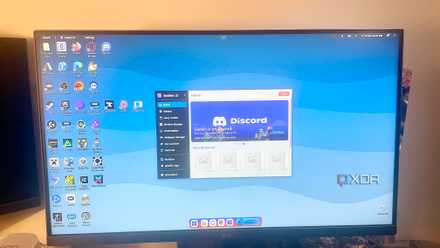
The 3 best Rainmeter alternatives for Windows
Customize your desktop without the hassle
You'll never be bored with Rainmeter
Rainmeter is such a vast ecosystem with so many customization options that it's a surefire bet you'll never be bored with it. Not only because there are hundreds of skins to try, but because you can dive deeper into all the modifications and tweak things to your liking with minute detail. You can even make your own Rainmeter skins if you get that deep in the customization game. No matter what, you'll always have options to keep tweaking things and having fun with your desktop.
You can check download Rainmeter below, and then you're off to the races. If you find some skins you love, we'd love to hear about them.
-
Rainmeter