
When I first got my RTX 4090 in 2022, I assumed that my 12-core Ryzen 9 5900X would still be more than enough for gaming. After all, this CPU wasn't even two years old when the 4090 launched. So I saw no reason to rush and get an 8-core CPU like the 5800X3D just because it's faster. And for the first year or so, the assumption felt correct. I was primarily gaming on my 4K/160Hz monitor, while occasionally switching to my 1440p ultrawide OLED to enjoy open-world AAA titles.
However, once I started spending more time in competitive games and upgraded to a 360Hz OLED monitor, everything changed. I noticed how my GPU was underutilized most of the time, sitting at around 60-70% usage in esports titles like Fortnite, Valorant, and Counter-Strike 2. At that point, I knew the 5900X wasn't enough to max out my monitor's refresh rate, so I caved and bought a used 5800X3D. That upgrade taught me just how much cache can matter in CPU-bound scenarios.
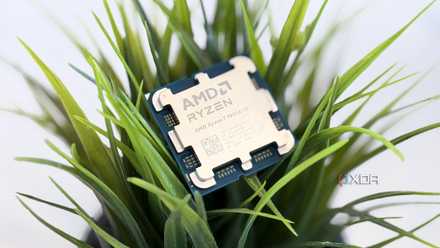
AMD's 3D V-Cache is still the best gaming upgrade money can buy
Almost 4 years on, it's still the game-changer it used to be
1440p/360Hz exposed my CPU's limits
Unlike 4K, high refresh rate gaming at 1440p is far more demanding on the CPU
When you're gaming at 4K, your GPU is usually doing all the heavy lifting unless you're playing light esports titles. That's mainly why my 12-core Ryzen 9 5900X never felt like a problem whenever I was playing AAA titles on my 4K/160Hz monitor. The RTX 4090 was almost always the bottleneck, and considering my frame rates were usually around 60-100FPS, there wasn't much opportunity for the CPU to hold performance back. But that changed when I switched to the AW2725DF 360Hz OLED for competitive gaming.
You'd expect a game like Valorant, which runs at well over 200FPS on my 4K monitor, to have no trouble getting close to 360FPS at 1440p. But that's not what happened. I was still getting less than 250FPS, and even lowering the graphics settings didn't help improve those numbers. That's when I started monitoring performance using MSI Afterburner and noticed how my GPU usage wasn't even touching 70% most of the time. At that point, it became clear that my RTX 4090 wasn't the limiting factor. My 5900X simply couldn't feed frames fast enough to keep the GPU fully utilized.
The 5800X3D gave me more than just FPS gains
Frame pacing and 1% lows made just as much of an impact as the FPS uplift
I thought I was future-proofing my PC by getting the 12-core 5900X because 8-core CPUs were already mainstream at the time. But fast-forward to 2026, and the vast majority of games still don't need more than 8 cores. They benefit a lot more from lower latency and faster access to game data, and that's exactly where the 5800X3D's 96MB of L3 cache comes into play. That extra cache allows the CPU to keep more data closer to the CPU cores, so it doesn't have to rely on slower system RAM nearly as often.
In my case, my GPU usage improved significantly across the board. With the exception of a couple of esports titles that are inherently CPU-bound, my 4090 had no trouble staying above 90% utilization most of the time. But that wasn't even what impressed me the most. Sure, I really needed that FPS uplift to get the most out of my 360Hz monitor, but the improvements to frame pacing and 1% lows were just as noticeable. The occasional microstutters and split-second FPS dips I faced while playing Valorant and Apex Legends with my 5900X were virtually nonexistent after switching to the 5800X3D.
At native 4K, this wouldn't be a huge upgrade
But DLSS upscaling and competitive games can still expose CPU bottlenecks at 4K
To be honest, my 5900X was still good enough to play AAA games at native 4K. My GPU was still close to 90% in games like Star Wars Jedi: Survivor and Cyberpunk 2077, which meant there wasn't much room for a faster CPU to improve performance. At lower frame rates, your CPU doesn't have to work nearly as hard because it's feeding far fewer frames to the GPU every second. I'd rather keep those four extra cores for productivity workloads than sacrifice them for a single-digit FPS gain in the latest titles.
That said, I'm rarely trying to play AAA games at native 4K nowadays because DLSS 4.5's upscaled image looks just as good as native rendering. Sticking with the 5900X would limit how much FPS I gain from DLSS because the game is internally rendering at 1440p or lower, making it more CPU-bound. I can say that from experience because I tried to use DLSS to improve my FPS in Battlefield 2042, but it barely moved the numbers. Besides that, some competitive games like Valorant and Counter-Strike 2 can still be CPU-bound at native 4K. The 5800X3D just puts me on the safe side, so I don't have to worry too much about CPU bottlenecks regardless of what I'm playing.
More cores didn't save me from CPU bottlenecks
Looking back, it sounds silly that I decided to stick with the 5900X, but I didn't realize how quickly my RTX 4090 would expose CPU limitations once I started chasing higher frame rates. It wasn't that the 5900X was a bad CPU by any means, but the RTX 4090 was such a huge leap over the RTX 3090 I previously had. And when you have a 360Hz monitor to chase very high frame rates, you quickly realize that having a 12-core or 16-core CPU won't save you from bottlenecks. I'll admit I was hesitant to sacrifice four cores just to get a faster chip, but if there's one thing I learned from this upgrade, it's that cache mattered far more than those extra cores ever did.
AMD Ryzen 7 9800X3D
- Socket
- AM5
- Cores
- 8
- Threads
- 16
- Base Clock Speed
- 4.7 GHz
The AMD Ryzen 7 9800X3D is the first 9000 series CPU from AMD with its 3D V-Cache technology, offering plenty of cache for storing data on the chip rather than slower RAM. It's an ideal pick for a high-end gaming PC with the latest and greatest from AMD, Intel, and Nvidia.

3 things I learned after downgrading from a 12-core to an 8-core CPU
This doesn't feel like a downgrade at all