
There have been times when I’m deep into a complex project with Claude, only to realize it has forgotten a crucial piece of content I established eight prompts ago.
While Cluade’s memory feature promises a seamless, continuous relationship with the digital assistant, it offers very little control over what the AI actually retains.
Instead of letting an algorithm decide what matters, I decided to run an experiment: I bypassed Claude’s memory system and replaced it with a local folder of plain-text notes.
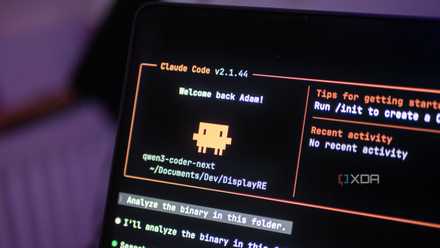
Claude Code finally remembers why I made those choices, and my workflow is faster because of it
Claude Code is faster when it remembers past decisions, not just the files in front of it.
The problem with native cloud memory
The black box frustration
We have all been sold on the promise of AI memory. The marketing makes it sound seamless: a continuous, evolving digital assistant that gets smarter the more you talk to it.
But in my day-to-day workflow, relying on Claude’s native cloud memory quickly turns into a frustrating affair. The fundamental issue is that native AI memory is a black box. I have no visibility into what Claude actually chooses to index, what it prioritizes, or what is silently discarded.
I would spend hours establishing specific coding standards, formatting rules, or project guardrails in a session, only to realize three prompts later that the AI had suffered from context drift.
It forced me to waste time repeating myself or copy-pasting the same instructions over and over again.
Then there is the issue of control (or lack thereof). When you use cloud-based memory, you are feeding your personal knowledge and workflows into a closed, proprietary ecosystem.
You can’t easily back it up, export it, or fine-tune it either. Also, if a major model update tweaks how context is handled behind the scenes, your carefully built relationship with the AI can change overnight.
I got tired of guessing what Claude did or didn’t remember. I wanted a system where I controlled the parameters, not an unpredictable cloud algorithm. That’s exactly what drove me to strip away the native memory features entirely and look at the local storage in front of me.
Shifting to a local-first context bank
Total transparency
The breakthrough happened when I stopped trying to force Claude to remember things on its own and instead handed it an external brain that I controlled.
I created a simple folder of plain-text Markdown files on my hard drive as a context bank. Markdown is lightweight, universally readable, future-proof, and structured. I don’t have to argue with it in a chat box or hope its cloud memory indexes my correction.
I just opened the relevant .md file, update the text, and the correction is absolute.
You don’t need a complex setup or a custom API script to make this work. I rely on a straightforward workflow using Claude Projects.
I created a dedicated ai_context folder on my local machine and added three core text files in it.
- Global rules.md: This holds my non-negotiables, including my writing tone, formatting constraints, and preferred coding style guides.
- Project context.md: This details the current goal of whatever post or app I’m building, including the tech stack, current progress, and immediate next step.
- Knowledge base.md: A cheat sheet of static reference data (like API documentation, specific content templates, or recurring assets).
Because Claude natively parses text files beautifully, these documents instantly become the hard boundary for every single prompt in that workspace.
As my project and workflow evolve or my writing direction shifts, I don’t update Claude; I update my local files. If a new requirement pops up, I drop it into the Project context file locally.
Claude Code works best when you stop asking it to code
Claude Code became far more useful once I stopped treating it like a code generator and started using it to understand projects and terminal chaos.
The core benefits
Why it worked better than expected
Moving away from the native cloud memory unlocked massive, expected wins. First, the retention is flawless and repeatable. Because Claude reads the exact same curated Markdown files at the start of every session, I no longer have to spend my first three prompts reminding the AI of the ground rules we established yesterday.
A few weeks ago, I was restructuring my entire home server setup using Docker to organize a web of self-hosted apps like Nextcloud and smart home tools.
Save on AI tools and subscriptions: Software deals now
Normally, a multi-day project like this is a nightmare for cloud memory. By day three, a standard chatbot forgets how your files are organized. It suggests generic steps that clash with your specific system.
Instead, I anchored the entire server project to my local folder of text notes. One note listed my specific folder paths and security preferences, while another acted as a live blueprint tracking every app I successfully installed and the exact settings I used.
This is just one of the examples. The possibilities are endless here.
Building a better LLM memory
Replacing Claude’s cloud memory with local notes proved that the best way to supercharge an AI isn’t to wait for the next massive model update, it’s to take control of the context ourselves.
If you are tired of fighting context drift and want an AI assistant that truly understands your workflows, stop relying on native memory.
So what are you waiting for? Back up your notes, point your LLM to a local folder, and build a system that actually works the way you think.