
The most recent video game console I bought is the Xbox One. No, not the Series S, nor the X, the original Xbox One. It's a solid workhorse that saw very little use as a TV tuner box and a console. I primarily play games on PC and have done so for decades, but I have fond memories of the Xbox and 360, as well as the OG PlayStation and earlier Game Boys. That led me down the rabbit hole of emulation, but I still have a huge Steam library of games to get through, which is where the big screen could help out with.
I set up a mini PC with Batocera, and it's an absolute rocket, comfortably playing through Xbox and PlayStation 2 titles, as well as countless PC titles. But with the Steam Machine out, I thought about loading SteamOS on another mini PC to play around with it, see how it performed (with relatively mediocre specifications), and whether it's better to run SteamOS or Batocera for a mix of vintage and current gaming. So, I dusted off my Minisforum U850 with its beastly Intel i5-10210U processor.
The 10210U will likely struggle with PlayStation 2 games, but it should hold up fairly well with weaker PC games and up to Sony's first console. Throw in a 55-inch TV and some wired controllers, and we can have an absolute blast with SteamOS.
Valve keeps winning with Steam
From downloads to full OS distros
Valve launched Steam for its own digital game and update distribution, but it eventually morphed into the leading platform for PC gaming. The company then decided to take this further and launch hardware, and even got around to creating Proton, which revolutionized gaming on Linux. To say Gabe's company has been busy would be an understatement, and while Valve isn't perfect (no brand truly is), gamers have a lot to be grateful for. I'm one of them, fully supporting Linux and thoroughly appreciating the work that went into Proton.
Valve's renewed push into the living room with the Steam Deck, Steam Machine, and updated SteamOS allows one to create a PC-console hybrid, both in the palms and on the big screen. It's even possible to go fully DIY since the Linux distro Valve maintains for its own hardware is available for the public to enjoy. Hardware support is ls somewhat limited, but it's still possible to make it happen without much effort, so long as you have components the distro will work with.
I already have a Batocera-powered mini PC running games for the big screen, but I dug out an old Minisforum U850 mini PC I had lying around. Powered by a now-ancient Intel Core i5-10210U mobile processor, this mini PC isn't exactly cutting-edge by today’s standards, but it's far from useless. To be honest, it wasn't particularly noteworthy at the time of launch, but it was affordable and a good choice for those looking for a compact PC that didn't have the high price tag for some enticing features.
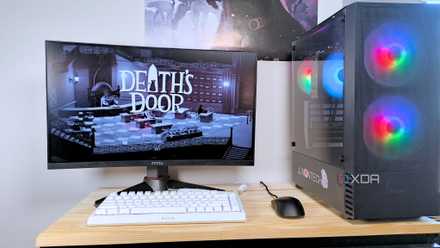
I built a Steam Machine out of spare PC parts and you can, too
If you have old PC hardware lying around or an aging Windows laptop, you might be able to breathe new life into it with SteamOS
Setting up SteamOS
Giving this mini PC a new lease of life
The 10210U may not be a gaming chip, and PlayStation 2 gaming may be off the table, but it's a processor that should handle retro emulation well enough and even play some games from my Steam library. RetroArch is available via Steam, so we can load the mini PC up with thousands of games, both bought from the store and ripped from discs. And really, that's not the scope of this project. I'm not using an Intel Core i5-10210U-powered mini PC to build a cutting-edge gaming rig capable of running Cyberpunk 2077 at high settings.
That's what my primary gaming PC is for. The living room is where casual gaming takes place. The process of setting up SteamOS is anything but convoluted, but it's not without its hurdles. This isn't an OS that's designed to run on every and all systems, like many Linux distros are. Choosing Valve's OS may require one to jump through more hoops than otherwise required with something like Batocera or Bazzite. Still, it wasn't awful. Valve has clearly put effort into making the experience more approachable.
Once installed, the system boots straight into Steam’s Big Picture mode — the same interface used on the Steam Deck. Because of further developments, this no longer feels like a clunky overlay bolted onto the desktop version of the Steam storefront. It feels like a purpose-built console interface with smooth navigation, controller support, and everything you'd expect from a Steam platform is presently available. No mouse or keyboard required. Using the mini PC with a 55-inch TV and a couple of wired controllers is a glorious experience.
Indie titles from the Steam storefront run beautifully. Older games ran well enough with mature emulation software. Even some more recent games were manageable at lower settings. Again, the goal here wasn't to max out graphics; it was about making gaming more accessible to others within the home. SteamOS feels familiar thanks to the popularity of the platform. If you have a gaming PC, there's a good chance you've used Steam.
Gaming feels freer
No messing about; just launch and play
With a desktop PC, there's always a temptation to tweak settings here and there, chase higher frame rates, and achieve better performance. That's simply not the case with a mini PC running a platform like SteamOS. When paired with modest hardware, your perspective is almost shifted to focus on the game itself. It's similar to Batocera in that they almost overlap (and Batocera even lets you run Steam through it), but SteamOS is more about bridging the gap between PC and console gaming.
A huge advantage of SteamOS is controller support. Other solutions are solid when it comes to many controllers, but I've yet to come across one of my gamepads that doesn't work with SteamOS. And that CPU is perfectly serviceable for many indie games. Terraria, Stardew Valley, and many others work just fine. Even though this system didn't play anywhere near as many games as my primary PC and at similar settings, I found myself wanting to game in the living room more. It was akin to the Batocera mini PC.
Give old hardware a new home
There’s something satisfying about repurposing older hardware. We've covered this at great length here at XDA. My Minisforum U850 wasn’t doing much before this experiment. Now, it’s a fully functional living room console, breathing new life into games I might otherwise ignore. It’s not perfect as compatibility can still be hit or miss, especially with certain Windows-only titles. Some games require tinkering, and others simply won’t run.
MINISFORUM UM890 Pro
But this is fully offset by how awesome SteamOS is on a mini PC. I didn't know what to expect going into this, especially regarding hardware support, but I am impressed it's about as good as you'd expect from a system with these specs. Looking to give SteamOS a go? I highly recommend it.