
Summary
- Self-hosting saves money on subscription fees and prevents third-party access to private information.
- SBCs allow running multiple self-hosted apps, like photo managers, private idea boards, and personal finance tools.
- You can even set up services like print servers, game servers, and dashboards without running into performance issues on your SBC.
Besides giving you a sense of gratification, self-hosting serves many practical purposes. Not only do you save money on subscription fees, but running FOSS apps on your local devices also prevents third-party firms from gaining access to your private information. What’s more, you don’t need a powerful NAS or an enterprise-grade server to host many of the popular services.
So long as you have a decently capable SBC, it’s possible to run multiple self-hosted apps on your system. If you’re a DIY enthusiast like me, here’s a list of all the cool services you can host on your tiny DIY companion.
10 Photo managers
To keep those precious memories safe
Whether you’re looking for a way to sort through your photo collection or want to create quick backups of your essential pictures, image management tools can come in handy. I’m a fan of Immich due to its responsive nature and Google Photos-esque UI, but there are a couple of other alternatives you can set up on your SBC, including PhotoPrism, Ente, and Photonix.
9 Private idea boards
A private repository containing your favorite articles and videos
Looking for a self-hosted alternative to Pinterest that doesn’t intrude on your privacy? Pinry provides a simple method to construct idea boards using images, videos, and links. It’s quite snappy, too, meaning you can host your multi-page pinboard on an Arm-powered SBC without encountering any performance issues.
8 Personal finance apps
Useful when you're as prone to overspending on hardware as I am
Armed with tons of handy finance templates, Excel is a great app to manage your budget. However, personal finance tools – especially those you can host on your own system – are ideal when you require advanced bookkeeping features without the extra privacy loopholes of third-party services. Firefly III is easily the crème de la crème of personal finance apps, though it does have a slightly steep learning curve. But combine it with the portfolio tracking provisions of Ghostfolio, and you have a rock-solid finance management setup running on top of your SBC.
7 Print servers
For conventional as well as 3D printers
With the rise in budget-friendly 3D printers, creating your own CAD models has become fairly affordable these days. So, if you’re the proud owner of a 3D printer, you can deploy an Octoprint web server on your SBC and use it to control every aspect of your model-making companion.
Heck, you can even install CUPS on your miniature board to oversee the operations of your conventional 2D printer.

How to make a print server with a Raspberry Pi
Check out this easy way to get a wired printer to work wirelessly over your home network to print from almost any device
6 Game servers
When you want to host private Minecraft worlds
Public multiplayer lobbies may have their perks, but private game servers are better when you want full control over the gameplay setting. Perhaps you just want a distraction-free gaming experience with your buddies. Or maybe you want the freedom to mess with mods without ruining the experience of other players.
Turns out, you don’t need a top-of-the-line PC for this project, as most modern SBCs possess enough horsepower to run private servers for Palworld, Minecraft, and other casual titles.
5 Reverse proxy server
Caddy and Traefic are also worth considering
You might have already heard about Nginx if you’re active in the home lab community. This nifty tool lets you map domain names to your self-hosted services to save you the hassle of learning the IP addresses and port numbers associated with each app.
Nginx also provides the means to configure SSL/TLS certificates for your services, thereby adding an extra layer of security when you want to access your home services from external networks. Factor in the caching and load balancing provisions available in Nginx, and it’s clear why many self-hosting enthusiasts use it as their preferred proxy manager.
4 Dashboards and analytics platforms
Heimdall and Grafana are a match made in home lab heaven
Micro-managing all your services can go from being a fun activity to a tedious chore once your repertoire of apps grows out of proportion. Luckily, dashboard tools let you manage the other services running on your network. Personally, I prefer Heimdall, but Dashy and Organizr work just as well. What’s more, you can even pair your dashboard app with an analytics platform like Grafana to monitor every aspect of your self-hosted SBC server.
3 Personal clouds
Adios, Google Drive
If you’re more interested in the backup mechanics of Immich and other photo managers, it’s a good idea to check out personal clouds, as they work well when you want to store other file types besides images and videos. Nextcloud is easily the top contender to the throne, as it packs most of the encryption, collaboration, and security provisions you can ever want from a personal cloud. Plus, it’s compatible with different add-ons, allowing you to access an even wider suite of apps to manage your essential documents.
2 VPNs
WireGuard for the win!
Accessing the devices connected to your home network from dubious and unsecured public Wi-Fi connections is rife with security issues. However, you can host a VPN on your miniature SBC and enable port forwarding on your router to connect to it from external networks and use your NAS, home server, and other devices without exposing them to security vulnerabilities.
WireGuard is hands-down my favorite solution, as it’s quite fast and has a simple UI, though you can choose OpenVPN if you require tunneling and deep packet inspection over TCP (port 443).
1 Intrusion detection system
To safeguard your local networks
When you think of a useful service that begins with the words Pi, Pi-hole is the first app that comes to mind. There’s no denying that it’s the perfect addition to your SBC server, but Pi.Alert is just as amazing when you want extra security for your home network. As an intrusion detection tool, Pi.Alert continuously keeps an eye on your Wi-Fi and LAN, and notifies you the moment it detects new devices attempting to connect to your network. Heck, it’s also great for monitoring your existing devices for IP changes or sudden disconnections.
Turning your SBC into a self-hosting beast
Those were ten amazing services you can run on your SBC, but this list is far from complete! Mealie is a lightweight tool that lets you keep track of your food habits, while Calibre is amazing for bibliophiles who require a private server for their e-book collection. There’s also Paperless-ngx, which is a game-changer for document management, and Navidrome, a music streaming utility.
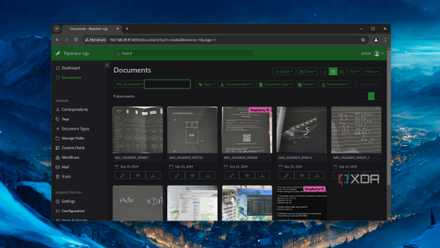
Simplify document management by hosting Paperless-ngx on your home lab
From a robust tagging system to solid OCR provisions, Paperless-ngx is the perfect tool for organizing documents
On the flipside, you'll find plenty of apps that are better suited for powerful systems. For example, even the fastest Raspberry Pi stumbles when it comes to transcoding large videos on media servers. Likewise, you can technically run Home Assistant on modern SBCs and expect a responsive experience. But once your smart gadgets start growing in number, you might want to switch to a NAS/PC with a decent x86 processor for better performance.