
NotebookLM has long exceeded expectations in the functionality department, making it easier to use than any other publicly available LLM with user-added guardrails to perform similarly. Although this AI tool shares the Gemini LLMs with other Gemini-branded Google utilities, its standout feature remains minimal hallucinated info in results because each notebook is limited to the sources you're supplying.
At I/O in May, Google announced a switch to an AI-first Search experience, which inevitably opens up room for incorrect or unvetted data in AI summaries and AI Mode results that retain access to the wider internet. To me, this only makes NotebookLM an even more powerful thing, because I can limit it to expert sources of my choosing. However, there's one criminally underrated feature in NotebookLM that helps it take the fight to all that AI in Search, at least for your friends — sharing these notebooks.

4 reasons Open Notebook is the best self-hosted NotebookLM alternative
No need to share your research data with Google anymore
Discussions get repetitive
I'd rather have AI preach from the same sources that taught me
I grew up in the age where sharing a notebook meant passing a physically stapled stack of paper, but I've lost count of how many times I've tediously retraced my search journey to share a Reddit discussion with the tenth friend to bring up a certain hot topic in conversation. After a point, it gets tiring because it happens often in hobbyist communities where I'm active. I enjoy sharing what I know, but sometimes, I just feel lazy to repeat myself for the umpteenth time explaining how someone's NAS would benefit from an *arr stack, or how to correctly re-paste a CPU.
A bunch of these topics are better explained through video and articles like this one, so I recently thought of throwing all these frequently accessed resources into a handful of NotebookLM notebooks. The individual sources would be shelved in a searchable repository, and I can gladly point people asking repetitive questions to the Notebook's chatbot instead of a snarky Let-me-Google-that-for-you link.
They'd stand to benefit from quickly getting up to speed on a topic, and Google AI should also demonstrate infinite reserves of patience for back-and-forth questioning. Of course, I'd be just a message away to fill in the holes of an AI-generated response. As such, these notebooks become successful starter resources for hobbyist communities where new members are likely to ask the same dozen-odd questions. Pointing them to a resource beats ghosting them, and also opens up human-to-human chatrooms for more unique, insightful conversations.
Sharing isn't a new feature
It's just super underrated
All this relies on the convenience of sharing the notebooks I'm curating, and hopefully, others returning the gesture. Perhaps most importantly, sharing notebooks is not a new feature for NotebookLM, and you can just hit the Share option on your creation like any other Google Workspace tool. You also get to see analytics, like date-wise user count and their number of queries to the book's AI.
The sharing controls greatly resemble Sheets, Docs, and Slides. You can email invited collaborators, or just change access to anyone with the link. In the latter configuration, visitors can quiz the chatbot based on the sources, but adding or removing them isn't possible. All this is possible right in the free tier, and you don't need to be a Google AI Pro subscriber for sharing your creations or using notebooks others give you access to.
It's easy to see how shared AI-powered topical notebooks can be an immense resource for students, researchers, and academicians alike. A shared notebook fed lecture notes, the recommended textbooks for the course in EPUB format, and explainer videos gleaned from search, can be an invaluable asset to an entire class or batch of students prepping for finals. With the Studio tools, one could create entire study guides, flashcards for effective memorization, and unit-wise reports, in addition to quick doubt resolution using the chatbot. By default, Google AI isolates each user's chatbot usage, so others with access to the same notebook won't see your conversation history either.
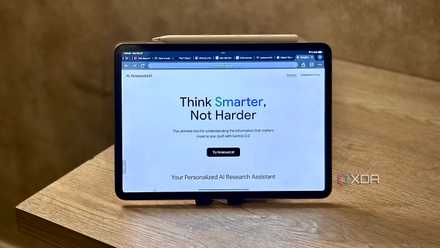
I can’t believe it took NotebookLM this long to add public links — here’s how I’m using them
A minor feature, but a major win.
Get started with featured notebooks
Limited selection with limitless potential
If you're still unsure of how you could use sharing in NotebookLM, the Featured Notebooks section is a great starting point, available right on the project landing page. I'll admit the selection is limited, but the tech titan has partnered with reputable industry leaders to curate notebooks of various kinds, mostly to showcase NotebookLM's capabilities.
Save on software & AI deals: subscriptions and tools
Among these, you'll find a study guide for AP World History, made by OpenStax. This is the best example of creating your own AI-powered course refresher notebooks. You could add relevant EPUB files to your document, lecture notes, resources shared among your peers, and transform the notebook into a shareable repository of authentic, peer-vetted information about the subject in question. Shared or not, with the skill to curate your own resources for everything, you can save time and effort hunting down answers curated by subject-matter experts.
NotebookLM is Google’s AI-powered research assistant that turns your uploaded documents, notes, and sources into an intelligent, conversational workspace that helps you connect ideas, summarize insights, and generate new ones.