
By now, everyone and their grandma knows SSDs comfortably beat HDDs in speed, efficiency, and reliability, at least for the majority of users. This doesn't mean, however, that hard drives are dead — far from it. HDDs still enjoy better cost per TB, higher capacities, and better reliability for certain use cases. If you already use a couple of spinning drives in your setup, you know what I'm talking about. If not, you're about to find out.
4 Cheap storage for my HTPC
Horses for courses
Not every system needs a fast, responsive SSD to work as intended. I still use my old hard drive on my home theater PC (HTPC) since it has no use for high-speed storage. Whether you're connecting an HTPC to your TV or streaming movies through a media server, you can easily opt for spinning drives without losing performance. And you'll save a lot of money, too, if your collection has grown into dozens of TBs.
I repurposed my old PC into an HTPC, so using my existing hard drive instead of buying a new SSD was only natural. Even when I eventually need more storage to manage my growing collection, the cost per TB is likely to remain far superior on HDDs than SSDs.
Seagate BarraCuda Compute HDD
The Seagate BarraCuda Compute 1TB HDD is a reliable and affordable drive when you don't need the speed of an SSD.

4 reasons why you should turn your old PC into a media streaming box
Your old Pc has more to offer than you may believe.
3 High-capacity drives for my NAS
SSDs aren't an option
Besides cost, another problem with SSDs is finding high-capacity drives. NAS users will understand that after a point, you need drives in the 14TB–20TB range, and this is easier said than done with regular SSDs you find on the market. This is a big reason I still use HDDs on my NAS. Even if I move to an all-SSD setup by paying through the nose, I'll be limited by the network bandwidth, wasting most of the speed advantage of the SSDs anyway.
Besides, at these capacities, the cost factor again doesn't make SSDs worth it. Not only are HDDs cheaper upfront, but over the long term, swapping drives is also cheaper when you're working with HDDs — SSDs are likely to exhaust their write cycles faster in such a setup.
Seagate IronWolf Pro (14TB)
The Seagate IronWolf Pro (14TB) offers cost-effective storage for your NAS, keeping your budget in check when storing large quantities of data.
2 Cold storage for archival data
Yet another area where HDDs shine
A lot of my ancient data resides on multiple hard drives that haven't been plugged in for years. Doing this with SSDs is a bit complicated, since they are prone to losing data over longer periods due to a loss of voltage. This doesn't mean a few weeks or months, but if you keep your SSD without power for over a year, you threaten the integrity of your data. The SSD might still work, but there's no guarantee all of your data will be intact.
This makes HDDs far more reliant in the case of archival storage. Hard drives can also suffer from bit rot if not stored under ideal conditions, but they don't lose data without power in the way SSDs do. I can keep my hard drives away from shocks, weather fluctuations, and magnetic interference, but protecting disconnected SSDs over long periods is next to impossible.
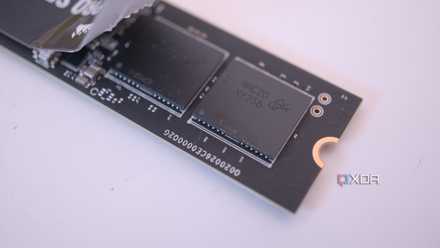
Will your SSD lose data without power?
SSDs are designed to be durable, but can still exhibit data loss if powered down for extended periods of time
1 Secondary storage on my PC
When cost trumps speed
I use 2TB of SSD storage for my OS, games, and all other data that I access regularly. That's not everything on my PC, though. I also need to store photos, videos, backup images of my OS partition, and massive games that I rarely touch. Storing all this on my primary SSD will be a waste of precious space. This is where my secondary hard drives come in, reliably storing the data I access only occasionally.
When I don't need the snappy performance of my SSD, keeping a big chunk of it occupied doesn't make sense. Hard drives prove to be cost-effective and reliable secondary storage, even on your primary PC.

4 ways an HDD is still viable in your PC (though maybe not for gaming)
Don't think HDDs are dead just yet.
SSDs and HDDs can still co-exist
Hard drives might not be cool anymore, but they have their place even in your modern setup. Whether you need cheap secondary storage on your main PC or media server, massive drives for your NAS, or reliable cold storage, hard drives are still the better pick. As long as the cost per TB of SSDs remains higher than that of HDDs, they probably won't touch spinning drives in these departments. For gaming and everyday usage, however, SSDs are the undisputed champions.