
The name does it a disservice. "Network-attached storage" promises a box that holds files, and for most people that's exactly where it stops: a backup target, a media dump, somewhere the phone photos go, but a modern NAS is so much more than that. It's really an always-on, low-power Linux server that happens to have drive bays bolted on. The storage is the floor, and the ceiling of a NAS is far higher than you give it credit for. You can move a surprising amount of household infrastructure onto it, none of which requires storing any significant amount of data.
4 reasons I regret buying a Synology NAS instead of building one myself
Regret buying a branded NAS? You're not alone. Here's why a prebuilt NAS may have made more sense.
It can block ads and trackers across every device on your network
Pi-hole or AdGuard Home are great on a NAS
Run Pi-hole or AdGuard Home as a container in your NAS' Container Manager, point your router's DNS at the NAS, and every device on the network filters ads and trackers at the DNS level. This means your devices that don't have easy access to ad-blocking extensions such as your phones, smart TVs, consoles, and IoT gadgets all dodge ads courtesy of your NAS.
The reality is, this approach filters by domain, so it won't strip every ad the way a browser content blocker does, and ads served from the same domain as the content they sit next to (YouTube being the obvious one) slip right through. The occasional false positive means whitelisting is part of living with it.

One DNS tool did what two containers couldn't, and I'm not going back to Pi-hole
The simpler stack was there all along. I didn't upgrade, I removed.
It can be a completely private tunnel back to your home network
Your NAS can be a perfect VPN endpoint
A NAS makes a tidy VPN endpoint, giving you secure access to your home network from anywhere without flinging your services onto the open internet. Synology's first-party VPN Server package covers OpenVPN and L2TP and installs in a couple of clicks, but Tailscale, the more plug-and-play home lab option, is also available as an official package. It's lighter, easier to set up, built on WireGuard and has NAT traversal, so there's no port forwarding needed. The payoff is safe browsing on public Wi-Fi plus a clean way to reach everything else on this list while you're out.
3 cool (and unique) projects to use your own NAS for
Want to get more out of your NAS? Here are some cool and unique projects to undertake.
It can house your passwords
A manager you actually control
Vaultwarden is a lightweight, Bitwarden-compatible server that runs happily in a container and works with the official Bitwarden apps and browser extensions. You get the same experience as the hosted product, except you own the vault and the backups, and you drop a recurring subscription in the process.
Yes, you technically use storage for this, but it's so small it's almost inconsequential. Also, the job it's doing is a security service replacing a cloud product, and the trade is that the security of the system now becomes your responsibility. It also needs HTTPS to function, which leads neatly into the next item on this list.

I've been running Vaultwarden on my Proxmox home server for two years, and I don't miss LastPass
It keeps my passwords safe and my sanity intact
It can put a clean address on all of your self-hosted services
A NAS is a good spot for a reverse proxy
Once you're running several of these services, you get tired of typing IP-and-port strings. A reverse proxy fixes that, routing each service to a tidy hostname with proper HTTPS. On a Synology you don't even need Docker for it: the feature is built into DSM under the Control Panel. It pairs with a free Let's Encrypt cert issued from the Certificate menu in the Control Panel.
If you want more control, Nginx Proxy Manager runs in a container instead. This is the glue that ties the rest together, and it's what makes the password manager and everything else reachable by name behind a valid certificate, with service ports tucked behind a single front door.

How to set up a reverse proxy for your self-hosted apps
Take the headache out of administering your home lab by setting up a reverse proxy.
It can function as the brain of your smart home
Home Assistant runs great on a NAS
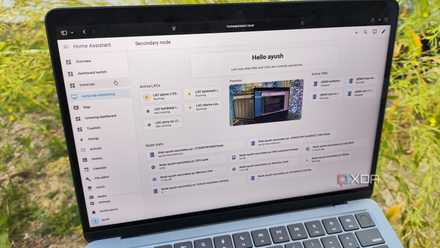
Run Home Assistant on the NAS and your automations keep firing locally, without the cloud and without a separate app for every gadget. The best experience is Home Assistant OS as a virtual machine, which most NAS boxes support. The lighter alternative, Home Assistant Container, runs in Docker but gives up the Supervisor and its add-on ecosystem, so it's a trade rather than a free win. Either way, the appeal is local control, better privacy, a single dashboard, and automations that keep working through an internet outage.
Home Assistant is way more than a smart home dashboard, and here's what I actually run on it
With the right apps and integrations, Home Assistant is an absolute powerhouse for tinkering enthusiasts
It can be a game server for you and your friends
Specs matter, though
A NAS can run a persistent multiplayer server that's up whenever you are, instead of dying the moment the host player logs off. Minecraft, in either its Java or Bedrock flavor, and other lightweight dedicated servers run in a container with the right ports mapped. Scope your expectations to the hardware, though: many NAS CPUs are modest low-power Celeron or ARM parts, and a lot of dedicated-server binaries ship as x86 only, so an ARM-based unit can't run some of them at all, no matter how much headroom it has. Even a single-core-bound, memory-hungry title like Valheim, which wants several gigabytes of RAM for a small world and a fast clock to avoid rubber-banding, will quickly outrun a typical NAS. A small Minecraft world for a handful of friends, on the other hand, sits comfortably within reach.
Synology's apps are why people stay, not the hardware, and that's finally changing
Synology's best feature isn't the NAS — it's DSM, and you can run it on better hardware
A NAS can be so much more than just a storage box
The thread running through all six of these services is the same, and that's the fact that none of these jobs care about the drive bays. They work because the NAS is a cheap, quiet computer that's already on, already on your network, and mostly idle. The storage is obviously the primary focus of a NAS, but it has the chops to be so much more than that.