
With ever-growing work deadlines, family responsibilities, social commitments, and personal goals, staying organized can feel like a tough task at times. This is where digital apps help you quickly manage numerous tasks, appointments, to-dos, finances, and personal projects. Thanks to countless productivity apps, there is a solution for every need at your fingertips.
From managing tasks and projects to tracking your habits and expenses, here are the top software tools to streamline your digital space, in order to boost your focus and productivity.

5 best project management tools for personal use
Manage your personal projects like a pro with these handy productivity tools
7 OneNote
A robust digital note-taking solution
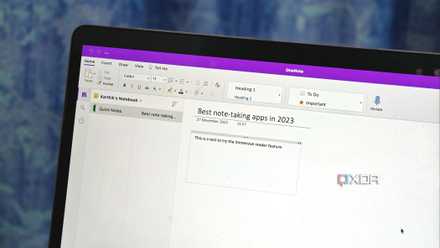
While there is no shortage of note-taking apps out there, OneNote remains my top pick for several reasons. Microsoft’s note-taking solution doesn’t need any introduction. It’s free, has native apps on all the platforms, offers a long list of features, and comes with drawing tools and a robust hierarchy to organize your notes and sections like a pro.
Speaking of its features, OneNote has a robust toolbar at the top, support for math calculations, a bunch of customization options to change the paper background and style, Copilot AI support to brainstorming ideas with Microsoft’s chatbot, and seamless integration with other company services like Outlook, Loop, and OneDrive. It’s part of my daily workflow to manage article ideas, outlines, project details, and more.
Microsoft OneNote
5 reasons I keep coming back to OneNote
Its wide coverage and efficiencies are second to none
6 Trello
Manage your personal projects like a pro
We are long past the days of using whiteboards and sticky notes to manage our projects. Now, there are a bunch of project management tools to track your endeavors like a pro. Among them, Trello remains my go-to recommendation for personal use.
Trello uses a popular Kanban board method where you can create multiple columns, add cards, and manage every project detail efficiently. Trello also supports automation and integration with popular third-party tools. The company’s free plan is quite powerful and should be sufficient for personal use. Whether you want to plan a home remodel, a client project, or your personal website, Trello helps you get the job done in style.
That said, Trello is ideal for personal use and small teams only. As your team expands, you'll probably want to explore other tools.
Trello
5 Outlook Calendar
Glance over your upcoming events
A calendar is another essential tool to manage your busy schedule without breaking a sweat. Among the countless calendar apps, Outlook Calendar can be an ideal pick for many. It seamlessly integrates with the Outlook mail app on desktop and mobile.
Microsoft’s solution is also quite feature-rich and supports Gmail calendar integration. It supports multiple views, weather integration, and more. My favorite add-on is support for sports and TV calendars. You can integrate sports calendars from your favorite sports like F1, NFL, NBA, and more and track the upcoming games with ease. You can also follow a specific sports team.
Microsoft Outlook
4 Toshl
Keep your finances in check
Aside from managing projects and events, you also need a solution to track your expenses and income streams. Instead of using a pen and paper combo or traditional tools like Excel or Google Sheets, I recommend going with an app like Toshl. Here’s why.
Toshl tracks your card, cash, and even bank transactions in a single place. You can set budgets for specific categories, attach locations, insert images, and even include tags to organize your entries seamlessly. Toshl utilizes a river flow concept to view income, budget, and expenses quickly. It also includes a convenient monthly overview to see daily spending.
Toshl has native apps on all the platforms, and the paid plan starts at $3 per month.
Toshl

5 best expense tracker apps on Windows
Money management made easy with these personal finance apps
3 TickTick
A must-have productivity bundle
Your organized life is incomplete without a task and habit management app. If you are looking for such a solution, go with TickTick. Aside from managing to-dos, TickTick offers several productivity add-ons to take control of your life.
TickTick supports habit tracking, the Pomodoro technique, a handy calendar view, detailed statistics, and more. TickTick has nailed the theming engine. Aside from the standard dark and light themes, it supports multiple color schemes based on festivals and megacities worldwide. The company has native apps on all the major desktop and mobile platforms, and the Premium subscription starts at $4 per month.
TickTick
2 Journey
Jot down your daily experiences
You also need a digital diary and online journal in your organized life. Journey can be an ideal pick if you are looking for such a solution to jot down your daily musings. It’s a cross-platform solution with a long list of features to help you create an ideal diary.
You can track your mood, enter long paragraphs about how your day went, insert images, location, and even weather when you create a new entry. It supports end-to-end encryption to keep your personal notes private, a neat gallery view, biometrics support, a shared journal to collaborate on your thoughts with loved ones, and more.
Journey also comes with a Gemini-powered Odyssey AI to find specific details from your past journal entries in no time.
Journey
1 Notion
An all-in-one solution
Speaking of the top tools to organize your life, how could we leave Notion from the list? Notion provides numerous use cases, one of which is helping you manage all aspects of your life. You can track your routines, manage subscriptions and finances, create a journal, do weekly tasks, and much more. The possibilities are endless here.
Notion offers a bunch of life planner templates as well. You can simply pick a relevant option, make the required changes, and create an ideal home page in no time. You can create a life wiki, daily dashboard, workout plan, book list, meal tracker, budget planner, and much more in Notion.
Once your Notion pages are ready, create a central home menu and attach these pages for easy access.
Notion

I created the perfect life planner in Notion so that you don’t have to
Obsessed with organization? This Notion life planner is for you.
Create a digital command center
Whether you are a busy professional, entrepreneur, or business owner, there are ample software solutions to help you stay organized and declutter your digital life. Pick some of your favorites from the list and integrate these tools into your life. You can reclaim your time, reduce stress, and focus on the things that truly matter.
An effective personal knowledge management system also plays a key role in organizing your life. You can check out our dedicated post to find the top PKM tools.