
Most people don't think to check the SSD's health until something goes wrong. While it's true that these drives are more durable and reliable than hard drives with physical discs, many things can still go wrong. The primary solid-state drive on my PC is a little over three years old, and it hasn't shown any warning signs yet.
As the system booted and the files opened as quickly as they should, I assumed nothing was wrong with the SSD. However, when I finally looked into the drive's health, the numbers told a different story, and it's not one that was easy to interpret at face value.
SSD health metrics aren't as straightforward as they seem
TBW and health percentage aren't the simple answers
The first thing many users check is the health percentage, and most assume that if it's around 90% or higher, there's nothing to worry about. While this theory is valid to an extent, the problem is that this number isn't a direct measurement of reliability or performance.
Instead, it's simply an estimate of how much the drive's rated lifespan has been used. This lifespan is generally tied to the drive's Total Bytes Written (TBW). The TBW rating manufacturers assign is nothing more than an estimate. With every write operation, a bit of that limit is chipped away, as reflected in the health percentage.
SMART data offers much better metrics for SSD health monitoring
But these metrics are also abstract
Rather than simply relying on TBW, most monitoring tools use SMART data. It offers insight into additional metrics such as wear leveling count, total host writes, and spare block usage. These parameters are more useful but also abstract.

Your SSD is fine (probably): These are the 4 SMART attributes you should actually care about
Not everything you see in SMART data is worth obsessing over
An SSD can show a high health percentage while relying heavily on the spare cells. Wear leveling further complicates things. The controllers inside SSDs constantly move data around, distributing the writes across the memory cells. This helps extend the drive's lifespan, but it also means the wear isn't linear. Depending on how the drive has been used, two users with the same drive can have similar percentages, but can end up with different real-world conditions.
SSDs can be in a heavily degraded state without obvious performance drops
Wear happens gradually, but it also hides behind normal performance
While many believe that SSD wear comes with noticeable slowdowns, the case isn't always this simple. In many cases, the drive can continue to work as fast as it did on day one, but will be heavily degraded. This happens mainly due to how SSD controllers are designed. Techniques such as over-provisioning and caching help maintain performance. When memory cells begin to wear out, the controller simply shifts the data to healthier cells. Some even rely on spare blocks.
Many drives also use SLC caching, which treats some portion of the NAND as faster storage. So, quick writes seem speedy, and there are no noticeable performance drops during everyday tasks. The real problem starts to appear when the drive is pushed to handle heavy workloads.
1 TB WD_Black SN7100 M.2 SSD
- Brand
- Terramaster
The SN7100 is a high-performance SSD designed for gaming and demanding workloads. Built with TLC 3D NAND, it promises a balance between speed, efficiency, and lifespan.
Checking your SSD health is useful, but only with the right data in focus
Go beyond the simple health percentage
To really check where the SSD is at, you need to look beyond the simple numbers. Utilities such as CrystalDiskInfo can make SSD health easy to read, but these can simplify things a bit too much. It's not like they aren't convenient, but the percentages aren't the actual verdict.
So, to see the actual health, you need to first consider the host writes. Compare this data with the drive's rated TBW.
If you're already well past that limit, it would be a good idea to start paying attention to the important files on the drive. Next, look into the wear leveling count. This reflects how evenly the NAND cells are worn. A higher value means the drive has undergone more write cycles and has aged.
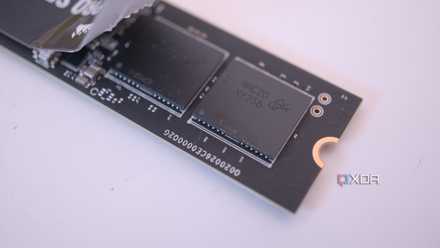
Please stop buying QLC NAND SSDs, and here's how to check if you have one
It's time we leave QLC NAND in the past
The availability of spare blocks is another key factor to consider when gauging the SSD's health. If these blocks are starting to run low, there's less room to manage degradation.
In my case, when I compared the host write to the rated TBW, I realized I had already used a much larger portion of the drive's lifespan. The wear leveling data further reinforced that this isn't just surface-level usage.
SSD health isn't as reassuring as it looks
A quick check can change the perspective
After properly checking the SSD's health, it became quite clear that "working fine" doesn't necessarily reflect how much wear the drive has actually undergone. This realization has also made it pretty evident that the health percentage doesn't necessarily tell the whole story.
However, even though the drive wasn't in its best condition, I didn't replace it immediately. Instead, I shifted it to storing less critical data, such as games.
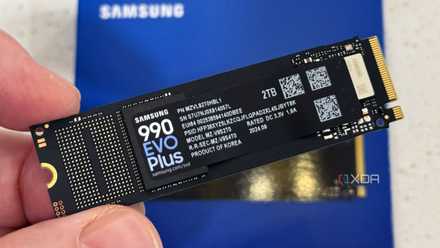
Stop panicking about your SSD's lifespan — it will probably outlive your PC
You're replace your SSD years before wearing it out