
Standing desks are often touted as the easiest way to make your home office more ergonomic and to help you deal with the discomfort that comes with sitting in front of a PC all day.
However, as tempting as it is to set up your standing desk and call it a day, there's actually a lot more that goes into ensuring that you balance the ergonomics of your office.
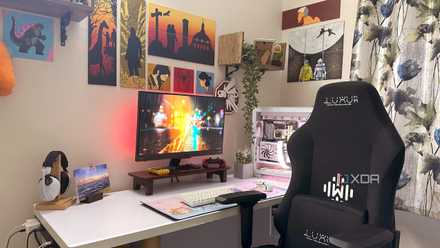
Stop ignoring these 5 non-hardware PC upgrades while chasing peak performance
Your desk setup is as important as the inside of your PC
A standing desk is only part of the equation
It only addresses part of the problem
A standing desk solves only one part of the problem when it comes to desk jobs. Sitting in a chair all day results in your hip flexors — the muscles at the front of your hips — becoming tight and shortened. When your back and gluteal muscles start to compensate for this imbalance, you may start experiencing lower back pain.
This pain can spread to additional areas as more muscles compensate, leading to an unbalanced posture and weak or overly tight muscle groups.
When you stand, your hip flexors get a chance to stretch out a bit more. However, they're not the only muscles involved in maintaining a healthy posture. A healthy posture is about maintaining the natural curve of the entire spine, not just the lower back. When working at a desk, incorrect positioning of certain parts of your body can also cause other repetitive strain injuries.
Monitor height is an essential factor to consider when making your workspace more ergonomic, as having your screen at the wrong height and distance can lead to hunching, craning, and forward head posture. In the long run, these contribute to neck and shoulder pain and may also cause other symptoms such as headaches.
But how do you go about getting the right monitor height?
Ways to fix your monitor height
A few accessories can make a huge difference
The usual advice you'll get from health sites and physiotherapists is to keep your body in a neutral posture when working at a desk. More specifically, the Mayo Clinic suggests keeping your monitor an arm's length away from your face. Meanwhile, the top of your screen should be at or slightly below your eye level.
However, from my own experience, I've also found that the ideal height will depend on how you work. For example, when I write articles, my work is actually in the middle of the screen because I'm using a CMS. As a result, I have my monitor slightly higher than the recommendation because it keeps my work at eye level, which allows me to maintain a neutral head position. If I lower my screen, I end up leaning forward, and my head is no longer in a neutral position.
The best way to get your monitor at the right height is to use your monitor's stand if it is adjustable. However, many monitors, especially older ones, don't allow you to adjust the stand. In these cases, you can use a simple monitor riser.
If you have multiple screens, using a desk mount is great for making sure both monitors are at the right height. Just make sure you avoid the mistakes people make when selecting the correct hardware for their screens.
If you're using a laptop as a secondary monitor, you will also need an accessory to set it to the correct height. You can use a laptop stand for this, but there are also specialized laptop monitor arms.
Other ergonomic office improvements
There's even more you can do
So you've got your standing desk, and your monitor is now at the right height. But are there other things you should take into account?
First off, it's important to note that while sitting all day is not good for you, this doesn't mean that standing all day is fine. That's why Healthline suggests alternating between sitting and standing throughout the day.
Because part of your day should still be spent sitting, I would recommend investing in a quality ergonomic office chair to help you maintain a healthy posture when you are sitting.
When it comes to your keyboard and mouse, the main recommendation is to keep them at the same level. You can also use arm supports to take some of the strain off your shoulders and neck when typing.
While I personally don't use an ergonomic keyboard or mouse, some people do find them beneficial. If you're experiencing hand pain while working at your desk and postural adjustments aren't working, you may want to consider peripherals with a more ergonomic design.
You can even 3D print ergonomic accessories for your office if you're on a budget, but have a 3D printer you can use.
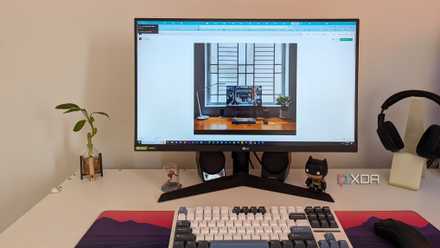
5 upgrades I'm making to my PC setup (none of them are PC components)
Not all PC setup upgrades need to be expensive to matter. I'm making five affordable upgrades to change the way I work
Keeping informed will help you get the right setup
Rather than chasing design and office fads, staying informed about ways to ensure your office doesn't worsen your posture is the best way to get your setup right.
I was an early adopter of standing desks and have tried out a few different designs. But resolving the issues caused by my desk job required adjustments across different fronts, including regular physiotherapy and rehabilitative exercises. Identifying the challenges you're facing, such as forward head posture, will also inform you on what steps you need to take when it comes to your home office and habits.