
For all the hype PC gaming can get form enthusiasts, I'm usually much more of a console fan. I like sitting on the couch and playing on the big screen with a controller, and that's just the easiest way to do it.
Recently, though, I realized SteamOS can run on all kinds of PCs, and if Valve thinks you can use its Steam Machine as your big-screen gaming machine, why can't I do the same with the mini PC I already have? So that's what I did: I set up my Minisforum MS-A1 with SteamOS and connected it to the TV in my living room. And I kinda love it now.
You don't have to wait for the Steam Machine - I built my own
I'm too excited to wait until preorders open
SteamOS runs on anything
And I have controllers ready
The current iteration of SteamOS started as a piece of software exclusive to the Steam Deck, but Valve has loosened up a bit over time. Officially, it only supports a couple of gaming handhelds, but recently, I tried it setting it up on a tablet I had lying around and found it to be perfectly usable without official support. So with that in mind, I figured I could probably get it working on just about any device.
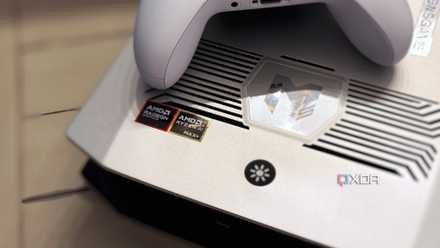
This did take a bit of trial and error, though. The latest SteamOS image Valve has available for download is almost one year old, and the Linux kernel seemingly doesn't support the AMD Ryzen AI 300 series processors, nor does it work with the Intel-based mini PC I had on hand. That's how I settled on this compact PC that's not technically a mini PC, but it is a very compact desktop, comparable with the Steam Machine.
And while I don't have a proper gaming controller for a PC, I do have my Nintendo Switch controllers, which are supported pretty well by Steam, so I managed to set things up pretty easily. Of course, I did need a keyboard and mouse for the initial setup, but overall, this was pretty breezy.
I built a Steam Machine out of spare PC parts and you can, too
If you have old PC hardware lying around or an aging Windows laptop, you might be able to breathe new life into it with SteamOS
It's perfect for the living room
A great UI for both modern and retro games
SteamOS may have been designed for the small screen of the Steam Deck first, but this UI is called Big Picture mode for a reason, and it's perfect for using with a big TV and a controller. Navigating my game library on SteamOS genuinely feels great, and I have no reason to complain.
And the best part is that it's not just Steam games, either. While that is certainly the bulk of what I play on my PC, I can also use emulation on SteamOS and have a great experience on the TV with that. It's all thanks to the EmuDeck project, which I also set up here. EmuDeck integrates with Steam perfectly, so all my retro games show up in my Steam library and they're organized by platform, too, so I can very easily find what I want at any given time.
Alternatively, EmuDeck also lets me set up Emulation Station (ES-DE) for specifically playing me retro games, and, just like SteamOS itself, Emulation Station works perfectly with a controller and on a big TV. It really is the best way to catalog and access your library of retro games, organizing them by platform and presenting them with a ton of flourishes including details about the original release date, box art, and even trailers. This is the option I went with because I also love the ES-DE interface and how much information it can show.
The first Steam Machine had no reason to succeed, but the new one has no reason to fail
Learning from the past
But what about performance?
It's all I need (but my controller may be a problem)
Of course, a gaming machine highly depends on its ability to actually run games, so how well does this actually work? Because it's more like a proper desktop, this PC has a full desktop processor in the form of the AMD Ryzen 7 8700G with fairly powerful integrated graphics.
With that kind of hardware, most modern PC games are completely playable, and I had a pretty great experience with my Steam library. I tried games like Elden Ring, Control, and Hellblade: Senua's Sacrifice.
All of these games ran perfectly fine once I adjusted some settings. Even though I have a 4K TV, I had to lower the render resolution for the games to be properly playable, but that's going to be something you have to accept with a compact or mini PC. Proper 4K gaming is not really attainable without a discrete GPU.
However, I was very happy with the results I was getting here. Control is the most demanding game of the ones I tested, and while I did have to stick with the low quality preset, the game was perfectly playable. Elden Ring also ran very smoothly and looked more than good enough to be playable. Hellblade was also perfectly playable at Very High settings with AMD FSR enabled (in Quality mode) and ray tracing disabled. For emulation, I mostly just have very old and simple titles, which all ran fine, as you'd expect.
My biggest problem ended up being the controller input lag, though I'm not sure whether it's the controller itself, the Bluetooth receiver on this machine, or some kind of communication or compatibility issue with the Switch Pro controller. I tried to connect the controller via USB and all the problems were gone, so there's something going on, but worst case scenario, I could get a dedicated USB receiver to improve the connectivity without having to use a cable.
It's like having a Steam Machine
Valve may be holding back on releasing the Steam Machine, but thanks to the mini computers I already have at home, creating the ideal setup for couch gaming is already doable. Contrary to Windows, SteamOS already provides a great experience for gaming on the couch, and even a relatively weak PC can provide good-enough performance to get you going. I recommend trying it for yourself, as it could just save you some money on buying a new piece of hardware.
Minisforum MS-A1
- CPU
- AMD Ryzen 7 8700G
- Graphics
- AMD Radeon 780M (integrated)
- Memory
- 32GB DDR5-5200
- Storage
- 1TB PCIe 4.0
The Minisforum MS-A1 is a compact PC with a full desktop processor that cna be upgraded later on.