
My homelab Debian server runs on an old PC, hosting containerized services via Docker on Portainer, including Jellyfin. The server didn't have a dedicated GPU, so Jellyfin relied entirely on CPU transcoding. Whenever someone tried streaming remotely, my server sounded like it was preparing for a takeoff. Even when I streamed a media file on mobile at lower resolution within the network, the server‘s CPU usage would spike to 90%+. It made my other services lag or become unresponsive.
That’s when I started looking for a solution. My first instinct was to upgrade the CPU or maybe build a new server. But the obvious solution came with its own hurdles. If I were to upgrade the CPU, I also had to upgrade the motherboard. A full upgrade server was unreasonable given the costs of new components. Then I started researching whether a cheap used GPU could solve my problem without spending too much on new hardware. I found out that transcoding doesn’t depend on raw GPU power. A $50 old GPU could outperform a $200 modern CPU, not because of raw specs, but because of its dedicated video encoders.
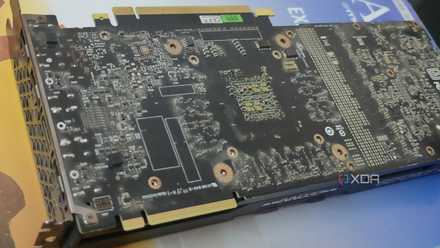
I turned a dead GPU into a hardware encoder, and it's perfect for my NAS
Waste not want not
Your GPU has a hidden encoder that still holds up
It was never about raw power
The natural assumption about GPUs is simple: a better GPU translates to better gaming performance. It is the right assumption, but that assumption doesn't hold in the case of transcoding. Transcoding uses a different part of the GPU. Gaming performance relies on CUDA cores and shaders, whereas video encoding and decoding rely on video engines, such as NVENC for Nvidia or VCE for AMD.
Gaming performance of a GPU degrades with time, as modern games require more raw power, whereas video codecs evolve much slower. An old 2016 GPU encoder can handle similar transcoding workloads as newer GPUs because H.264 and HEVC standards haven’t changed. A GTX 1050 and a GTX 1080 can perform similarly in transcoding because they share the same NVENC generation.
In real-world use, an old GTX 1050 can still do 2-3 simultaneous 1080p to 720p transcodes with reduced bitrates for remote streaming in Jellyfin. This was my ideal use case too. I typically have one or two streams daily, and a GPU can handle these easily. With the GPU addition, other services wouldn't be affected while media is being streamed. An old GTX 1050 is not suitable for scenarios like 4K HDR tone mapping, AV1 encoding, or high bitrate HEVC transcoding. If I were planning these, I would require a newer card.
Why this can save your entire build budget
The upgrade you don’t need
Upgrading the CPU isn’t as simple as it sounds. On the one hand, I would get a modern CPU, and on the other hand, it will come with a number of compatibility issues. The CPU upgrade won’t just be a CPU upgrade; the new CPU has to be compatible with the motherboard, and if I upgrade the motherboard, I’d need to verify RAM compatibility too.
With a GPU, the upgrade is far simpler; I am mostly paying for the GPU and maybe a PSU upgrade if I were running something underpowered for the GPU. The GTX 1050 takes around 75 watts and the GTX 1080 around 180 watts at peak gaming usage, but for transcoding, both use far less. In my case, I’m already safe, as even under load, the transcoding only uses 15–30 watts at most, well within my PSU’s capacity.
Beyond the cost advantages, GPU transcoding solves CPU performance bottlenecks too. Under load, CPU usage spikes to 90%+, which affects other services too. With GPU transcoding, the CPU stays free to handle other container workloads.
For a server that runs 24/7, power consumption is also a big concern. CPU transcoding would consume power near its TDP, ~65 watts for older chips, but offloading the heavy transcoding load to the GPU drops that load significantly. The GPU encoding adds only 15-20 watts.
This $50 GPU upgrade makes more sense than a $200 full platform upgrade.
When you actually should upgrade instead
This is where it falls apart
This approach of getting an old GPU works for current workloads, but it has clear limits. If you need to transcode AV1 media files, old cards are useless, and you would require at least an RTX 40-series or RX 7000-series. Older cards struggle when you try to stream multiple 4K streams simultaneously or high-bitrate 4K HEVC transcodes. Older cards like the GTX 1080 can only handle 1 or 2 light 4K streams at most, but beyond that, it falls apart. We can’t even think of 4K HDR tone mapping in these GPUs; either they won’t support it or produce washed-out colors and artifacting.
If you are on an Intel platform, a 12th gen+ CPU upgrade can be surprisingly better than adding an old GPU. Modern Intel processors have Intel Quick Sync that supports AV1, has lower power consumption, and handles tone mapping better than older NVENC generations. My old PC doesn’t support modern Quick Sync, so a dedicated GPU makes sense for me.
On the software side, older GPUs can be finicky with newer Linux kernels, especially AMD on older GCN cards. There are a few hardware acceleration quirks on Jellyfin and Plex, such as Docker passthrough, ffmpeg builds, and permissions, but they are solvable. It isn’t always plug-and-play with dGPUs, and it is not a dealbreaker for most setups.

5 reasons to overclock your GPU instead of buying a new one
Consider overclocking your GPU before rushing for another GPU upgrade
Upgrade only when your workload demands it
It is always easier to assume that better performance only comes from newer hardware. That’s true for gaming, as new games demand more raw power, but it doesn’t apply to transcoding because video codecs don’t evolve at that rate. The same dedicated encoders on a 2016 GPU can still handle today’s video codecs just fine. In my setup, the difference between upgrading the whole CPU platform versus adding an old GPU was significant. So a cheap used GPU made more sense than the CPU.