
I used to think failed prints were mostly bad luck with a little bad tuning mixed in. A spaghetti nest here, a detached corner there, maybe a support collapse that made me mutter at the machine and walk away. After enough hours, that excuse stopped holding up. The same kinds of failures kept showing up, and they almost always had a reason.
Successful jobs are easy to celebrate and forget, but failures force you to slow down and pay attention to every variable you tried to ignore.
What surprised me most was that failed prints taught me more than the clean ones ever did. Successful jobs are easy to celebrate and forget, but failures force you to slow down and pay attention to every variable you tried to ignore. They make you inspect your first layer, your slicer settings, your filament condition, and even the model itself. Once I stopped treating failures as random sabotage, they started to look more like feedback.
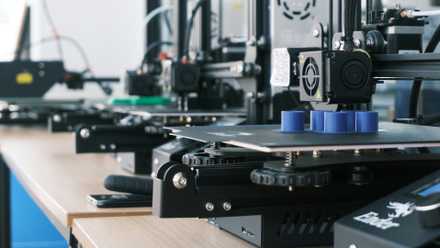
5 reasons your 3D prints keep failing (and how to fix them)
If you're bothered by 3D print failures, these are some of the most common issues to look for
Most failed prints start long before the filament moves
Preparation mistakes quietly ruin jobs before the first layer
The biggest lesson I learned is that print failures rarely begin at the dramatic moment when the nozzle starts dragging plastic across the bed. They usually start earlier, when you rushed through setup because the model looked simple and you wanted to get it going. A plate that needs cleaning, a nozzle that needs checking, or a filament that has been sitting out too long can quietly set the whole job up to fail. By the time you see the mess, the mistake has already been in motion for a while.
One thing I had to learn the hard way is that bed maintenance works best when it stays simple and consistent. A quick wipe with isopropyl alcohol handles day-to-day oils and residue, and when adhesion starts getting weird, a wash with warm water and dish soap usually gets things back on track. The more I avoided touching the build surface and using random cleaners, the fewer mysterious first-layer problems I had.
Bed cleanliness turned out to be one of those boring truths I kept trying to outsmart. I wanted adhesion problems to be about temperatures, fancy surfaces, or some magical slicer trick that would save me time. More often than not, the real fix was embarrassingly basic. Oils from your fingers, dust, and leftover residue don't look like much, but they can wreck consistency faster than most people expect.
Filament condition was another thing I didn't respect enough at first. If a spool looks fine, it's easy to assume it is fine, especially when the problem only shows up as occasional stringing, poor layer bonding, or weird surface blobs. But moisture has a sneaky way of turning one bad print into three different false diagnoses. I learned that when a print looks unpredictable, the material itself deserves suspicion much earlier in the troubleshooting chain.
The first layer is only part of the story
Many disasters begin after the setup seems safely behind you
A good first layer matters, but I learned not to treat it like a victory screen. Plenty of prints start beautifully, only to fail two hours later because something farther up the chain wasn't stable. Tall models can wobble, overhangs can sag, supports can give up, and badly chosen infill can leave large areas weaker than they looked in the preview. It's comforting to blame the bed when something fails, but that only explains part of the wreckage.
I also learned that speed hides problems until it doesn't. Running fast feels great when a printer handles it, and modern machines make it very tempting to push harder than you should. But every jump in speed raises the stakes for cooling, extrusion consistency, and mechanical stability. Sometimes the printer finishes anyway, which is why bad habits can stick around for a long time before they finally blow up on a bigger job.
Model choice and slicer assumptions matter more than I expected, too. Some files just aren't forgiving, especially when they rely on thin contact points, tricky bridges, or supports that look adequate in the preview but collapse in real life. I've had prints fail not because my machine was badly tuned, but because I asked it to do something the model didn't really support. That taught me to stop treating every STL as a trustworthy promise and to read geometry with a little skepticism.
Not every failed print means you did something wrong
Some bad outcomes come from factors that hobbyists can't fully control
As much as experience helps, not every failed print is the result of laziness or bad habits. Sometimes the model was poorly designed, the filament diameter wasn't consistent enough, or the ambient temperature changed just enough to throw things off. Even a well-tuned printer can get tripped up by a draft, a half-clog that develops mid-job, or a support structure that looked fine until gravity got a vote. There are limits to how much control you really have.
That's especially true if you print with different materials and don't keep your expectations in check. PLA can make you feel like a genius right up until PETG, ABS, or TPU reminds you that the machine doesn't owe you a repeat performance. Each filament exposes different weaknesses, and sometimes a profile that worked yesterday just isn't right for what you're running today. A failed print in those moments isn't always a sign that you've become careless. It can just mean the material is asking for a different approach.
There's also a plain old probability problem nobody likes to admit. When you print a lot, some jobs are going to fail because there are just more opportunities for something to drift, loosen, or behave differently than it did on the last run. A hobby that depends on heat, motion, adhesion, airflow, and material behavior is never going to be perfectly tidy. Past a certain point, a failure count says as much about how often you print as it does about how well you print.
You still have more control than failed prints suggest
Experience turns random-looking failures into fixable, repeatable problems
Even with all that said, I don't think failed prints are as mysterious as they first appear. The longer I printed, the less random they looked, because patterns started repeating themselves in ways I could actually use. Certain defects pointed to moisture, others to poor support strategy, and others to nozzle or flow issues. Once you know what common failures tend to look like, the printer stops feeling temperamental and starts feeling readable.
That shift in mindset changed everything for me. Instead of making three changes at once and hoping one of them worked, I got more disciplined about isolating variables. I started asking simpler questions, like whether this was a material problem, a setup problem, or a geometry problem. That doesn't make every fix instant, but it saves a lot of time compared to panic-tuning half your profile after every bad result.
The most valuable thing 2,000 hours gave me wasn't perfection. It was a better troubleshooting instinct and a lot more patience. Failed prints still happen, and they still annoy me, but they don't feel like chaos anymore. They feel like evidence, and once you start reading them that way, they become a lot less discouraging.
What 2,000 hours of failed prints finally taught me
The simplest lesson is also the one I fought the hardest: failed prints are normal, but they aren't meaningless. They usually point to something concrete, whether that's poor prep, a slicer decision that looked smarter than it was, or a material issue you didn't catch early enough. The trick isn't avoiding every failure forever. It's learning how to spot the ones you're accidentally inviting.
That is what changed after all those hours. I stopped seeing failed prints as proof that 3D printing is unreliable and started seeing them as part of the skill ceiling. The hobby gets much less frustrating once you accept that every mess has a story behind it. If you're willing to read that story instead of just throwing the print away, your next job has a much better chance of ending clean.
Bambu Lab H2C
- Build Volume
- 330*320*325 mm³
- Materials Used
- Filament Spool
The H2C is easy to maintain and produces great 3D prints.