
We've long known that the ISP-provided router is usually junk, and you're better off buying your own if possible. It's not just that they're built to the lowest specifications, and often overheat due to the limited space for both modem and router functionality. Or that they're usually limited in how many devices you can connect to your home network at once, which wasn't a problem once upon a time, but when even your toothbrush comes with Wi-Fi, it's an issue.
It's all of these things, plus a myriad of other issues that could break your home network or internet experience in multiple ways. Some are easily noticeable, but others are harder to pin down, and it always feels like the ISP doesn't really want to fix the issues. The only real way to take back control is by using your own router. It's still worth keeping the ISP router (unless it's rented) because they might only provide tech support if their hardware is plugged in, but for all other times, having your own router will fix many of these annoyances.

I replaced my ISP's router with a cheap mini PC — and you can too
Create an even better LAN for all your smart devices with nothing but a cheap mini PC.
Double NAT issues
For many users, this isn't a problem, but it's frustrating when you're affected
One of the fixes for the impending IPv4-pocalypse of running out of public IP space was Network Address Translation (NAT), essentially a way to increase IP address space by translating public IP addresses to private IP addresses on your home network. It's a good solution for most use cases, as internet browsing, downloading, and cloud services aren't really affected by the potential issues it could cause. But, it's a nightmare for gaming, especially on consoles, and it can be made even worse.
That's because if you add a new Wi-Fi router to get better connectivity and features that your ISP router doesn't support, you might be creating a double NAT situation where both routers are working in router mode, breaking UPnP, port forwarding, and many other features. But even if you haven't added a new router to the mix, your ISP might be using CG-NAT, which is another form of double NAT, making port forwarding all but impossible.
That's not good for gamers, self-hosting enthusiasts, home labbers, and more. You can't do much about the ISP if they're the problem, but if you can remove their router (or put it into bridge mode), then you remove one layer of NAT, making your home network easier to manage.
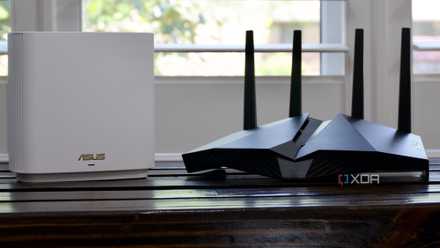
Double NAT: The silent killer of your home network's performance
Double the NAT, double the trouble: Discover the hidden menace lurking in your home network.
DNS hijacking
Your ISP is (likely) restricting what you can see online
Ever tried browsing to a specific website, made a typo, and got redirected to a page with your ISP's branding? That's DNS hijacking in action, where your ISP is "helpfully" steering you from a potentially dangerous site and sending you to another potentially dangerous site filled with advertising. It's also equally likely that your ISP won't let you change the DNS servers used on its router. Not every ISP is like this, but the larger they are, the more likely it is, in my experience.
Now, you could fix things with a self-hosted DNS server that uses DNSCrypt, DNS-over-TLS (DoT), or DNS-over-HTTPS (DoH), to encrypt your outgoing DNS requests and keep them from being redirected by the ISP. You'll have to change the DNS server on your devices to use the new DNS server IP address instead of the ISP router's IP, but that should get you past the censorship. Or you can replace that router and use your choice of DNS servers, but the most secure option is to self-host a DNS server.

I used Unbound to create my own DNS server, and I'll never go back to Google or Cloudflare
I created my own DNS server using Unbound, and it was painless.
Broken port forwarding
This is made worse by CG-NAT situations
If your ISP router allows port forwarding, you're in a tiny subsection of internet users. Most either lock down port forwarding entirely or limit it to specific port ranges, so that ports needed for self-hosting services are often blocked. Firmware bugs, CG-NAT, and other issues can stop port forwarding from working even if the ISP router allows you to set forwarding up. Even UPnP can be blocked sometimes because your ISP doesn't use static public IPs and instead uses NAT to share the same public IP among dozens or more customers.
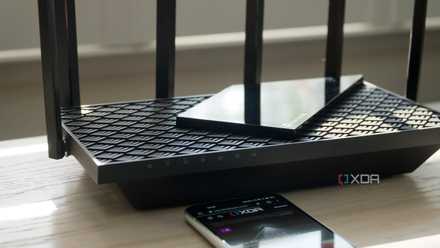
CGNAT is the one thing worse than double NAT, and here's what you can do about it
The only person CGNAT loves is your ISP
Remote management backdoors
Nobody should be able to access your network but you
Your ISP router could, ironically, be the weakest link in your home network's security. I mean, did you expect much more from companies that install the routers with the default passwords, the ones that are printed on the barcode label (and are created from hashing the MAC address of the hardware)? They could also contain remote access protocols that give technicians backdoor access, ostensibly to send firmware updates, but they're also used when you call in for tech support, and who can say if those are the only times they're used?
That's far from the only insecure action that the ISPs have been known to do on their equipment. Many ISPs set up public WiFi hotspots from your router, which is partly why there are so many xfinitywifi SSIDs when you wander around town. They're also often using out-of-date firmware with multiple security vulnerabilities that need patching, and some even send back details about your internal LAN devices to the ISP.

Bandwidth throttling
You're not always getting the service you pay for
You'd think that when you subscribe to a speed tier from your ISP, that's the speed you'll get. But there's always an "up to" proviso to that number, and "up to" can also have "what we let you use" added after it. That's because ISPs often use gateway routers to throttle your connection based on a myriad of triggers, like your bandwidth usage, the time of day, your location, or even the content type if you're a heavy streamer or gamer. These could be "soft caps" that are hard to detect, requiring multiple tests a day at the exact times over successive days to build a picture of the traffic shaping measures your ISP has implemented.

4 signs your ISP is throttling your connection (and what to do about it)
There's nothing worse than having your connection throttled - here's how to get around it.
Outdated Wi-Fi standards
The older the router, the slower your Wi-Fi is going to be
Wi-Fi improves every few years, with Wi-Fi 5 gaining widespread adoption after 2013, Wi-Fi 6 and 6E from 2021, and now gathering speed with Wi-Fi 7 availableand Wi-Fi 8 on the way. ISPs are well known for being slow to offer the latest wireless standards, and that's offered to new customers first.
If you're an existing customer and you don't make noise, you could be stuck with the same outdated router for years, even when better options are available from the ISP. They're also fond of upselling Wi-Fi extenders, which are no replacement for a good mesh network and slow down your network by forcing traffic to take extra hops in each direction.
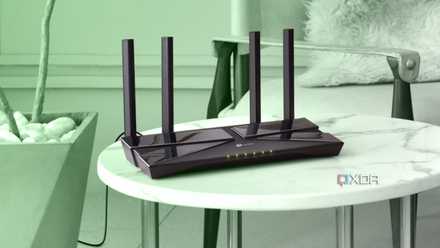
5 ways your ISP router quietly weakens your security (and how to lock it down)
Take control of your home network's security
Locked-down settings or missing features
ISP routers often lock you out of advanced tech or put them behind paywalls
ISPs like to limit features and services that many modern routers enable by default, under the guise of safeguarding network stability. Now, I don't know about you, but if my doing something on my private LAN, like setting up an IoT VLAN, affects the stability of the ISP's network, that says a lot more about how well they've designed their networks and router, and very little about my actions.
Yet that's the argument they use to reduce features like QoS, VLANs, Ethernet ports faster than 1GbE, and other things ISPs think don't belong on a residential network. Often, features are locked behind business plans or require upselling to unlock existing functions on the router provided.

I regret sticking with my ISP router for so long — it's way better to make my own
Open yourself up to networking nirvana.
Your ISP router might be the weakest link in your home network
From locking you out of features your router would otherwise support to insecure backdoors, slow updates, and more, the router your ISP has provided can break your home network in many ways. Older routers might not support IPv6 properly, which could cause issues with modern operating systems that require it for core services, slowing down your network or causing unexpected behavior. If it was only a few isolated issues, that's one thing. But these are prevalent across the industry and well documented over the years, showing that ISPs design their routers for ease of access and setup, while security and privacy take a back seat.