
Linux offers an overwhelming number of distributions, and there's something for everyone. Desktop environments (DE) add the visual medium to interact with the underlying OS, and there's no dearth of them as well. You've got GNOME, KDE, Xfce, COSMIC, just to name a few. It's also possible to switch to a different desktop environment, which is one of the key things I love about Linux. I've been using Ubuntu with GNOME for a long time and KDE Plasma for a little less than that.
Despite using the same underlying operating system, both desktop environments starkly differ in approach, intention, and execution. Both GNOME and KDE Plasma are exemplary DEs, but with different focus areas and user expectations. One is intentionally simple yet reliable, while the other has a treasure trove of features, customization options, and targets power users. Let's explore how they belong to a similar category of software, yet try to solve different problems and stand apart.
Philosophy difference
Control versus minimalism
When you think of switching to a new operating system, you expect a certain set of elements and features. Since Windows and macOS are the two mainstream operating systems, migrating to any Linux distribution is a tough choice. GNOME’s approach to this decision is serving a desktop environment that offers the basic elements.
In GNOME, you get a slightly different desktop layout, an activities view, and workspaces. These elements don't resemble or replicate the macOS or Windows design, but they work well. You must abide by the desktop environment rules, and there are limited native options for making major changes to it. GNOME ships with a default, usable design that might not entice you, but it works.
KDE Plasma is a desktop environment that factors modularity and control. It anticipates that a user switching from a mainstream operating system needs a certain level of control and customization with the desktop environment. Plasma doesn't skimp on necessary elements like tiling, theming, and workspaces, and expects you to take the reins.
It's amazing how GNOME tries to shroud you in a minimal, functional space to eradicate confusion. In contrast, KDE Plasma tries to open doors to endless customization and align it with your workflow.
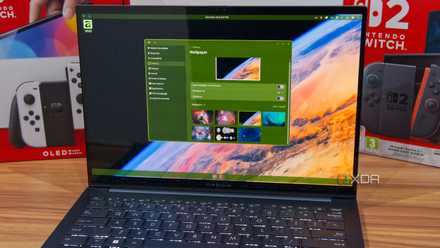
I switched to the COSMIC Linux desktop, and I can't wait for the future
COSMIC is out of this world, even with its flaws
Customization scope
KDE trumps GNOME
KDE Plasma feels familiar. That’s the first thing every new user notices about it. There’s a familiar-looking bottom taskbar panel, an app launcher on the left-hand side, and a system tray-like design on the right. It looks slightly like Windows, as the focus is on something relatable and less confusing.
But Plasma doesn’t hold back and offers granular access and customization options. You can tweak the desktop experience completely, be it adding or removing panels, moving around elements, changing appearance and widgets, and more. Some of these changes are cosmetic, while others impact your daily workflow, such as animations, virtual desktops, tiling behavior, window behavior, effects, and rules.
GNOME looks polished but very minimal for a mainstream Linux desktop environment. It sticks to a very basic customization system, and it can feel exasperating to a new user. You can only modify the behavior of desktop elements and cannot add any new panels or widgets. The settings app feels very limiting, as you can only show or hide the dock and make a few more desktop-related changes.
The only way to introduce a new feature is via GNOME extensions that can inject a new feature into the shell. I have mixed feelings about extensions because they extend GNOME’s features but compromise the stability. The extensions have a hard time adjusting to GNOME updates and stop working unless the developers maintain them.
I like the idea of extensions, but when they stop working and crash the desktop, it’s a painful sight. Most extensions add small, essential features like advanced tiling support or a categorized app section, and relying on extensions feels like a band-aid on a big, open wound. GNOME is suitable for users who rely less on GUI elements and can work with the native features.
The target user base is different
Productivity versus power users
GNOME leans into simplicity mode, where the core desktop environment is basic while extensions try to bridge the feature gap. It’s a perfect fit for users who only need a regular desktop that’s less prone to breakage and doesn’t get in their way while they work on it.
If you are a casual user who spends most of the time in the browser, terminal, or other apps, and have a basic workflow, you’ll find GNOME sufficient. It won’t get in your way and overwhelm you with features and options that you’ll rarely use.
KDE Plasma is more geared towards power users, who want everything pitch-perfect and accessible. It lets you create your workflow, manage system settings, and element behavior. You don’t need to confine yourself to mundane design choices and tools, and it includes a lot of useful tools, like KDE Connect and KRunner by default. I like both of them, as one lets me pair my phone to the system while the other acts as a floating search bar that I can conjure at a whim. These tools, along with the endless supply of possible tweaks, make it exciting for power users like me.
Desktop environments are unique
Juggling desktop environments is very exciting for me as I try most new things in the spectrum. COSMIC is a good example that’ll mature with time, but GNOME and KDE Plasma have already nailed most of the attributes. Picking either of them depends on your needs and expectations, but I tend to lean towards the KDE Plasma desktop for a daily use system. GNOME works perfectly for my virtual machines and servers, and I don’t want to replace that.