
When I first got my Synology NAS, there wasn't much competition on the local market, so it seemed like a good choice in terms of reliability. However, years later, I've grown frustrated with the lack of flexibility that the platform provides.
This frustration has grown now that I've moved from simple file backups to self-hosting services in Docker. I've realized that this lack of flexibility permeates the entire experience, and I'm stuck with an inflexible, outdated Docker experience.
4 reasons I regret buying a Synology NAS instead of building one myself
Regret buying a branded NAS? You're not alone. Here's why a prebuilt NAS may have made more sense.
The worst thing about a Synology NAS is the lack of proper control
From the HDD debacle to daily usage
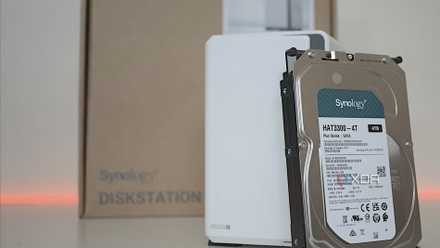
Synology's hard drive restriction announcement in 2025, which limited certain newer NAS devices to Synology-branded hard drives for full compatibility, received a lot of backlash from users. While the company reversed its decision, it eroded my trust in Synology going forward. It also underpinned how little control users really have, with the company able to make sweeping decisions that could severely limit the choices of its users.
While this was the final straw for many, it follows a series of decisions over the past few years that limit the control users have when using Synology products.
Synology also removed native HEVC and hardware transcoding support from devices using DSM 7.2.2 and later. This was a blow to people who use their NAS as a media server, especially since Synology's hardware already comes at a higher cost.
But it's just one of many things that Synology has removed over the past few years. Synology also tightened control over its Package Center. And sometimes this control leaves users at a disadvantage.
Container Manager is a frustrating Docker solution
And its outdated Docker engine is concerning
To use Docker on devices running DSM 7 and later, you need to use Container Manager. While developed by Docker Inc., it is published by Synology. I prefer a graphical interface for managing Docker, but I find Container Manager exceedingly frustrating.
I frequently run into issues with permissions, even within my Docker volume, as well as inaccurate resource monitoring. Despite being a GUI, there are several quality-of-life features that are missing that exist in Docker Desktop. This includes the ability to see all your projects and containers in a centralized view, as well as easily finding the ports your containers use.
The UI for creating containers and projects is also clunky, with different workflows for Docker Compose projects.
If you're serious about self-hosting containers on your NAS, you will likely need to use a Docker management solution. A few recommended options include Portainer, Dockge, and Dockhand. Container Manager just doesn't give you the flexibility and convenience you'll need.
The only thing that has really stopped me from replacing Container Manager as the Docker UI on my NAS is the limited number of containers I run. But when I have time, I definitely plan to implement a solution that will free me from Container Manager.
Another issue is that Container Manager is also significantly outdated. Its latest version, released in 2025, uses Docker Engine 24.0.2, which has been unsupported since June 2024. The latest version of Docker Engine is 29.2.1. Unfortunately, replacing your Docker management solution won't fix this underlying issue.
The outdated engine raises security concerns about potential vulnerabilities. Newer versions of the engine will have patched these issues, but Container Manager uses a version that has long-since reached its end-of-life.
Synology needs to recognize the importance of user choice
Otherwise, there are fewer reasons to invest
There was a time when Synology could coast on its reputation and a lack of competition. But considering that people are becoming more price-conscious and more affordable competitors are available, making users jump through additional loopholes to use their devices won't make Synology an attractive solution.
You might argue that Synology's DSM offers user-friendliness, but I'd say there's definitely still a learning curve involved when it comes to using its software. It's not exactly plug-and-play, and competitors like Ugreen also provide user-friendly alternatives.
Personally, my experience with Synology's limitations and a growing distrust have made me consider investing in another brand instead. My current setup is woefully underpowered, so when I look at upgrading, I may completely switch brands.

I've stopped recommending Synology to friends, and here's what I tell them to use instead
There are plenty of other options for NAS enthusiasts besides Synology
Synology's approach to user control has lost many fans
Most people who go through the trouble of hosting services on their own hardware and creating their own backup servers aren't the ones to really tolerate vendor lock-in. When a lack of control is paired with pricey hardware and increasing limitations, you're bound to lose a lot of fans.
Synology could've gotten away with discounted hardware with some lock-in, or higher prices with a great user experience and flexibility. But trying to have it both ways just doesn't work.