
There was a reason Synology dominated the home and small business NAS market for so long. Its software ecosystem is genuinely excellent — DSM is polished and intuitive, packed with features that work out of the box. I've been using Synology devices for years, and the software experience keeps me hooked, as it has remained stable and accessible for a long while.
What did, in fact, change during this time is the hardware pricing — and not in a good way. Recent price increases, coupled with no meaningful hardware upgrades, and sometimes even what feel like downgrades, have become hard to ignore. Experiments with drive restrictions and keeping users locked into proprietary upgrades make Synology feel less like a smart long-term investment and more like an Apple-like, closed premium ecosystem.
The hardware value keeps declining
You are paying more for less than the competition
A few years ago, Synology NAS models were priced higher than competitors like QNAP or TerraMaster. But that premium felt reasonable given the software advantage. Spending 10–20% more for a significantly better user experience was indeed worth it.
However, that gap has widened considerably now. Even for a basic four-bay NAS, you can expect to pay upwards of $400. Meanwhile, the 900-series mid-range model that many would recommend now costs around $600 on any given day. Compare that to a similarly priced model from, say, TerraMaster, and you’d get a much more powerful CPU, a higher-capacity Ethernet port, extra PCIe and NVMe slots, and none of the proprietary lock-in features.
The inherent problem isn’t that Synology costs more; it’s that the hardware you’re getting for the price is underwhelming. That’s true even for the recently launched Synology 2025 series models, which come with weaker components than the competition.

I've stopped recommending Synology to friends, and here's what I tell them to use instead
There are plenty of other options for NAS enthusiasts besides Synology
Proprietary upgrades multiply the real cost
Vendor lock-in limits your options
The pricing becomes a bigger issue when you factor in Synology’s approach to upgrades. Until the DS923+, upgrading the included Ethernet port to a 10GbE network required Synology’s proprietary module, which would cost you another $100 or so. In comparison, other brands let you slot in almost any PCIe card, many of which are easily available for under $30.
And that’s true for a lot of other components on Synology NAS models as well.
Drive compatibility restrictions
Even though Synology has withdrawn that ill decision, its ghosts will continue to loom over it. The fact that Synology decided to restrict drives on a platform that is supposed to be open from the get-go is problematic. Synology’s reasoning was that it ensured reliability, but in reality, the lock-in felt more like an attempt to exert control over the hardware ecosystem.
When the industry as a whole is moving toward more openness, this became a major red flag — one that turned people away from Synology, the same brand that was once a clear fan favorite.
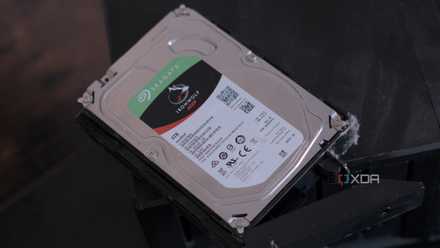
I got around Synology's dumb drive restrictions — here's how
Synology wants you to buy their expensive drives but there is a better way.
The software advantage is real, but shrinking
The experience is great, but at what cost?
There’s no denying that DSM is still an excellent operating system for home and small office NAS users. The interface is clean and approachable, letting you set up the NAS and get comfortable with it quite easily, even if it’s your first time using network storage. It comes with a solid set of built-in features like Synology Drive and Active Backup for Business, both of which I personally rely on heavily for my everyday needs.
Beyond the headline features, the way DSM handles reliability, mobile access, and overall user experience still makes me choose Synology over any other prebuilt NAS brand — at least when software alone is in question.
The software advantage is real, and for many users, it’s still worth paying extra for, especially if you value a plug-and-play experience where things just work without constant tinkering. But it ultimately comes down to how much extra you’re willing to pay when the hardware itself is falling behind.

TrueNAS is free, so why would anyone pay for a NAS OS?
People are too dismissive of paid NAS operating systems.
Synology isn’t bad, but…
I’m not saying that Synology NAS devices are completely a no-go. They’re still solid and reliable systems with an exceptional software experience. However, in recent years, the value proposition has shifted in a way that makes it harder to recommend as enthusiastically as I once did.
When I first got my Synology NAS, it genuinely felt like a premium device that justified its price. I can’t say that with the same level of conviction today. That shift in reality has sent many of us looking for better and more value-for-money alternatives.

I used these tools to move from a Synology to a DIY NAS, and it was painless
The migration went far better than I expected
But if not Synology, then what?
Turns out you’ve got plenty of options
While software continues to be a powerful advantage for Synology NAS models, other brands aren’t that far behind anymore. If a prebuilt NAS is a requirement to avoid complications, you have dozens of options from brands like TerraMaster, QNAP, Asustor, and Ugreen to choose from. It’s effectively a playground to pick the option that makes the most sense for your needs.
And for those of us who want even more control over our NAS devices, there’s an entire world of custom-built network storage waiting. You can repurpose an old PC or laptop you’ve been wondering what to do with, or set up a compact storage system using a Raspberry Pi. You can choose the hardware and component combination that fits your needs and budget, without being constrained by what a big brand dictates. For many people, that freedom is the real appeal. It gives back the control that Synology, intentionally or not, has been slowly taking away.
UGREEN NASync DH4300 Plus 4-Bay Desktop NAS
- CPU
- Rockchip RK3588
- Memory
- 8 GB LPDDR4X (Soldered)
- Drive Bays
- Four
Ugreen's DH4300 Plus NAS is a fantastic four-bay offering with a decent Arm chip inside, 8GB of LPDDR4X soldered RAM, and 32 GB of eMMC soldered flash. It supports up to 120 TB of storage, and the company's UGOS is packed with useful features.