
If you’ve spent time around Synology and its NAS models, you would’ve noticed that it shares a lot of similarities with Apple and the way it operates. I don’t mean it in a superficial, copycat way, but in how the experience is shaped from the ground up. It has a nice software ecosystem, and along with that, there are some restrictions that look straight out of Apple’s playbook. And as a result, the perks and pitfalls are the same as well. Let’s break them down to see how they affect us in everyday use.
The slick ecosystem
You need not look outward
Synology’s biggest strength is its ecosystem — one that is full of first-party apps, making sure you don’t have to look elsewhere for most tools. There’s Synology Drive for working as a Google Drive alternative, Synology Photos for your pictures, Surveillance Station for your security camera network, and whatnot.
More importantly, everything is interconnected and works like an actual ecosystem. You can tie the NAS to your Synology account and use it from anywhere through QuickConnect. The mobile apps from Synology look good and work even more reliably. They’re so tightly integrated that using third-party tools feels like breaking a sacred connection, making things less than ideal.

7 Synology features you can install on any NAS
Some features have to be platform-agnostic
Design and polish
One for the user experience
Synology’s operating system, DSM, is what makes the hardware shine. If you’ve used macOS, you’ll notice the resemblance — not visually, but functionally. DSM is perhaps the cleanest and most intuitive NAS OS, designed to be beginner-friendly. Everything is neatly packed and doesn’t overwhelm you with too many options, unlike other brands that like to throw everything at you at once.
Things also stay consistent across the board. You won’t wake up one day to find a new DSM version installed with your options rearranged, making it difficult to locate the features you use every day. Synology sure is a server box, but it doesn’t feel like the intimidating kind.
I've tried many NAS brands, but I keep coming back to Synology — here's why
There's no place like a Synology home...
Hardware that just works
With something for everybody
Synology has a massive lineup of both consumer and enterprise NAS models. On the consumer side, there are multiple options for everyone’s needs, right from something as user-friendly as the BeeStation to the 8-bay DS1825+, and usually, you don’t have to worry about the hardware you’re getting. If you have one that meets your requirements, you’ll get a solid build and quiet performance, with minimal need for adjustment once everything is in place.
It’s the NAS equivalent of a MacBook — you plug it in, set it up, and just forget about it. That’s far from what you need to do with a DIY setup or models from other brands, which often require more hand-holding.

6 things Synology and QNAP should steal from each other
What one NAS brand won’t teach itself
Great support and longevity
It goes on and on and on
One of Synology’s most underrated strengths is its long-term support for its devices. We saw it when DSM-7 dropped a few years ago for a range of older models. It was like breathing new life into older hardware. DSM updates are frequent, and security patches roll out for years, making the boxes feel like worthwhile investments.
You don’t have to worry about your NAS being left behind after just a few years, which is true even for the cheaper models. This kind of longevity mirrors Apple’s iOS and macOS updates, which cover older devices across various price ranges.
4 reasons I regret buying a Synology NAS instead of building one myself
Regret buying a branded NAS? You're not alone. Here's why a prebuilt NAS may have made more sense.
The premium pricing
Got the cash?
When comparing a brand to Apple, you know the price factor is also a consideration, and that’s valid for Synology as well. Its gear is rarely the cheapest on the shelf. You’ll often find competitors offering better raw specs (faster CPUs, more RAM, better LAN, etc.) at the same or even lower prices.
But Synology’s pitch isn’t about raw performance numbers. Just like Apple, it’s about the whole experience, the polish, and the support. And that’s what people are willing to pay extra for. That ‘Synology tax’ buys convenience and the assurance that the hardware will be supported for a while.
5 reasons why I don’t buy a pre-built NAS anymore
Locked-down software, weak specs -- it’s time to ditch prebuilt NAS.
Locked-down choices
The walled-garden effect
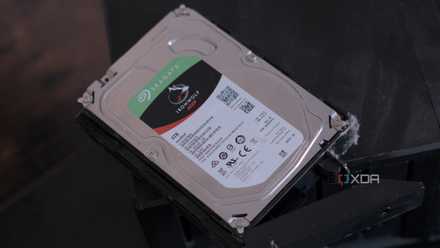
An ecosystem is just like a coin with two sides — the good and the bad. The downsides are the limits and restrictions that keep a Synology NAS from feeling completely yours. The most recent change to drive compatibility is a solid example of how restrictions can get frustrating. It goes against the very nature of NAS devices, which are open to both hardware and software tinkering, yet Synology restricts even the basics.
In another move, the company also dropped open-source apps from its app store, forcing people to look elsewhere. On some models, the LAN port is technically upgradable, but the upgrade module is proprietary. Limitations like these are pushing people away from Synology to alternatives from brands that are less intrusive.
I got around Synology's dumb drive restrictions — here's how
Synology wants you to buy their expensive drives but there is a better way.
You can’t escape the ecosystem
You’re trapped, baby
Once you’ve invested yourself in the ecosystem, getting out is tough. Your workflow with Synology apps is the strongest pull that keeps you entangled with the company’s services. Migrating to another brand or a DIY setup — and changing your habits along with it — is so painful that most people avoid even attempting. Just like Apple, the deeper you go, the harder it gets to leave. It’s not sinister, as it does provide a cohesive experience, but it is by design. Depending on how you see it, it’s either a safety net or a trap.

6 things I wish I’d known before buying a Synology NAS
It’s a great system — but there are quirks I didn’t see coming
Ditching Synology for good isn’t easy
Leaving Synology behind may sound sensible for many users, but it isn’t always feasible. I tried doing that and quickly realized it’s not for the faint of heart. Sure, the ecosystem is a trap, but the operational efficiencies Synology added to my workflows — backups, maintenance, general upkeep — remained unmatched. You’re going to miss those niceties once you move away. So you have to decide if these conveniences are worth sticking around for, or if you’ve had enough of the company’s restrictions.