
The decision to switch away from Synology was never about running away from anything. I was chasing something — more power, control, and flexibility. And I got all that in a DIY setup. But what I didn’t account for were the small frictions that slowly start adding up when you leave a well-integrated system. Looking back, it feels like I left behind a well-oiled machine that just worked.
These are the seven things that I wish someone had told me before I said goodbye to DSM and decided to build everything myself from the ground up.
7 Synology’s ecosystem was actually good
It's got some serious chops
I thought Synology’s DSM was for people who didn’t want to get their hands dirty. DSM may be quite user-friendly, but it’s deeply functional too. Everything works like it belongs there — it’s the real example of a well-oiled machine. All the first-party apps are designed to work like a cohesive platform.
This is something that wasn’t obvious when I was using a Synology NAS. The realization came when I found myself looking for ways to recreate that flow after I had switched away. Despite all my efforts, the flow never felt as snappy. DSM hides a lot of complexities under the hood.

6 things Synology and QNAP should steal from each other
What one NAS brand won’t teach itself
6 Backups were easy-peasy
I rarely had to think about them
With Synology, I barely thought about backups. I had Time Machine set up for my Mac that worked every weekend, while Synology’s own Active Backup for Business took care of my Windows machine like a charm. Synology also offers native apps to connect with external cloud services, including Google Drive — no complex third-party integrations required.
Now, snapshots need a bit of planning; it’s not as plug-and-play as it used to be. Syncing tools sometimes need manual scripting. And still, I never feel confident enough that everything will work as expected. I have to keep checking every other week to make sure things didn’t break silently.

How I use my NAS as a secure backup server for both of my PCs
Turns out, the first-party apps are more than enough
5 Power efficiency matters
Especially when you see the difference
Getting yourself a pre-built home NAS is one thing, and putting together a DIY unit is a whole different thing. Depending on how you’re configuring your devices — setting up a little server with Raspberry Pi or repurposing an old dusty desktop lying around — your system’s power needs can vary considerably, especially if you’re reusing old parts.
Synology’s systems sip power, which is particularly true for their consumer models. They are designed to idle efficiently, spin down drives when needed, while staying quiet most of the time. While the actual increase in power consumption isn’t that big of a deal, the fact that there is an overhead becomes noticeable and concerning.

7 Synology features you can install on any NAS
Some features have to be platform-agnostic
4 Spending more time fixing than using
Maintenance doesn’t come easy
A setup that you build on your own gives you much more control, but with that also comes the responsibility to maintain it. On my DIY system, I often find myself fixing containers, troubleshooting updates when something in one corner of the NAS messes up the other side, rewriting backup rules, and whatnot.
With Synology, I was much more at peace. It actually felt like a plug-and-play device that didn’t demand much attention if you set everything up correctly. It would be weeks before an error showed up or something failed to work as expected.

Forget about Portainer, I use this simple tool to manage all my Docker containers on my NAS
I use Dockge to manage all my Docker containers, and I won't look back (except in some instances).
3 Community doesn't mean support
You need actual support when something’s down
In my enthusiast era, I was fine spending hours going down the Reddit rabbit hole to find a solution to an obscure little problem. It truly felt like I achieved something that day. But now, my busy schedule wants things sorted quickly by a professional without fuss. I unfortunately can’t get that with a system I built on my own.
I have no place to raise a ticket or reach out to a support person who would quickly understand my problem and suggest a fix. I have to wait for the community members to fight over a message, wait for them to vote up the most relevant solution, and keep my fingers crossed that it works. If not, rinse and repeat.

My NAS is essential for these 6 self-hosted services
Despite owning a dedicated home server, I've paired many self-hosted services with my NAS
2 What mobile access?
Mobile apps should be a necessity
I quite relied on Synology’s suite of phone apps, from DS File to Synology Photos, to access anything, even when I am not using my laptop. Now that they’re gone, it feels like I am stuck with stop-gap solutions that just don’t feel cohesive.
Sure, there are alternatives available. There’s Tailscale, FileBrowser, Nextcloud, and more. But these are just alternatives that I have put together to somehow work — nay, mimic what Synology had. All this technically works, but it feels fragmented, with each one of them having its own quirks that I must navigate.
I self-hosted a Google Photos alternative with a Synology NAS — here's how it went
Build your own photo management platform with a NAS!
1 How cool is that new setup of yours!
Nobody said that in your family
You have a reverse proxy setup in place, you salvaged parts that would’ve ended up in the dump, your self-hosted dashboard looks sick. But do your family members really care about all this? They just want the NAS to reliably back up their photos, stream a movie to wind down before bed, or access their documents without summoning you for help.
The latter part is what Synology nailed. It is designed with home users in mind — ones who might be switching from something like Google Drive. It works just as you left it, even when you aren’t around. That’s how a tool should be in reality.
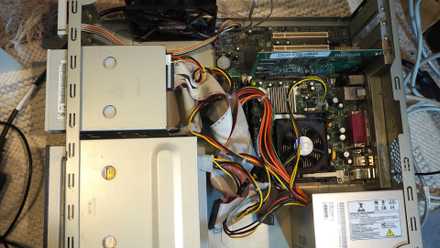
4 ways an old PC case makes for the perfect NAS chassis
Turning an old PC case into a NAS can prove invaluable.
DIY gives you power
While Synology — or any other branded NAS, for that matter — may have a lot of perks and stability, for some users it might still be worth building their own setup. Be it to save some cash by using existing hardware or to chase the flexibility to upgrade the hardware and software, your own setup will stay unmatched and even offer better value in the long run.