
NAS (network-attached storage) devices have the reputation of being meant for the technical audience, while most family members don’t even touch them to avoid messing anything up. But that means you’re underutilizing your NAS, and your family can’t reap its various benefits either. Once set up, the NAS works in the background and elevates your digital life without getting in the way. You can set it up to be more inclusive of your family members so that everyone can be an equal user of this central data hub of your life.
These are a few ways your NAS can make daily family life easier.
6 Individual folders with custom access
Everyone gets a space they own
One of the first things you should do is create separate folders for everyone in the family. It’s basic housekeeping, but one that comes with a long-term payoff. Your partner might need a place to store work files, or you might want to back up sensitive documents. Maybe the kids just need a corner for their homework or downloaded cartoons.
You can strengthen this individual folder strategy by clearly defining access, for instance, full access for adults and read-only for kids. This ensures no one moves, renames, or deletes any important files accidentally while keeping your important data secure. It also gives each member a sense of digital ownership, encouraging them to use the NAS more.
5 Automated photo uploads for everyone
All saved up in a single, secure location
Think of how many family photos are spread across different devices — some on your phones, others on an old iPad that can die any day, and some super-compressed ones in the cloud. With a NAS, you can bring them all to one place without compromising the quality.
Most consumer NAS systems come with a built-in companion photo app that lets you set up automatic uploads, just like Google Photos, but in full quality. Once set up, all photos and videos taken on a phone get instantly saved to your NAS in the background, without needing the internet. After this, you’ll never have to worry about losing photos or digging through 10 devices to find that one silly vacation video.
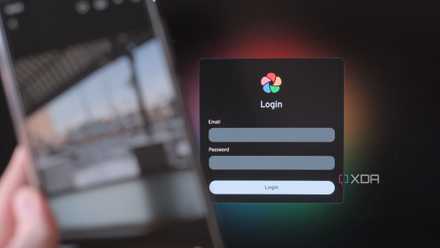
I self-hosted a Google Photos alternative with a Synology NAS — here's how it went
Build your own photo management platform with a NAS!
4 Manage what kids can see
And when
Tech-savvy kids can be tricky to manage when they impulsively wander around your NAS folders while in the middle of a Peppa Pig video. While accessing a sensitive folder is one thing, it’s a whole different problem if they open the NAS settings menu, where they can mess up the controls severely enough to give you a headache for the entire weekend.
You can set up accounts for your kids with very specific access rights. They can view certain folders — like a cartoon collection or their homework folder — but not see or touch the rest. If your NAS supports it, you can also limit when they can access the NAS, so it shuts down after homework time or before bedtime. You can pair these NAS controls with parental controls from Windows 11 or Google Family Link to better manage your kids’ screen time.
3 Share large files without the internet
And without the cloud in the middle
Recording videos in 4K lets you zoom in on your favorite band’s lead singer in a packed concert, but sharing that large video, running into several GBs, is quite a task. You either pay for extra cloud space or use a third-party service to send it over the internet. Your NAS can do all this better without routing your personal files through someone else’s server.
Just create a share link directly from your NAS. Like Google Drive, you can password-protect it, set expiration dates, or allow specific people to download the file. This works well for family videos, collaborative school projects, and other similar uses. And the best part? The files never leave your network and stay under your control.
2 Stream movies and music across the house
No restrictions on how many screens you can use
It becomes a proper family entertainment hub when you load up your NAS with your family’s media collection, from old wedding footage and trip photos to movie rips and music albums. And no, you don’t need an internet connection or another monthly subscription for it to work.
Install something like Plex or Jellyfin on your NAS, and suddenly you can stream your content on-demand to phones, TVs, tablets, and laptops throughout the house — it works even when the internet is down. It’s a great way to gather the entire family around the living room TV and bring your old home videos back to life!
1 Back up every family device automatically
All backed up, all safe
Backups are one of those things you don’t think about until it’s too late. Moments like sending your phone with a cracked screen for repairs or spilling coffee on your laptop are when you need the failsafe a NAS provides. You can set up automatic, regular backups for all your family devices — your personal and work laptops, the tablets your kids share, and the phones you and your spouse use.
Many NAS systems have apps or desktop tools that handle this. You just set the rules once — what to back up, how often, and where — and the system takes care of the rest. Each person’s device gets backed up, making recovery when you’re in a pinch quick and pain-free if anything goes wrong. And it’s a good way of migrating your data to a new device, too.

How I use my NAS as a secure backup server for both of my PCs
Turns out, the first-party apps are more than enough
NAS, the digital heart of the home
It’s not at all fun to gatekeep a device for one person when there is so much your entire family can do with it — from your spouse and kids to your parents and even close friends. It makes remote access to your files easy and even serves as the hub for your security system. The possibilities are endless when you have a NAS at your home.
Synology DiskStation DS224+
- Brand
- Synology
- CPU
- Intel Celeron J4125
- Memory
- 2 GB DDR4
- Drive Bays
- 2
- Ports
- 2x 1GbE, 2x USB-A 3.2 Gen 1, 1x eSATA
- Caching
- No
The Synology DiskStation DS224+ is the direct successor to the popular DS220+, which was praised for the value it offered to consumers looking to buy their first enclosure. The DS224+ has an Intel Celeron processor, 2GB of DDR4 RAM, and support for Synology's excellent DSM operating system and catalog of apps.