
Summary
- Stay updated to improve performance and address critical security vulnerabilities.
- Updates include feature, driver, firmware, security, and full product updates.
- Security updates should be installed ASAP to protect against exploited vulnerabilities.
Keeping your PC up to date can be boring and is often overlooked. If you're one of those people who sees a software update available and says "No thanks" or "I'll do it later," you may want to rethink things. Most of the time, updates are there either to help improve performance or, more importantly, to address critical security vulnerabilities.
Software companies don't just release updates for the fun of it, and most users will benefit from keeping everything up to date. Of course, there are exceptions to every rule. For instance, those who may be on legacy hardware may not want to update their software due to compatibility issues with the newest versions. Some may also like to wait a little bit to make sure that the updates won't break anything, since that can happen from time to time.
How to update your SSD firmware on Windows
It's a fairly simple process to ensure the smooth performance of your SSDs
The most common types of updates
Not all updates are created equal and, as such, they can have different reasons for being released. Some updates you may want to do straight away, while others you may be able to wait a bit and see if it is needed or not. Either way, it's nice to have the option and see that companies are trying the best they can to make sure the software and programs they release are compatible with multiple devices.
- Feature updates - Generally, these are released periodically and add new features, further enhancing the user experience.
- Driver updates - These are released to make sure that your operating system can work with a specific piece of hardware and tell it what to do.
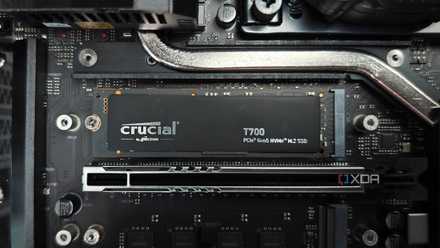
- Firmware updates - This update is for the software that is used for a specific piece of hardware, and will ensure that the hardware is functioning properly. Not all hardware will have firmware, but all hardware will have drivers.
- Security updates - The most important updates are designed to stop people from taking advantage of certain vulnerabilities that your software may have. These are designed to keep you and your data safe. Of course, there are always extra steps you can take to secure your system, but updates are an important part of security as well.
- Full product updates - Instead of having to delete and install a new version of your software, a full product update can essentially do this for you. It will delete old files not needed and replace them with the files needed for the new and improved version of the software.
Companies like Microsoft also have what they would call quality or cumulative updates for Windows. These are usually downloaded automatically onto your PC and released on a set schedule, so you'll see those on a regular basis. Sometimes you may even have to download multiple updates at the same time to fix the issue at hand.

How to update Intel and AMD chipset drivers?
It's pretty important to install chipset drivers on any PC, and here's how you do it.
What needs to be updated?
Mobile phones and computers are generally the two things that receive the most updates. However, any piece of technology can receive updates, even a lot of newer cards receive over-the-air (OTA) updates these days. OTA is also the preferred method for updating most phones and computers. However, sometimes you may need to manually update things. Manual updates require you to download the update, usually from the manufacturer's website, and then install it yourself. On the other hand, OTA updates can just be downloaded onto your device over-the-air and installed much more easily.
When it comes to computers, there can be many updates that need to be done. From software, programs, and operating systems like Windows 11, all the way to the individual component drivers for your motherboard, CPU, or that shiny new NVIDIA RTX 4090 GPU. GPU drivers get updated regularly to make sure they remain compatible and offer the best performance for new games as they come out.
Is it really that important?
It will depend on the type of update, but in most cases, yes, it is important to install updates. Sometimes updates can have more than one thing they are trying to fix, so unless you read the entire changelog, you may be missing out on a feature you need. Of course, if it is just a feature update and the feature is something you don't need, you can wait until the next update.
On the other hand, security updates should be installed ASAP. As mentioned, they are generally fixing a vulnerability, and 9 times out of 10, it is a vulnerability which has already been exploited, so it is best to install these updates to keep yourself safe. Also, if you feel like something isn't working quite right, it's always good to go check the manufacturer or company's website to see if there is a recent update that has been made available.