
Windows Phone might have vanished from existence a long time back, but the intent behind it was so good that phone software enthusiasts still praise it. Microsoft might not be keen to bring it back, but the NexPhone concept is trying to launch a phone that runs two operating systems: Android and Windows 11. However, niche phones have niche demand, and while you cannot use an old Windows Phone in today's times due to unmaintained software and the risks it carries, there are ways to relive the nostalgia on your Android phone.
Custom ROMs based on Windows Phone software design are scarce, and most of us would prefer a simpler option that doesn't require rooting the phone. There are ample launchers available that can transform the appearance and even mimic the home screen and live tile design on Android. With that in mind, here are four apps that I use to bring the best features of Windows Phone to Android.
Launcher 10
The simplest of them all
Launcher 10 brings the Windows 10 mobile edition design and looks extremely polished at first glance. All launcher apps try to stick with a specific Windows Phone OS edition design, and version 10 looks good.
It's a free app available on the Play Store, but it uses ads to survive, apart from an optional paid tier. Launcher 10 is among the very few apps that have survived more than a decade, and despite a small user base, it continues to refine the tool.
After installation, a basic Windows Phone’s Metro UI-style launcher page greets you. It has icons in varying sizes and supports adding all app icons to the home screen. Like the Windows Phone, it has a button to switch to the list-type app drawer. You can also swipe left on the screen to launch it.
I use a combination of multiple app icons and free widgets to make the home screen come alive. It's easy to mold the third-party app icons to the design scheme, and I use the launcher theme design on icons to make everything look cohesive. I also have a camera widget in the center to have a peek at the camera and then open it when a notification appears.
Launcher 10 supports live tiles but locks them behind a paywall. If you want a launcher that supports it and doesn't ask for money for it, other options like Square Home are better.
Square Home
Flawless live tiles experience
Square Home doesn’t have the latest UI design, and it uses the Windows Phone 8 look and feel. But it offers live tiles and direct folder pinning on the launcher home screen, which is not available in Launcher 10's free edition.
Live tiles were the core elements that gave Windows Phone a shimmer of life, and all icons came alive. I didn't need to open an app to check for a new notification, a message, or an email. Everything appeared on the tile, and it even flipped to show the most recent stuff.
Square Home offers a 15-day preview of the live tiles in the free version, and I like the available customization options. I can add folders for the image carousel tile on the home screen. The tile cycles through images like a slideshow without requiring any button press or activation. It's important because I rarely visit the phone gallery, but whenever I open the home screen, there's always a visual reminder of a special moment.
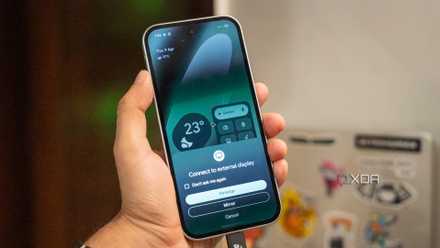
I stopped carrying a laptop after trying Android's desktop mode
Discover how Android's desktop mode transforms your smartphone into a powerful, portable computing device.
The same goes for app notifications and calendar, as I can see upcoming events and recent activity every time I open the home screen. Square Home sticks to the Windows 8 design, and that is slightly bleak when you shift from modern launchers.
Square Home
Square Home is a Windows Phone launcher for Android with a live tiles feature.
METROV
Relive Windows 8.1
It is the best-looking Windows Phone launcher based on the 8.1 design. I like the distinct iconography, single accent color scheme, and granular icon customization feature. The home screen looks spectacular with a black background and bold black space between app tiles. METROV supports live tiles for specific system apps. I can enable it for calendar, contacts, images, and a few more elements.
However, there isn’t an option to enable it for all apps as I can do in Square Home. METROV sticks to a default, restricted set of live tiles rather than converting every possible app into a live entity.
Since METROV is fairly new to the scene, you'll experience occasional glitches while using it. A recent glitch rendered the system app's dynamic tiles dysfunctional, and the icons remained static even if new notifications arrived. You must be ready for such surprises as METROV isn't as mature as Square Home or Launcher 10.
Metrov
METROV launcher is based on Windows 8 and has rich customization options with limited, app tiles.
Microsoft Launcher
Best for close access to Microsoft ecosystem
Link to Windows helps an Android device connect and sync with Phone Link on Windows. But if you also use other Microsoft tools, Microsoft Launcher is a decent option to bring everything together. It doesn’t look like the Windows Phone UI at all and has the basic home screen aspect with customizable folders and links to download all Microsoft apps.
Score discounts on phones, mobile accessories & apps
But the real magic is the side screen that offers integration with your calendar, sticky notes, documents, to-do lists, and more. You can monitor data from multiple Microsoft services all under one roof without individually jumping into apps.
There are no live tiles or a Windows Phone-style app list in this one. Microsoft Launcher doesn’t exist for cosmetic reasons of bringing back old features, but to interconnect Microsoft services with your Android phone.
Microsoft Launcher
Microsoft Launcher doesn't offer Windows Phone experience but can show a dedicated screen for all the calendar, contacts, and Microsoft services.
Windows Phone was unique
It’s not difficult to admit that the Windows Phone UI was unique. Native Android took years before it could look modern and visually engaging, and it was the OEMs that actually modified the OS with custom designs. I find Square Home the best option for a balance of a dynamic, live tiles experience, but you can use Launcher 10 if you prefer the Windows 10 Mobile platform design. If live tiles don’t interest you, and you still use multiple Microsoft services, Microsoft Launcher is worth a shot.