
Thin clients used to feel like a dead end for my home lab. They looked like tiny desktops, and I kept expecting them to behave like bargain PCs with a few compromises. That mindset made every limitation feel bigger than it needed to be, especially once I started stacking browser tabs, dashboards, and “just one more” utility on top. I wasn’t wrong to be annoyed, but I was aiming that annoyance at the wrong target. Thin clients are better judged as endpoints, not as the place where work happens.
Treat your home lab as the computer and the endpoint as a screen with manners.
Once I reframed them as the front door to my home lab, the value clicked immediately. The hardware was no longer the bottleneck because it was no longer responsible for the heavy lifting. Instead, the thin client became the stable, quiet access layer for services I already trusted to run elsewhere. That change also matched how I actually use a home lab day to day: less about one machine and more about systems that work together. If you have ever bought a thin client and wondered what the point was, this is probably the missing piece.
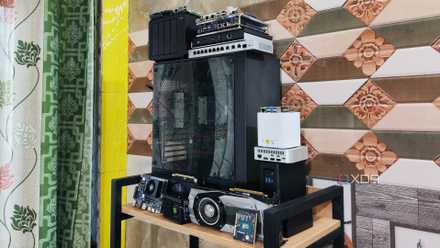
5 things I learned after building my first home lab
There's more to home labs than meets the eye
Why thin clients failed my first tests
I judged them like budget desktops
My early attempts were built around local installs, local storage, and the usual “desktop PC” expectations. I’d load up a complete desktop environment, add a handful of tools, and then get frustrated when the experience felt cramped. Limited CPU headroom showed up in the worst way, making simple multitasking feel like a chore. Storage was also a constant annoyance, not because I needed terabytes, but because thin clients make it easy to trip over space and wear concerns. None of that is surprising, but it’s miserable if you keep comparing the device to a small PC.
For the uninitiated, a thin client is a small, low-power endpoint computer that primarily connects to a more powerful host and displays a remote session, with the host handling most of the computing. It usually has modest hardware and minimal local storage because it’s designed for reliability and centralized control rather than running heavy apps locally.
The bigger issue was that I put the thin client in the center of the workflow. I treated it like the place where my environment lived, where I’d tweak configs, stash files, and build my habits. In a home lab, that approach is backwards, because the value usually comes from centralizing compute and services. When the endpoint becomes the “source of truth,” you start rebuilding the same setup on every box you own. That is tedious, and it makes your home lab less consistent over time.
Even the strengths of thin clients were easy to waste under that model. Silent operation, low power draw, and a small footprint matter, but only if the device is reliable and boring. When it’s struggling to keep up locally, you spend your time troubleshooting the wrong layer. You can call that “part of the hobby,” but it’s not the kind of tinkering that teaches you much. Most of the time, it just drains your momentum.
Where they shine in a home lab
Endpoints for centralized compute and services
Thin clients start making sense when you treat your home lab as the computer and the endpoint as a screen with manners. Put your desktops, containers, and VMs where they belong, on a host that can handle it, then use the thin client to reach them. The shift is subtle, but it changes everything about day-to-day use. Instead of maintaining a fragile local environment, you’re accessing a stable remote one. The thin client becomes a tool for consistency, not performance.
That consistency is what makes the setup feel “home lab good” instead of “cheap PC bad.” A single host can serve multiple endpoints, which is perfect if you have a desk setup, a workshop corner, or a living room station that you only use occasionally. Your updates and backups happen in one place, and your desktop environment stays the same no matter which endpoint you sit down at. If you are already comfortable with the idea of pets like dashboards, reverse proxies, and centralized authentication, this fits naturally. It is the same mindset, just applied to your daily desktop access.
There are still tradeoffs that a home labber should take seriously. Remote sessions are only as good as the network between you and the host, and Wi-Fi can quickly turn a clean plan into an annoying experience. GPU-intensive work, higher-refresh displays, and sensitive audio workflows can expose the limits of your protocol choice. USB passthrough can be fiddly, especially when you mix VMs, containers, and client hardware with odd chipsets. Thin clients are not magic, but they can be highly satisfying when you choose the correct problems to solve.
What you need to make it work
A stable host and a predictable network
A thin client setup is less about the endpoint and more about the host and network you build around it. Your host should be the boring, reliable box in the home lab that you trust to stay up, store state, and recover cleanly after updates. It can be a mini PC, a spare desktop, or a server running virtualization, but it needs enough RAM and storage to keep sessions smooth. You also want to be intentional about where your data lives, because remote desktops get messy when file locations are unclear. Once those pieces are solid, the endpoint matters less.
It also helps to decide what kind of “remote desktop” experience you’re actually chasing. Some home labbers want a single always-on desktop VM that feels like their primary machine. Others want quick access to a handful of specialized VMs, such as a Linux admin box, a Windows utility VM, or a testing environment they can revert to in seconds. Suppose you decide up front to match the protocol and session style to the job, rather than trying to make one configuration do everything. That planning step is what keeps thin clients from becoming another abandoned experiment in your home lab.
If you want a practical baseline, here’s the approach that tends to hold up without constant babysitting. The goal is not maximum performance; it’s a setup you can trust to behave the same way every time you sit down. You will know you got it right when the endpoint feels disposable, and your environment still feels familiar.
- Pick a host in your home lab that stays on, stays patched, and has enough RAM for your workload.
- Choose a remote protocol that matches your priorities, whether that is convenience, security, or responsiveness.
- Keep the “real” desktop environment on the host, and treat the thin client as an appliance that launches sessions.
- Standardize where files live, and make backups a host-side habit instead of an endpoint problem.
- Test your most essential peripherals early, especially audio, webcams, and any USB devices you need for specific tasks.
- Prefer Ethernet for your thin client station if you care about a smooth session and fewer surprises.
Why I stopped fighting the format
The endpoint mindset reduces home lab sprawl
The best part of thin clients in a home lab is that they discourage sprawl in the right places. You stop building little snowflake desktops that each need updates, storage management, and troubleshooting. Instead, you create one or two solid environments that you can snapshot, back up, and restore without drama. That is a home lab strength, and it is a much better use of your time than trying to squeeze “real desktop” behavior out of underpowered endpoints. The thin client becomes the stable edge of a system you already know how to maintain.
This mindset also aligns well with common home lab goals such as segmentation and safety. It is easier to keep risky testing inside a VM when your endpoint is just a viewer. It is easier to separate “admin access” from “daily browsing” when both live as distinct sessions on the host. It is also easier to rotate devices in and out because your actual environment is not tied to a single physical box. If you are already the type of home labber who likes clean boundaries, thin clients are surprisingly aligned with that.
You still need to be honest about when a thin client is the wrong answer. If your station depends on local GPU performance, real-time media work, or niche peripherals that need direct access, a mini PC can be simpler. If your network is unreliable, you will hate the experience no matter how well you configure it. And if you secretly want a new box to tinker with, thin clients will feel boring once they work. In a home lab, boring is often the point.
An addition that actually fits a home lab
Thin clients finally made sense to me when I stopped treating them as small PCs and started treating them as dependable access points to my home lab. The moment the host became the “real” machine, the endpoint stopped being a disappointment and started being a strength. With centralized compute, clean backups, and stable remote sessions, thin clients reduce desktop sprawl instead of adding another fragile node to maintain. The tradeoffs are real, especially around networking and peripherals, but they’re manageable if you plan for them. If you want a station that stays quiet, consistent, and focused, thin clients are a lot easier to love in a home lab than they ever were as pretend desktops.