
The dream of building your own home lab is quite tempting. But before you dive into a mountain of hardware and cables, take a moment to learn from my mistakes. My initial foray into setting up a home lab has been filled with both enlightening moments and frustrating errors. So, whether you're an experienced IT professional or just beginning your enthusiastic journey, take a moment to review the list of things I wish someone had told me. It might save you some trouble and money in the long run.

10 projects I host on my Proxmox home lab
Need some cool project ideas for your Proxmox server? This list can help you out
7 Keep the home lab planning within a budget
Start small, scale up
Who doesn’t love shiny new hardware? It’s tempting to go all-in on the latest and greatest when building your first home lab. Believe me, I get it. But starting with a modest setup and gradually expanding is the wiser path. Home labs can quickly become expensive. By starting small, you can control costs and avoid unnecessary expenses on equipment you might not need right away.
A smaller setup allows you to focus on the fundamentals without feeling overwhelmed. You can gradually add components and complexity as your knowledge and skills grow. Besides, over time, you will gain more experience with your setup and develop a deeper understanding of which specifications you'll want to spring for when you do get those additional new components.
6 Don’t go overboard with virtualization
Monitor resource usage with a close eye
During my early home lab days, I started creating VMs for every operating system, application, and project. I was testing different web server configurations. I spun up a VM for Apache, another for Nginx, then one for IIS, and a few more for different Linux distros. Before I knew it, my host machine was under performance load, and the whole system had become sluggish in no time.
Each VM consumes resources like VPU, RAM, and storage from a host machine. Overdoing it leads to performance bottlenecks. Also, with multiple configurations, updates, and dependencies, it can become a management nightmare to juggle multiple VMs. Before creating VMs, determine your actual requirements. Don't spin up VMs just for the sake of it. Also, make sure to allocate resources according to the needs of the applications.

3 reasons why you should set up nested virtualization on your home lab
Why run a single server when you can create fully-breakable virtual home labs on top of your existing setup?
5 Factor in power consumption and noise
Can’t rule out power-hungry servers
I had underestimated the importance of noise levels when choosing my server. It was a powerful beast, but its fans roared relentlessly, disrupting my workflow and making it difficult to concentrate. I learned a valuable lesson that day: noise matters, especially if your lab is near living spaces.
When purchasing servers or other equipment, pay attention to noise specifications (measured in decibels). Look for quieter models or those with variable fan speed control. If you already have a noisy server, consider replacing the fans with quieter alternatives. You should also factor in the power requirements. I overloaded a power strip and tripped the breaker, shutting down my entire lab and losing my work in the process.
4 Embrace Linux
Flexible and open-source nature
Most Linux distributions are open-source and free to use, saving you the expense of Windows server licenses. It’s a handy option for a beginner on a tight budget. Linux also offers excellent flexibility and customization options to tailor the system to your specific needs. Ubuntu, Debian, CentOS, Fedora, and Proxmox are some of the top options to consider for your home lab.

5 of the coolest services you can host on your home lab
If media servers and ad-blockers sound too cliche, here are some unique apps you can run on your home server
3 Never take cable management for granted
The cable spaghetti monster
A capable home lab can quickly turn into a cable mess. My first home lab was no exception. It started innocently enough, with a few neatly arranged cables connecting my server, switch, and router. However, as my lab grew with new devices, hard drives, and experimental peripherals, the setup quickly turned into a cable jungle.
Whether you want to troubleshoot network issues or replace faulty hardware, it can become a time-consuming adventure. So keep your cables neat to make your lab more orderly and systematic.
2 Avoid repairing hardware yourself
The DIY disaster
As the name suggests, I attempted a complex hardware repair myself and ended up damaging the equipment further. It’s always important to know your limits and never be afraid of seeking professional help. Also, if you attempt to resolve a critical issue, make sure to refer to the official documentation, forums, and trusted tech communities and not just a random YouTube video.
You should also backup your data before attempting any repairs or crucial modifications.
1 Unfinished projects and a cluttered lab
The graveyard of abandoned projects
At times, it becomes incredibly hard to focus on a single project. My initial enthusiasm led to multiple unfinished projects and a cluttered lab. Instead of working on multiple projects simultaneously, focus on specific goals and complete them before starting a new one.
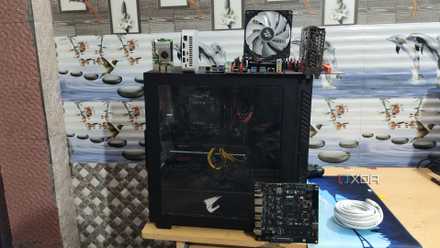
4 reasons why every PC enthusiast should build a home lab
Fair warning: you might get addicted to creating home lab projects if you're not careful...
Home lab hindsight
Building a home lab requires meticulous planning. If you take several things for granted, you might end up with an unproductive setup. It’s an ever-changing space where you will learn, experiment, and inevitably make a few mistakes along the way. However, with my hard-earned lessons, hopefully you will be able to avoid some of the common pitfalls and build an ultimate home lab.
Once your home lab is up and running, check out the top practices to keep it running smoothly.