
One of the things I promised myself I'd do once I owned a house was to hardwire as many things as I could. And when the time came, 2.5GbE equipment was the best option for what I needed to connect. The process had plenty of teachable moments when things didn't go quite to plan, and hopefully this will help others avoid the same pitfalls.
It's also good to temper your expectations somewhat. While multi-gig networking promises one speed, that's a maximum under the best of conditions, and includes protocol overheads and other considerations that will mean your data transfer speed will be slower. Not much slower, granted, but it's good to know before you worry. Any larger deviation, and it's time to check cables and connections because that indicates a bigger issue at play.

5 ways building my own router improved my home network
You really don't know what you're missing until you've tried
You will get asked "why"
Curiosity will always be a factor
We're naturally curious, and if you mention your upgrade to anyone vaguely technical, you'll get any number of responses ranging from why? to why not faster? Which is fine, as long as those questions are to understand your choices, and not to dissuade you after the fact or to push an agenda.
In my case, the answer was "because I wanted to," and 2.5GbE network switches were more affordable at the time I did the upgrade. I didn't want to use ex-enterprise 10GbE switches because they often only negotiate at 1GbE or 10GbE, with nothing in between, and most of my multi-gig clients already had 2.5GbE ports. I'm not even sure I've seen a 5GbE network switch in the wild, and modern 10GbE hardware was more expensive at the time.
If I could have upgraded my ISP speeds past Gigabit, I'd have done that too, but having faster connectivity inside my home was a priority for me at any rate. And I can easily upgrade the backbone of the network when 10GbE switches are more affordable, or add one with fewer ports to the network for the devices I have faster network cards for.

5 reasons you might want to upgrade to 2.5GbE for your home network
With more devices supporting 2.5GbE, upgrading your home network is worth thinking about
Not everything needs to be upgraded
It helped to know which devices use more bandwidth
Not every device in my home has a multi-gig NIC already, and plenty of them aren't upgradeable. I have a few 1GbE switches in the mix that handle those, and that's fine for my needs. Once those devices get upgraded or replaced, I'll consider upgrading the switches at the same time, or I might take that as the cue to go to 10GbE, depending on how many devices need replacing at once.
I've got a background in transportation and warehousing, and my home network and office equipment are handled accordingly, with a set of rules for when I repair or replace hardware and a rough yearly budget to stick to. Many of the 1GbE devices aren't used that often or don't use much bandwidth, and I see no point in upgrading them just for the sake of everything matching.
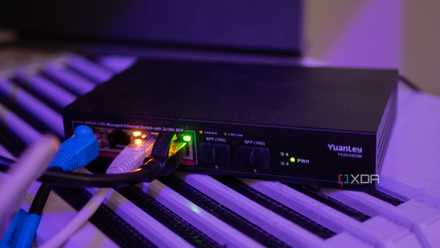
A cheap 2.5GbE managed switch was one of the best home networking upgrades I've made
Cheap doesn't have to mean bad.
Many routers only have one 2.5GbE port
Or two if you're lucky (and the WAN port isn't always that fast)
I'd gotten so used to having four Gigabit LAN ports (or more) on my router that it was a little bit of a shock to see how few 2.5GbE ports manufacturers are including. Consumer Wi-Fi routers sometimes only have a single 2.5GbE port, and if it's a mesh kit, you sometimes get one 2.5GbE and one 1GbE, so you don't even get two if your ISP connection is multi-gig.
Sure, it's fixable by adding a managed network switch with 2.5GbE ports, but another port added to the router in the first place wouldn't hurt. PC enthusiasts already have 2.5GbE or 5GbE if they have a recent motherboard; the inertia is on the networking equipment manufacturer's side, where they don't care because it costs a few cents more, and the majority of households won't use the faster port.
It's time for that to change, and 2.5GbE should be the minimum. The only problem is that many common devices, like TVs, don't always have Gigabit ports, and multi-gig doesn't always negotiate connections at 100Mbps.
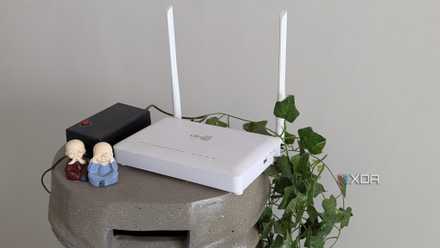
6 cheap networking upgrades I should have skipped and bought a new router instead
Not every problem can be solved by cheap fixes
It showed me where the actual bottlenecks were
Your NAS transfers won't magically get faster than your drives can manage
I have upgraded my home network regularly, but I did have a wireless-first policy before now. That's changed, because I have more devices connected at any one time, and my network speeds were suffering. Now, everything that can be wired is, and Wi-Fi is available for mobile devices and the few IoT devices that aren't big enough to have network ports.
The RAID array in my NAS no longer saturates the link when I'm streaming media or doing backups, which is as it should be. Any one device taking up all the network capacity is not good for the overall health of your network. It's all part of designing a resilient home network, because internet access and device connectivity are essentials for many facets of modern life.

I tried running everything off my NAS and realized where to draw the line
Your NAS can hit its limits if you host everything on it with reckless abandon
USB Ethernet adapters are a stop-gap at best
Handy to have but they're not suitable for sustained use
USB network adapters are always a bit hit-and-miss, with chipset, driver, and thermal issues to contend with. That's more likely to happen with multi-gig adapters, since the load is higher. Not every USB port can supply enough power to ensure stability. USB 2.0 ports are too slow for 2.5 GbE speeds, while USB 3.0 loses up to a third of your potential speed thanks to overhead. USB 3.1 or 3.2 give you the best chance of speeds, but then long-term stability is still an issue on most of these chipsets.
I think if I were using a powered dock with 2.5GbE, most of the issues would go away, and most docks are either USB4 or Thunderbolt at this point, which are fast enough. The problem then becomes one of cost, as docks are much more expensive, and at that point, I'd rather replace the mini PCs and other equipment, which would give me a better return on my investment.

Why relying on USB-to-Ethernet adapters can cost you more in the long run
USB-to-Ethernet adapters seem convenient, but hidden flaws make them unreliable for critical use. Invest in real networking gear.
2.5GbE networking gave my home network a longer shelf life
My home network is now more capable, and 2.5GbE speeds have made a difference in my home lab and network storage. Plus, the managed switch I used supported Power-over-Ethernet for a few smart home devices, making cabling abit easier. It's also still compatible with the 1GbE devices I won't be upgrading for some time, making the overall cost more approachable.