
With how important our home networks are, it's even more important to design and maintain them properly. Maybe you set it up years ago but recently added a home lab or built a smart home ecosystem using Home Assistant. Or maybe you haven't given your network any thought since the ISP tech wired it into the wider internet, but a recent outage had you thinking it was time to learn.
Whatever your level of networking knowledge, there are plenty of things you can do to make your home network more resilient. This could be better outward connectivity to guard against outages or better hardware and network architecture inside the home to keep devices connected in case of issues. Here are some of the top things you can do for your home network to guard against outages.

Five essential things to keep in mind when building your home network
Save yourself some time, effort and trouble by considering these things when building out your home network
10 Constant power with a UPS
Your home network can't stay online if it doesn't have power
While there are many ways to make your home network more reliable and resilient, none of them will work without power. By now, your PC, home server, NAS, and any other hard drive containing computing devices should all be on an Uninterruptible Power Supply (UPS), but your networking gear should also be on its own UPS.
It's not just to guard against full blackouts, but it helps give your devices a buffer so they can gracefully shut down without losing important data. Depending on where you live, brownouts can be a common occurrence, and they can have damaging consequences for the hardware running your home network. It also means clean power supplied to your network cabinet, protection against power surges, and the ability to keep your home network running for quite some time in an outage, as most networking equipment has lower power usage than your servers or PCs.

4 reasons a UPS should be the next investment in your home lab
A UPS may not seem very appealing at first glance, but it's a highly useful device for home lab enthusiasts
9 Stay on top of updates
Firmware fixes for your network hardware keep your home network safer
We know that keeping our computers up to date with software and driver updates helps them be less buggy and perform better. The thing is, the same is true for your networking equipment, and most of it doesn't come with automatic updates. If you've got an older router, when was the last time you logged into the admin pages? Has it even been touched since the ISP tech installed your internet services?
It always pays to keep the hardware that keeps your home network running up to date, which means logging in to the admin page every so often and checking to see if there are firmware updates. Some routers, like those from Eero, will do the updates automatically. Depending on the level of involvement you want with your home network, these hands-off routers are a fantastic investment, keeping your network with the latest bugs and security fixes without you having to think about it.

5 things you can do to optimize your router for the best performance
Here's how to get the most out of your router
8 Test your backups
An untested backup might as well not exist
Backing up your PC is one of the most important things you can do to keep your network resilient. That goes for any Macs, phones, tablets, NAS or servers you also have on your home network, although some of these are better at automating the process. But if you're not testing those backups once they finish, you might as well not be backing up at all.
The 3-2-1 rule for backups with three copies of data in at least two devices, with one outside your home network, is a good start, but it doesn't cover every edge case for your precious data. RAID (redundant array of inexpensive disks) adds some resiliency by ensuring you can replace disks if one fails without losing data, but it's not a backup method on its own. Using a program like SyncBack to backup your computer lets you verify the accuracy and/or consistency of your backup files once done, and it's important to run those checks periodically.

4 backup strategies for your personal NAS
If you want to back up your NAS, these are the backup strategies you should consider.
7 Ensure adequate cooling
Heat is the tech killer, the little death that slowly but surely eats away at reliability
Computing hardware of all kinds generates heat, and we're all familiar with various tips and tricks for keeping our desktop PCs cool. Our networking hardware also needs adequate cooling, which can be difficult with consumer-level routers as they're designed to be passively cooled. The best advice for Wi-Fi routers is to keep them out in the open, with plenty of air around them, so stop hiding them inside cupboards or behind the TV, and they'll last longer.
Prosumer and enterprise equipment often have tiny fans inside to keep the network switches, firewalls, and other hardware cool under load. These aren't always of the best quality or noise profile, and most equipment can have the fans replaced with better models from Noctua or other premium fan manufacturers. If you have your networking gear in a rack, try spacing things out by putting patch panels or other non-powered pieces of equipment between the ones that use electricity. And dust regularly, as a build-up of dust will insulate things and reduce the heat transfer that you want happening.

I added a cooling fan to my Steam Deck to improve performance and lower temps — it actually worked
Maybe an external cooling fan is exactly what your Steam Deck needs to stay cool.
6 Built-in redundancy
Any critical connection or piece of hardware should have an in-place backup
Designing your home network to have fallback redundancy will keep you online through most outages. My favorite addition is an additional internet plan that uses 5G or 4G LTE for connectivity, with a cellular modem that either has an inbuilt battery or is connected to a UPS for backup power.
With many of the best routers having the ability to switch to a second connection in case the first fails, you'll have an internet connection even if your ISP is working on the fiber lines or in case of an outage. Or you could have cable internet to back up a fiber install, just in case. It doesn't have to be the full speed of your main line, just enough to keep you online in an emergency so you're not reduced to using your phone as a hotspot.
But it's not just your internet connection that could, and should, have redundancy built in. Network switches can be set up in failover mode, so your internal network stays online in case of issues. A second wireless access point gives you better coverage, so your wireless network doesn't have a single point of failure.
If you're running Ethernet through your walls, run twice as many cables as you think you need because they break, and the cost of putting cables in is less than getting someone to run them again. Networking equipment is designed to have redundant hardware to switch over in the enterprise setting, and there's no reason that those lessons can't be applied to your home network as well.

5 features to look for in a high-speed modem
The modem is your gateway to the wider internet, so it's worth paying attention to the specifications when you pick one up.
5 Higher-quality network equipment
Prosumer and enterprise networking hardware is designed to run for longer
Home networking gear is like any other consumer product; it's not designed for longevity. If you really want the most resilient network at home, it's time to look into enterprise hardware. The data center is hard on hardware, and everything designed to go inside it has been built to a more robust set of requirements than the average router or switch.
It's also filled with more advanced features that will help your network stay online longer or balance out traffic across your home network and other useful things. Things like hardware firewalls and managed switches can take the place of your router while supplying important security features. You can set up VLANs for security profiles, learn about better security concepts, and generally know more about what's going on in your network, so you can be proactive about potential issues.

Is ex-enterprise gear worth it for your home lab?
Are you thinking of picking up some cheap second-hand gear for your home lab? Here's our advice on the do's and don'ts
4 Network monitoring and management
The more you know, the more you can prevent
The more devices that connect to your home network, the more congested it gets. To solve any potential issues, you'll want to set up some monitoring tools to help, because making sense of network logs the manual way is no fun. These can show you which parts of your network use the most bandwidth, where any congestion occurs, which devices are the worst offenders, and even which parts are underperforming. The goal here is to get an overview of your network performance so you can get a feel for what optimal performance looks like, and adjust things to fit your needs as they arise.

10 free and open-source ways to monitor your home network
Know what's going on in your home network with these solid open-source monitoring tools.
3 Prioritize wired connections
Using Ethernet takes off the load from your wireless devices
Your home LAN should be mostly wired, wherever possible. Ethernet is less prone to faults, interference, congestion, and a bunch of other issues that will all make your home network slow. Devices like NAS and home servers benefit more from faster Ethernet connections, as they serve data to every one of your other devices. Your gaming PC will have lower latency for multiplayer gaming, while being able to download new games with a solid connection.
Don't forget to add more cables than you think you need. Think about where network switches can be placed to expand your network and if you want to use fiber optic cables to handle the backhaul between floors or distant parts of your home. The more things you can wire, the better off your whole network will be.

7 things you need to know to wire your home network like a pro
Running Ethernet through your walls seems scary, but it's really not that bad.
2 Have a plan if things fail
Even the best hardware can go awry
Even with building in redundancy across your home network, sometimes more than one thing fails at once, and you still have to scramble to get back online. Having a plan for those emergency moments is another important way to build resiliency for your network, and for you. It might be as simple as having a spare router to plug in while you troubleshoot and order replacements, but whatever the plan, think about it in advance so you're not left panicking.

The 8 best free project management and planner templates for Microsoft Excel
Master project planning with these free Excel templates
1 Minimize wireless interference
Wi-Fi is more prone to issues, so remove any potential sources of interference
Wi-Fi is one of the least resilient parts of any home network, but it can be helped by designing your network to reduce the strain on the wireless portion. If your devices have Ethernet, use a wired connection to reduce overall congestion on the wireless radios. That goes for backhaul between mesh nodes or wireless APs, which should also be situated fairly far from each other so they don't cause interference. It's not often that other appliances interfere with Wi-Fi these days, but things like wireless telephones and baby monitors often use 2.4GHz, which will cause interference with that band on your network.
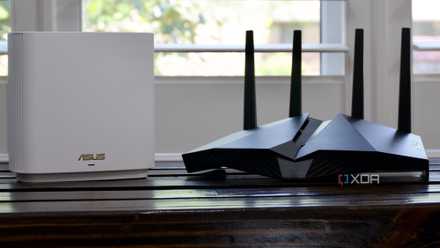
5 ways you can get better Wi-Fi signal in your home
You can quickly and easily improve the Wi-Fi signal of your home network, but you might need to invest in new hardware in some situations.
Your home network can be more resilient against outages with a few simple steps
Keeping your home network running through outages and issues takes some preparation, but it will pay off in the long run. Whether you keep your security cameras and smart doorbells connected to see what's going on outside or make sure your devices are backed up properly and have ample stable power, you can ensure your network will stay online through most major issues.