
Synology could be considered the Apple of the network-attached storage (NAS) world. The company is responsible for some of the best-built turnkey network storage solutions with one of the best operating systems. It's often my go-to for recommending a brand for NAS beginners. That said, after migrating from Synology hardware and software to a custom NAS, there are some things I miss about branded enclosures. From DSM to the wider cloud ecosystem, there's a lot to appreciate with Synology NAS.
5 DiskStation Manager (DSM)
The best prebuilt NAS OS
At the heart of every NAS server is the operating system. This can be anything, including macOS, Windows, or some Linux distro. There are some NAS-specific operating systems around, but Synology's DiskStation Manager is one of the best for prebuilt enclosures. It's easy to use, making NAS considerably more accessible, even for those with limited tech knowledge. And that's one of the selling points of a Synology NAS. You buy an enclosure, a few drives, install them, and you're good to go.
The installation process of DSM is painless too, taking advantage of cloud-based tools to search for the NAS on the local area network (LAN). Once connected, Synology's NAS assistant can handle a few tasks, or you can use the available mobile apps or a browser to get everything ready. The OS is fairly robust with all the settings you'd need to change to activate advanced functions such as reverse proxies, VPNs, and more. Users can be created and managed on the fly, and even Docker containers can be configured.
It's notably more capable than first assumed; even the company's BeeStation Manager (BSM) for the more affordable enclosures is fairly comprehensive. Going with TrueNAS, OpenMediaVault, Proxmox, Windows, or some other OS, you'll need to learn the ropes and it can often be quite the steep climb.

7 things I wish I knew before ditching Synology for good
I didn’t realize how much Synology got right until I left
4 Official mobile apps
For managing NAS on the go
Setting up a BeeStation NAS for the first time is a breeze. Everything is handled through the mobile apps. You don't even need to touch a desktop or laptop PC to get everything up and running, and that's a testament to Synology's hardware support. When going with DIY solutions, you're often losing functionality that would otherwise be covered by internal developers, and mobile apps are a prime example. There's no official mobile app for TrueNAS or Unraid on Android or iOS.

Synology BeeStation review: An easy, affordable entry into backup storage
Synology’s BeeStation delivers an impressive, no-fuss storage solution perfect for beginners, offering automatic backups and cloud integration.
3 Surveillance Station
And the best security cam software
Configuring your NAS as a means to record and store footage from connected IP cameras can allow you to create a secure home. Surveillance Station is developed by Synology and available as a first-party app through DSM. Countless security cameras are supported by the app, and everything can be up and running in moments after clicking "Install" through Package Center. As well as connecting to cameras, Surveillance Station can control scheduling, detection, and much more.
It's one of the best apps out there, though I do enjoy using Frigate now on a dedicated server. I do miss the simplicity of Synology's NVR suite, and that's a similar story with many of its first-party apps. The only drawback I have with Surveillance Station is the use of camera licenses. Depending on how many IP cameras you need to connect to the Synology NAS, you may have to pay for more. They're not expensive, but they do raise the overall cost of transforming your enclosure into a network video recorder (NVR).

I saved money by building a NAS-powered home surveillance system
Creating your DIY home security system is easy with a NAS and IP cameras.
2 Premium compact NAS hardware
Every Synology model is well-built
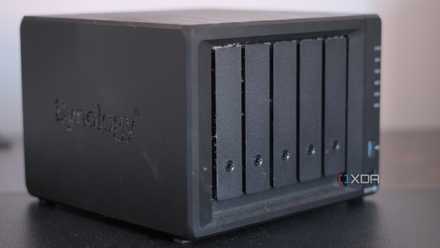
There are some more affordable NAS available on the market, some from lesser-known names, but it's important to consider what you'll be using to store data since this often comprises sensitive files. The LincPlus LincStation series comes with an Unraid license, which is great, but it's clear to see it's simply an OS add-on on top of the hardware. Synology can fully integrate its software and hardware stacks, thanks to developing both ... much like a MacBook.
The company launched some new hardware this year and only supported its own drives from the get-go. Although this did (rightfully) irritate long-time customers and fans who were taken aback by their Western Digital and Seagate drives, this temporary measure does help push the full Synology experience. Whether or not you agree with Synology's practices, it's clear the company is refocusing its efforts to capture a wider market, many of whom have never used a NAS before.
My Synology NAS became a home lab centerpiece with these 7 Docker containers
Synology's NAS can be transformed with a few Docker containers.
1 The wider Synology ecosystem
Taking advantage of the cloud
Synology doesn't simply make NAS enclosures and call it a day. The company is responsible for branded drives, a cloud-based ecosystem with a password manager and more, as well as a few first-party apps. Synology is very much the Apple of NAS, ensuring you're always using Synology, regardless of which part of your connected home storage you happen to be interacting with. This is how you can enjoy excellent support too, since everything should work together.

4 cool things you can do with Synology C2 (and your NAS)
Here are some cool things you can do with Synology's C2 platform.
Synology's premium experience comes at a price
This is why you'll often find Synology NAS at the higher end of the price range. TerraMaster enclosures are usually compared against equivalent Synology NAS, and while TerraMaster has improved its OS to the point where it's no longer miles behind DSM, the overall experience, ease-of-use, tightly controlled hardware development, and extensive first-party support are still lacking. There's a reason many stick with the brand and that's because it's a complete package.