
Whether you are a seasoned programmer, a network engineer in training, or a cybersecurity expert, a well-equipped home lab can be your secret weapon for experimentation and skill development. But, with so many tools and technologies available, it can be overwhelming to know where to start. Before you give up or drain your budget on unnecessary items and software, glance over my listicle to form the foundation of your home lab.
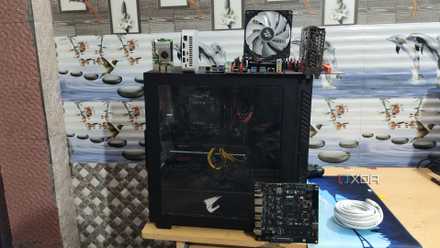
4 reasons why every PC enthusiast should build a home lab
Fair warning: you might get addicted to creating home lab projects if you're not careful...
7 A reliable server
Doesn’t have to be brand new
A server is the workhorse of your home lab. You can run virtual machines, host applications, and store all your valuable data. When you pick a server, make sure to factor in uptime, performance, and data integrity. A reliable server minimizes downtime and lets you access lab resources whenever you need them.
You should look for a server with a multi-core processor, ample RAM (32GB should be sufficient), storage, and multiple network interfaces (NICs) for flexibility and potential network segregation. If you are on a tight budget, utilize older desktops or laptops. They can serve as capable home lab servers with some upgrades (RAM and storage).
6 Ample storage
Can fill up space in no time
Many home lab users start with low storage and constantly find themselves dealing with storage errors. Here is why ample storage is crucial for your workflow.
Each virtual machine you create needs its own disk space, which can quickly add up. Furthermore, operating system installations, VM applications within the VMs, and user data contribute to storage consumption. And if you plan to use your home lab for media streaming or file sharing, you'll need even more storage to accommodate your movies, music, and other files.
If you are building a home lab for software development, you will need space for source code repositories, libraries, and compiled binaries. I highly recommend beginning with a few terabytes of storage and expanding as needed.

5 things you should do to ensure your home lab survives your experiments
If you love working on complex projects, these five tips can make your precious home server more experimentation-proof
5 Virtualization software
Get the best out of your physical machine
Thanks to virtualization software, you don’t need multiple physical machines to run different operating systems. Virtualization software unlocks a fleet of computers within your home lab, each with its own dedicated resources and environment.
It lets you maximize hardware resources, experiment with different Linux distros and Windows servers, and test software in isolated setups. It also simplifies backups and recovery. You can create snapshots of your VMs at any point so that you can easily revert to a previous state if something goes south. Overall, it’s a must-have add-on that unlocks a world of possibilities for learning and skill development.
4 Monitoring and logging
Track the health of your lab
Your home lab is a complex machine with various interconnected components. To ensure smooth operation and optimal performance, you need to keep a close eye on its vital signs. With dedicated monitoring and logging tools, you can glance over valuable insights into the health, performance, and security of your home lab environment.
Nagios, Zabbix, PRTG Network Monitor, and Syslog are some of the popular tools for getting the job done. Aside from helping you detect problems early, these tools are also crucial for optimizing performance, troubleshooting, and planning for capacity upgrades.
3 Networking gear
Vital parts of your home lab
A home lab is more than just browsing the web. You will have multiple devices that communicate with each other and potentially with the outside world. A robust router and switch offer the foundation for this communication.
When you pick a router, look for features like Gigabit Ethernet ports, strong Wi-Fi (if needed), and the ability to flash custom firmware (OpenWRT) for more control. You should also ensure features like VLAN support, QoS, and sufficient port density for your switch.

4 of the best tools to document your home-lab operations
Struggling to keep track of your home lab experiments? These apps can help you out!
2 Remote access
Access your lab from anywhere
With the power of remote access, you can transform your home lab into a portable powerhouse accessible from anywhere with an internet connection. You need VPN software to create a secure, encrypted connection between your remote device and home network and utilize tools like TeamViewer, AnyDesk, or Chrome Remote Desktop to access VMs within your lab.
A robust remote access tool unlocks convenience and flexibility and boosts your productivity and collaboration.
1 Home lab operating system
Pick a server OS over a desktop OS
This is the most crucial part of your home lab setup. While you can use a desktop OS in your home lab, I recommend a server OS for several reasons. Server OSes are designed for operation with minimal downtime. They can handle constant use and heavy workloads without breaking a sweat. This is quite crucial for web servers, file sharing, etc.
A server OS also offers enhanced security features, robust remote management, support for VMs, and more. Ubuntu Server, Debian, Proxmox, and VMware ESXi are some of the popular server Oses for home labs.
Unlock your tech potential
Building a home lab is an investment in your future. It gives you hands-on experience and pushes the boundaries of your technical abilities. While the specific components you choose may vary depending on your interests and home lab goals, the core elements remain the same for a robust home lab.
Developing your first home lab can be adventurous. However, at the same time, you shouldn’t get carried away with irrelevant equipment. Here are the things you should avoid in your home lab.