
COSMIC has been making some waves ever since it launched as a public beta for Linux users last year. This Linux desktop from the makers of Pop! OS seems to want to improve upon GNOME in many ways, and it already shows a lot of promise.
But COSMIC isn't just a desktop, it's also all the apps it comes bundled with. And really, you can use all of those to replace the built-in apps on your existing desktop. But should you? I tried using Cosmic apps over the built-in apps in KDE, and I have mixed feelings.
Customization is the best part
It's still best to install the whole desktop
The best part of COSMIC, whether we're talking about the whole desktop or its individual apps, is the ease of customization. Making Linux look like anything you want isn't anything new, but it's something often reserved for the more daring users out there who are willing to mess with in-depth settings. Even KDE Plasma can take quite a bit of work to properly apply a theme that feels consistent across all the included apps.
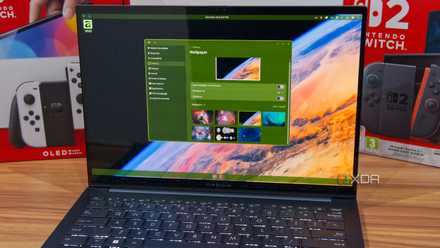
COSMIC has a much simpler design philosophy, but that means all of its apps can be easily themed using a simple settings page that applies to all of them. To access this settings page, you do need to install the COSMIC desktop as a whole, but once you apply customizations, they remain visible in COSMIC apps, even as you use other desktops.
The somewhat simplistic look of COSMIC apps may feel a bit bland at first, but when you can easily make it any color you want, it unlocks a degree of customization you don't easily get with any other built-in apps. It's very easy to make it so that no one has a PC that looks like yours, and I love that about these apps and the desktop itself.
I switched to the COSMIC Linux desktop, and I can't wait for the future
COSMIC is out of this world, even with its flaws
Simple, but readable
They do what they need to do
It may just be because it's still in its infancy, but the COSMIC design language is simple, but effective for most basic workloads. You may not find a lot of apps available out of the box, but we have the basics covered: a file manager, text editor, media player, terminal, and store, and they all do the essentials.
Media Player, I would say, is the weakest of the bunch, in the same way you probably wouldn't use the built-in media player on most desktops. VLC is a popular choice for a reason, but I was still taken aback that none of the multiple video files I have on my laptop seemed to work properly with it. Either they didn't work at all, or only the audio played.
The other apps are fine, though. The terminal is the easiest to replace, since you don't need a lot of fancy stuff. If all you're doing is typing in a couple of commands, all that matters is that it's readable, which it is. It also has tab support, as you might expect, so you're not missing out on anything essential here. The text editor is fairly similar, offering a fairly basic view, but it lets you write, it has clearly labeled lines, and it's readable. You can even choose different types of syntax themes if you don't like the plain default.

I left GNOME for COSMIC, tried KDE next, and only one felt right in the end
It took three desktops to realize what I want.
The file manager also has a nice, clean UI that does the job fine, though it would be nice if some more of the "standard" folders were pinned by default, like Videos. I really like the simplistic, organized look, though, and the same goes for the COSMIC Store. This store, which distributes Flatpak apps, has a more minimalistic UI compared to something like Bazaar, but it's quite similar to KDE's Discover. Still, I prefer the look used here, especially because it is so easily customizable.
Some things are missing
It's still early
While these apps do the basics of providing the features they set out to offer, I wouldn't say they do enough to really pull you away from that ship with KDE. They just do the same job without much in the way of bells and whistles. I also feel like there's a little too much missing here.
There are some apps designed for the COSMIC desktop already, like a calculator and a camera, and they integrate nicely with COSMIC's customization, but you have to install them separately, and they're not developed by the COSMIC team. That leaves some essentials missing, like an image viewer.
Score discounts on Linux-friendly software and subscriptions
And for the apps we do have here, some features are missing. For example, Dolphin lets me change the color of folders, which can make them easier to identify. COSMIC doesn't support this, so it's lagging behind a bit in terms of organization. You also can't add tags, comments, or ratings to files and folders, which Dolphin lets you do.
Plus, as I've already mentioned, the COSMIC Media Player is nearly useless for all the videos I had on my PC, including the ones taken straight from my camera. It's a problem.

I tried COSMIC Desktop as a KDE Plasma fanboy, and one thing stopped me from switching
It was a pretty big dealbreaker.
COSMIC apps have potential
For the most part, the COSMIC apps we have right now are solid, but customization is really the primary reason you might want to check them out. Compared to KDE, the customization options are much more accessible and the relatively simplistic design makes small changes that much more impactful. But you're not getting anything in terms of features that makes this effort worthwhile otherwise, so it only makes sense if you really love how these apps can look.