
Whether you are building a complex web app or just trying to automate a tedious script, Al-driven development has changed the workflow. Over the last thirty days, I pushed aside my standard VS Code workflow to live exclusively within the ecosystems of Cursor, Claude Code, and Google Antigravity.
While each tool promises to code for you, my 30-day deep dive reveals clear differences in their approach. If you are tired of the AI hype and just want to know which tool will actually help you ship cleaner code faster, I have a clear answer for you.

I used Claude Code, Antigravity, and Perplexity Computer to build a portfolio — there was a clear winner
The results were surprising.
Cursor
Refined VS Code supercharger
Since Cursor is a fork of VS Code, the learning curve was visually zero. I simply imported my extensions, kept my keybindings, and was up and running in minutes.
But once I started using Composer, the difference became night and day. It didn’t feel like I had an LLM pinned into a sidebar; it felt like the editor finally understood my project.
The standout feature for me was the codebase indexing. In a typical IDE, AI often loses the plot when you ask about a function defined three folders away. In comparison, Cursor has knowledge of every file.
I could hit @Codebase and ask, ‘Where is the logic for the jewelry category filter handled?’ and it would instantly point me to the exact React code I needed.
The Tab-to-complete functionality also felt better than GitHub Copilot. It wouldn’t just finish my line, it would predict the three lines too. Cursor has nailed the UI and UX aspects as well.
However, it wasn’t all magic. There were moments where the predictive edit feature got a bit too aggressive. Overall, it’s the most comfortable daily driver for anyone who wants to spend less time navigating folders and more time solving problems.

Cursor, Claude Code & AI Dev Tools
Trivia Challenge
Think you know your AI coding assistants inside and out — put your knowledge to the test with this month-long deep dive!
Which underlying technology does Cursor primarily build upon as its code editor foundation?
Claude Code is developed by which AI company?
What does 'Google Antigravity' most likely refer to in the context of AI developer tools being tested alongside Cursor and Claude Code?
Which AI model is Cursor's most advanced built-in option for code generation, as of its mainstream release period?
When comparing AI coding tools over a month-long test, which metric is generally considered the MOST practical indicator of real-world usefulness?
Claude Code operates primarily as what type of interface, distinguishing it from GUI-based tools like Cursor?
What is a key risk when using AI coding assistants like Cursor or Claude Code for a full month of real development work?
When Claude Code is given an 'agentic' task, what does this specifically mean in practice?
Your Score
Thanks for playing!
Google Antigravity
Agent-first mission control
If Cursor is the refined daily driver and Claude Code is the high-performance terminal, Google Antigravity feels like the experimental tool straight from the future.
Unlike Cursor, Google Antigravity comes with a learning curve. The IDE is basically divided into three sections: the Editor, the Browser, and the Agent Manager. The latter is quite important, where you can monitor multiple agents working across different workspaces simultaneously.
My favorite feature is the Browser agent. While working on the ‘Swami Jewels’ site, I didn’t have to manually refresh or copy-paste console errors. I can see the AI navigate a dedicated Chrome page, click buttons, and confirm the UI layout.
When I told it to ‘ensure the jewelry category filter works on mobile view,’ it didn’t just write the CSS; it opened the browser, toggled the dev tools to a mobile viewport, and confirmed it worked before reporting back.
While Antigravity has nailed the automation, it turned out to be a resource hog on my MacBook Pro. I also ran into several annoying issues where the Agent Manager would lose connection for no reason.
If you are deep in the Google ecosystem and want a system that tackles tasks and not just lines of code, you can’t go wrong with Antigravity.
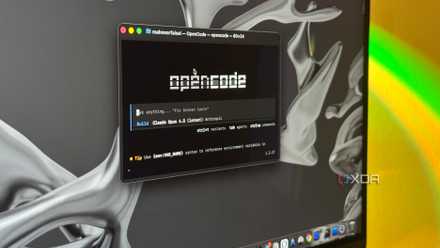
I tested Claude Code against 3 open-source alternatives, and one came surprisingly close
Claude might not be the only coding agent worth using.
Claude Code
Agentic terminal-first architect
While Claude Code is a CLI-first tool, you can use it via the native desktop app as well. However, I realized that for certain tasks, the terminal is actually the superior interface for AI.
Instead of clicking menus, I was typing claude dev and letting the agent run wild. It doesn’t just suggest code; it acts as a collaborator that runs tests, reads terminal output, and fixes its own bugs in a tight loop without me having to copy-paste a single error message.
Anthropic hit it out of the park with a native Claude Code integration into the desktop app. The desktop app feels like a high-end mission control center.
It’s no longer just a command line, but a graphical interface that includes session management and a dedicated live preview that made my recent portfolio project feel effortless.
When I decided to build a new portfolio site to showcase my tech writing, I pointed Claude at a blank directory and let it run. In the desktop app, I didn’t have to keep switching to a separate Chrome tab to see if my Tailwind classes were actually working.
As I asked for tweaks like ‘make the hero section more aggressive,’ I could watch the site update in real-time.
With Claude Code, I had to be very specific with my prompts to get the desired results.
One month, three AI editors
After thirty days of pushing these tools to their limits, one thing is certain: the best AI code editor depends on your specific workflow. Let me clarify the situation for you.
Cursor remains the gold standard for those who want a seamless ‘it just works’ transition from VS Code. It offers the most polished codebase indexing and a UI that feels like home.
Claude Code is a dream for the minimalist power user — those who prefer the speed of the terminal and demand the highest level of logical reasoning without the fluff of a heavy UI.
And then we have Google Antigravity, which has created a unique space for those invested in the Google ecosystem. It offers a predictive context that feels like it’s one step ahead of your next move.
Overall, your choice should depend on your technical expertise and how much control you are willing to give to the machine. For a hobbyist like me, Antigravity is the best bet.
Google Antigravity
Google Antigravity is Google’s agentic development platform: an AI-powered IDE that lets developers delegate coding tasks to autonomous agents that can work across the editor, terminal, and browser.