
The world of Linux is full of options for users to try and find their favorite, and they all have pros and cons that make them suitable for different people. And while every Linux distro can be great for someone, many of them aren't great for beginners. Arch is one such example, though that didn't stop me.
But recently, I decided to try a popular distro that I had actually never gone hands-on with before: Fedora. This is one of the most well-known Linux distros out there, so I thought it would be a great experience for someone starting out, but after spending some time with it, I actually think it may not be the best option for a beginner. Here's why.

Don't install Ubuntu as your first Linux distro; there's a better option now
This distro just pops
A lot of apps require extra work to install
DNF doesn't include all the packages you want
One of the most frustrating parts of switching to Linux as a beginner is how much you can sometimes be expected to use the terminal, and Fedora doesn't make this easier. In fact, it's kind of the opposite.
It's already hard when you have to go and install apps using the terminal, but the package manager included in Fedora, DNF, doesn't have access to all the apps you might expect to install. While it does work for a lot of things, many apps are only included in the RPMFusion repository, which you need to manually add to your DNF configuration. Even for Flatpak, which is a universally supported packaging system, Fedora doesn't have the main Flathub repository added, so a lot of apps will be missing.
For a beginner, it will be frustrating to simply try to install the apps you want and not find them there. Even something as basic as Steam is not included in the default repository. And having to find the right command to add the RPMfusion or Flathub repositories and spend more time in the terminal is not something most newcomers will appreciate.
It's especially frustrating because software locked behind RPMfusion can include drivers and codecs, too, which you'd almost certainly expect to just work out of the box. If you have an Nvidia GPU, you'll need to set up RPMfusion to have proper drivers. If you want media playback to work with a lot of proprietary codecs, you need to swap the included ffmpeg package for one that includes those codecs, since Fedora defaults to avoid any and all proprietary software to the best of its ability.

New to Linux? Here are 7 of the best beginner-friendly distros for you to try
Get up and running with Linux in no time.
Updates may be too frequent
Asking too much of the user
I'm someone who likes to keep their computer's software up to date at all times, so Fedora's approach to software updates doesn't bother me personally, but for a beginner or a casual user, it can be a problem in a couple of ways.
For one thing, software updates are very frequent and Fedora sticks pretty close to the bleeding edge of Linux development. That includes, for example, the Linux kernel, where the latest release is already up to version 6.19.10. That's the very latest public release (at writing time), and again, while I personally appreciate the quick updates, it may be a problem if you want to troubleshoot issues that may be specific to your version of a kernel. Finding resources online to help with your specific problems may be more complicated because there won't be as many people running the same version of your software, and that can make troubleshooting more of a pain for a beginner. The faster release cadence can also mean less time for testing, and in turn, more issues.
At the same time, Fedora also doesn't offer a long-term servicing (LTS) release, meaning there's no way to opt for a slower update cycle and you have to stay on the latest release to continue receiving smaller security updates that may be important. Each version of Fedora tends to be supported for around 400 days, or roughly 13 months, after which you'll need to jump to a new version to keep getting security updates. Even putting it into perspective against Windows 11, that operating system offers 24 months of support for each version by default.
It just puts more pressure on users to keep things up to date, and while that can be seen as a good thing, it's probably more work than a lot of people would like.
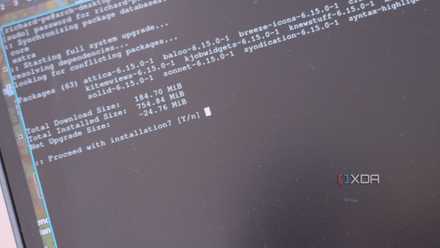
Linux package managers are the main reason I'll never switch back to Windows, ever
You'll have to pry them out my CLI.
GNOME isn't great
Though you can easily bypass this, at least
In addition to the more real problems above, I've talked quite a bit before about how much I dislike the GNOME desktop, though I did so in the context of talking about Ubuntu. The base Fedora distribution, called Fedora Workstation, also uses GNOME as its desktop, so it suffers from a lot of the same problems.
GNOME feels more so designed to look like macOS, so if you're coming from Windows, there are a lot of things that might throw you off at first. The dock is a little different from the typical taskbar, there's a bar along the top of the screen, and while there are some customization options, things are a bit limited unless you install GNOME extensions.
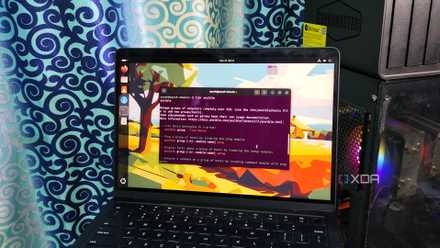
Ubuntu is the reason Windows users don't want to switch to Linux
First impressions matter
I can't knock Fedora too hard for this, though, because there's also an official version of the distro that ships with the KDE Plasma desktop, which is what I set it up with, and I recommend you do the same. KDE is just far more friendly and familiar, and its customization capabilities don't feel locked behind arbitrarily obscure software like GNOME extensions. It's all in the settings.
To put it shortly, if you're getting Fedora, the KDE Plasma flavor is the way to go to make things easier on yourself, though it's not a problem with the distro as a whole.
Fedora isn't bad, you just have to pace yourself
After spending some time with Fedora, I actually don't dislike anything in particular with this distro. Just the fact that it's so fully featured while trying to avoid proprietary software at any cost is commendable, and the fast update cadence isn't much of a problem for me. I do use Arch, after all.
Still, if you're a beginner, this approach has some drawbacks that you may not be prepared for or have the patience to deal with, and that's not on the user. You should choose a distro that's more suited to your level of familiarity with Linux, and options like Ubuntu, Linux Mint, or Pop! OS may be better for you.