
For years, Linux fans have predicted "the year of the Linux desktop" is near, and clearly, that hasn't really happened. It does seem like things are on an upswing, with millions of users downloading Linux in recent months, and overall usage percentage on Steam reaching a historic high of 3.58% in December.
As a recent Linux convert myself, I'm very happy to see this evolution, but I can also clearly see why Linux isn't more popular. See, the most popular Linux distro is Ubuntu, and if you ask me, it makes a terrible first impression for Windows users. If Ubuntu was my first experience with Linux — and actually, it was — I wouldn't want to stick around for very long, either.
Ubuntu is easily the most bloated Linux distro, but it doesn't have to be
Ubuntu doesn't deserve all the hate it gets (especially not the Server version)
Ubuntu looks weird
It's too much all at once
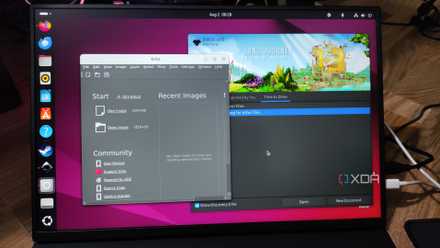
I can understand that a different operating system with a different desktop is going to have a big learning curve, but for me, Ubuntu and its GNOME desktop environment definitely feel like a little too much to have to adjust to as a beginner. When you boot into Ubuntu, you're greeted by a taskbar that oddly resides on the left side of the screen, with a menu bar at the top that houses all kinds of elements.
Now, from a personal perspective, I have grown to like the top bar as a general concept, though I'm not a fan of the three-section layout for it and would prefer having most icons in one corner. But for someone coming from Windows who's used to the taskbar, the default GNOME UI breaks all the paradigms you're used to, and it makes for an uncomfortable experience. You can customize all of this, but for an operating system to require you to dive into its settings right off the bat to get you an experience that's somewhat familiar is a bit much.
I would also add to this that I hate how GNOME doesn't focus a window or launch an app when you click a notification. If I install an app through the Software store, I'll get a notification saying it's ready to use, and when I click it, nothing happens. The store doesn't open, the app itself doesn't open. It's weird.

Windows users don't hate Linux, they hate its defaults
It's hard to get used to something so different
Snap packages aren't great
Why go against the grain here?
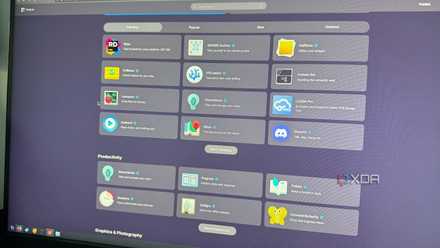
Linux has typically relied on terminal-based package managers for installing apps, and while that works pretty well for the more experienced users, it's not something a lot of Windows users want to get accustomed to. To make app distribution easier across different Linux distros, a (relatively) recent and growing approach has been to use the Flatpak format and the Flathub repository. Quite a few Linux distros support this already, and if it's not included by default, Flatpak is usually fairly easy to add to a system.
Ubuntu, however, is not playing ball. Canonical has opted to invest in its own packaging format, Snap, which no other distro is adopting natively. At the same time, Ubuntu does not ship with Flatpak support, either, and while it's not a big difference, it's not the easiest to add Flatpak support to Ubuntu compared to some other distros, either.
This already causes something of a divide in the Linux userbase, with more fragmentation making it harder for developers to support the platform more broadly. But it doesn't help that Snap packages also have frustrating limitations compared to their counterparts. Don't get me wrong, Flatpak apps can already be a bit more limited than versions of the same apps from a typical package manager, but Snap goes even further. When I tried the Snap version of the Vivaldi browser, for example, I noticed it was the only one that did not support hardware acceleration on my PC. Both Flatpak or simply using a .deb file supported this just fine, but with the Snap package, playing a YouTube video in my browser could slow my PC down noticeably. It wasn't a good experience.
5 reasons why Linux beginners should be using Flatpak
App management on Linux can be confusing for new users, and Flatpak simplifies it.
Customization isn't as easy
GNOME extensions aren't exactly obvious
One of the many reasons a user might want to switch from Windows to Linux is the lack of customization options on Microsoft's platform, at least ones that feel native and properly supported. There are plenty of third-party apps that can customize Windows, but you kind of have to look for them, and you never know if something will break.
GNOME (and Ubuntu by extension) isn't bad in this regard, not by a long shot. GNOME extensions are incredibly powerful and can completely change your desktop with a level of flexibility and relative ease of use you won't find in many other places. But GNOME extensions are also far from prominent in the GNOME UI until you go looking for them. There's no extension manager installed by default, and no indication that extensions even exist.
The options offered by GNOME out of the box, without doing some of your own research, make things a little less flexible than some might prefer. Compare that to something like KDE Plasma or Cinnamon, where just right-clicking the dock gives you options for adding applets or changing the placement of elements, without any extras required. It's just a little more straightforward and it helps those other desktop environments become more obvious upgrades over the rigidity of Windows.

7 GNOME extensions I could never switch to Windows and live without
These GNOME extensions can completely change the way you use Linux.
New hardware support can be iffy
For LTS releases, anyway
It's probably a little unfair to hold this against Ubuntu, but I think it bears mentioning anyway. When you go to download Ubuntu, the recommended option is Ubuntu LTS, a release that is supported for longer without requiring further updates. This can be good, but having this older release also means you get an older kernel, and if you want to install Linux on a new PC, that can be a problem.
I have some anecdotal evidence of this being a problem, though not with Ubuntu directly, but rather Linux Mint, which is based on Ubuntu LTS. In one of my first attempts to use Linux, I installed Mint on a laptop with a 12th-generation Intel processor, only to find out that it shipped with such an old kernel that my Wi-Fi card wasn't properly supported. I needed a wired connection to access the internet, which allowed me to download an updated kernel separately and fix the issue. Mind you, this was already a couple of years after this laptop had been on the market, so it wasn't the newest piece of gear or anything.
Whether this is a problem or not will heavily depend on the hardware you have, but generally, the LTS version of Ubuntu ships with a kernel that's a few months old, so brand-new PCs may have some incompatible hardware that may have some problems running the OS.
I tried Linux Mint as a lifelong Windows user, and the customization blew me away
Linux Mint is on a whole different level
There are better starter options
While Ubuntu tries hard to be an operating system that's a little more user-friendly, it doesn't do the best job at offering a frictionless transition for Windows users, which doesn't help Linux's popularity when you consider Ubuntu is the most widely known Linux distro in the first place. I would say options such as KDE Neon, Linux Mint, or Pop! OS offer a better overall experience for someone making the jump for the first time. As a big fan of KDE's desktop environment, that tends to be my recommendation, but there are other solid options out there. I just think Ubuntu is probably one of the worst places to start.