
As much as I love Linux, and despite the fact that more and more apps support it, there are still times when a Windows application is needed, and it may not run well through Wine. That's when it's time to turn to a Windows virtual machine on your Linux PC, but those can be a hassle to set up and use.
Thankfully, there's no shortage of solutions for integrating a Windows machine into your Linux desktop. I've tested WinApps and WinBoat before, but another player recently caught my eye, and that's Winpodx. With what seems to be a surprisingly competitive market, it's time to decide which of these solutions is better.
WinBoat has the easiest setup
A nice, friendly UI
Running a Windows instance on Linux with the kind of integration these tools offer is actually somewhat complicated, which is why these options exist in the first place. All of them try to make things easier for the user, but in this regard, it's impossible to give the one to anyone aside from WinBoat.
This is only one of the three solutions with a fully usable GUI for the initial setup process. Deploying the Windows VM and booting into an environment that can be reached via RDP takes some time, so having visibility into the process is extremely important so users don't get impatient and potentially do things that break the install for good. I say that because that's exactly the problem I had when testing Winpodx for the first time for this article.
To be fair, there is a command that lets you monitor the installation process in real time, but you have to manually run it in a separate window from the install script, and the Winpodx dashboard will report RDP connection errors well before the container is done deploying, so I had no idea what was going on.
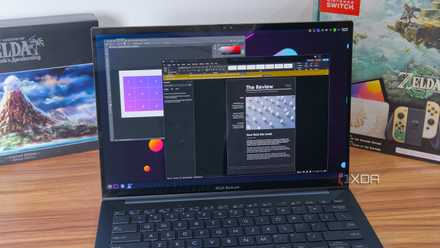
WinBoat's setup UI makes this all much easier, and it's designed in a way that anyone can quickly understand. It guides you through the process and makes it easy to see what's happening during it.
As for WinApps, it just requires too much manual work to really be the ideal choice for most people. It does work fine, but its initial setup process may be a non-starter.
Winpodx wins on convenience
Seamless integration
Once you get through the initial setup, however, Winpodx is actually a better solution than WinBoat, in my opinion, and potentially the best option overall. It all comes down to the integration, which is nearly perfect here.
For starters, all your Windows apps are automatically added to your Linux system, so you can open just the apps you want without a dedicated launcher. You can use the Winpodx GUI dashboard or the terminal to launch a Windows app, but having it built into the native UI makes things a bit easier and more seamless. Even if you haven't started Winpodx on your system, previously added apps still appear, and you can launch them straight from Linux, with the container launching in the background automatically.
Winpodx also automatically adds any USB drives automatically to a media location on Windows as subfolders, so you can easily browser files from a USB drive in Windows, even without USB passthrough. That being said, if you do want passthrough, this can also be enabled using the terminal, so you really have it all.

Running Proxmox VMs with GPU passthrough is much easier than it used to be
You even have a few methods to choose from
There's even a feature called Reverse-open, which even injects Linux apps into the right-click menu on Windows, so you can have native Linux apps handle files you download. This is described in the tool's support page, but I wasn't able to get it to work, so I can't vouch for how useful it is. But the integration trend continues, including two-way clipboard sync between Windows and Linux apps. Outside of the speed of launching Windows apps, there really isn't much here that makes them feel like they're not part of your Linux system.
All of this comes together to make WinBoat easily the most capable solution overall, and potentially worth the slightly more cumbersome setup process.
Try Wine first
Virtualization should be a last resort
As great as Winpodx is for running Windows apps through a virtual machine, my first instinct is always to follow a specific order when trying to achieve a specific task: first, try native Linux apps, then see if the Windows apps will run through Wine, and only after that should you resort to a solution like this.
As much as these solutions do to integrate Windows into the Linux experience, launching Windows apps is always going to feel noticeably slower, and it's going to feel especially odd if you find yourself closing one app and opening another in quick succession, because the Remote Desktop session comes with its fair share of delays. Plus, there's still no reliable way to get GPU acceleration for Windows apps, meaning some things may display poorly or be too slow.
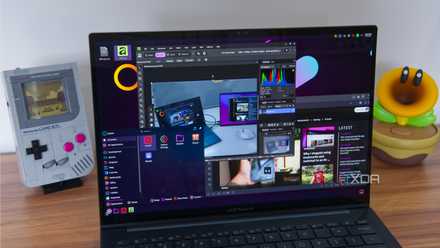
Native apps are always the best solution for performance, as you might expect. But if something you need isn't available on Linux, I still recommend trying Wine first. It's not going to be as fast and there may be some bugs here and there, but things are generally much more responsive, and if the app has some form of 3D acceleration, it will run much better than in a virtualized environment, and with even better integration
Wine has been translating Windows games to Linux since 1993, but Proton is what made it effortless
Wine is the foundation that makes gaming on Linux possible.
That being said, Wine has its fair share of issues with certain apps (such as Microsoft Office), and there's a good chance you'll end up needing a VM, and Winpodx is the best way to make that happen. The initial setup may be a little more cumbersome, but if you're using Linux in the first place, I suspect you have the know-how required to get things going properly.
The more the merrier
Regardless of which app comes out on top right now, it's great to see that so many solutions exist for running Windows apps on Linux, and so much work is being done to make that experience better. Throw in tools like Looking Glass that are attempting to enable GPU passthrough, and it's easy to be excited about the future.