
Summary
- Switch to a lightweight OS to optimize Raspberry Pi.
- Use the official power supply and add a heatsink to prevent performance issues.
- Swap microSD for SSD/NVMe drive for faster performance.
Single-Board Computers have changed a lot since the days of the first Raspberry Pi, though performance is still an area where most ARM-powered SBCs tend to falter. Even the all-powerful Raspberry Pi 5 can be brought to its knees if you try to build a resource-intensive project with the board. Thankfully, there are a couple of ways to grant some much-needed oomph to your adorable Raspberry Pi if you want it to perform better in your DIY projects.
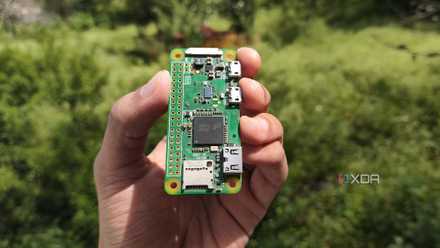
5 cool things you can do with a Raspberry Pi Zero in 2024
Despite being the weakest SBC in the family tree, the original Raspberry Pi Zero still manages to punch above its weight
5 Switch to a lightweight OS
Preferably one with a Command-Line Interface
Although the GUI version of the Raspberry Pi OS provides a beginner-friendly means to bring your favorite projects to life, it’s not the best operating system if raw horsepower is your only concern. That’s because the desktop environment running on top of the distro occupies a certain fraction of the CPU and memory, resources that could otherwise be allocated to your projects.
So, you should switch to the CLI variant of the Raspberry Pi OS for a snappier experience. If you want to go deeper into the resource-optimization rabbit hole, you can make your Raspberry Pi even faster by running the ultra-light DietPi OS on the SBC.
4 Use the official power supply
You don't want a power-starved Raspberry Pi
With the Raspberry Pi SBC family supporting standard power connectors, you can use any old micro-USB/Type-C cable + charging brick combo to power your RPi board. But it’s difficult to come across bricks that can provide enough current to the newer Raspberry Pi systems. And even then, a cheap cable can cause the low voltage warning to appear inside the SBC.
Besides causing weird glitches and issues when plugging peripherals and storage devices into your Raspberry Pi, a cheap power supply can restrict the tiny board’s performance.
Raspberry Pi 5 Power Supply
3 Swap the microSD card for an SSD
Or better yet, use an NVMe drive if you’re on a Raspberry Pi 5
Owning multiple microSD cards can be beneficial when you want to build projects on separate OS configurations. But even the fastest microSD card will have a hard time keeping up with high-speed SSDs. Since most mainline Raspberry Pi SBCs possess USB 3.0 ports, you can outfit your DIY project-building companion with an external SSD and watch its transfer speeds soar.
Heck, for those on a Raspberry Pi 5, the SBC can accommodate even faster NVMe SSDs with the help of PCIe to NVMe adapters. Sure, it’s a bit on the expensive side, but you’ll get some solid read/write speeds when building a NAS with the miniature system.
-
Western Digital Elements SE Portable SSD
-
Wonrabai Waveshare PCIe to USB 3.2 Gen1 HAT
-
Kingston NV2 2280 NVMe SSD
2 Grab a cooling system
To avoid turning your Raspberry Pi into a furnace
Cooling fans and cases featuring solid airflow are some of the hottest accessories (pun intended) in the Raspberry Pi ecosystem. Unlike a full-fledged desktop processor, these SBCs can function without requiring a dedicated heatsink to be mounted atop the processor.
But that doesn’t mean you shouldn’t grab a cooler for your lean, mean, green machine. Demanding projects can result in the SBCs hitting high temps, and the last thing you’d want is for the Raspberry Pi to lower its clock speeds in the middle of your tasks.
Raspberry Pi Active Cooler
1 Rev up its clock speeds
And pray to the lord of SBCs that your Raspberry Pi won’t catch fire
Overclocking the components of your cutting-edge gaming machine is a sure-shot way of boosting its firepower, and the same logic carries over to the world of SBCs. Although the performance gains on the Raspberry Pi will be rather modest in comparison to those on your PC, overclocking the CPU frequencies should grant it some extra juice for intensive projects like using the SBC to run LLMs, emulate newer consoles, or (god forbid) play Steam games.
Just make sure you keep an eye on the temperature. Since the newer boards, especially the Raspberry Pi 5, are prone to thermal issues, dialing up the clock speeds without a heatsink installed is pretty much a death sentence for the SBC.
Extracting every last ounce of performance out of your Raspberry Pi
Once you’re done implementing these tricks, you can also look into clustering. While pairing multiple Raspberry Pi nodes won’t necessarily increase its horsepower, clusters are great for high-availability setups like Kubernetes/Proxmox servers that may require load-balancing provisions.
All that said, there’s only a limit to what you can do on a pint-sized Raspberry Pi. So, if you’re planning to venture deeper into the home lab rabbit-hole, you might want to arm yourself with at least a mini-PC to avoid dealing with major performance and stability issues when running containers and virtual machines on your Raspberry Pi.

How to install Windows 11 on your Raspberry Pi
If you've grown tired of running Linux distros on your Raspberry Pi, you can switch things up by installing Windows 11 on the device.