
Google's NotebookLM is one of the only AI tools I open at least once every day. If you aren't familiar with what NotebookLM is, it's Google's wildly underrated research assistant. I discovered NotebookLM when Google was testing it out as an experiment in Google Labs under the codename "Project Tailwind."
Though I use NotebookLM for a lot of non-research and non-study-related tasks, my primary use case is still organizing and streamlining actual research. Over time, I've turned it into a full-fledged research lab, and it might just be one of the smartest moves I've made.
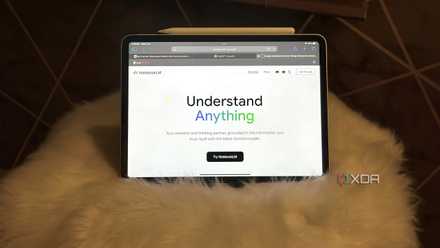
Why did I pick NotebookLM specifically for this task?
No better tool for it. Trust me, I tried.
While there are thousands of different AI research tools available at this time, what makes NotebookLM stand out from the rest of the crowd is its source-grounded nature. What this means is that NotebookLM essentially builds a personalized AI for each notebook, one that only knows what you feed it. This gives you way more control over the AI and how it processes your information.
Though it's been nearly three years since the AI boom really began (when OpenAI released ChatGPT), one of the biggest problems you'll face as a user with AI is misinformation and hallucinations. You can ask a question, get a confident answer, and only later realize it was completely made up.
And when it comes to research, that's a huge deal. You can't afford to base your work on made-up facts, and that's exactly where NotebookLM's grounded approach shines. It doesn't pull in information from the internet (other than the Discover Sources option) or rely on its own intelligence, it sticks strictly to the sources you've uploaded. All the claims NotebookLM makes are always backed up by citations too, and hovering over them shows exactly where it picked the information from. NotebookLM also has features like Audio Overviews, Mind Maps, and Reports that make researching easier than ever.
Finally, you aren't limited to only adding PDFs as notebook sources. You can add website URLs, YouTube videos, Google Docs, copied text, and even find workarounds to add Excel sheets as sources. This kind of flexibility makes it super easy to bring all your material into one place, no matter what format it's in. Based on the above, it was clear that there was no better tool than NotebookLM to turn into a research lab.
I created an all-in-one notebook and topic-based ones too
It took some trial and error, but this setup works best
The key to using NotebookLM effectively and making it work harder for you is to populate notebooks with quality sources. One of the biggest mistakes I made while using NotebookLM was mindlessly adding every somewhat relevant source I could find. It made things messy, and the AI's responses started to feel less focused. Over time, I realized that fewer, more intentional sources led to much better results.
When I was just starting out with NotebookLM, I wasn’t exactly sure how I should structure things. So, I began by creating an all-in-one notebook. It was similar to the “everything” notebook I use for non-work-related stuff (which I’ve talked about in detail before).
The point of it was to have all my material in one place, and then use it to identify which sources I actually needed to spin off into their own topic-based notebooks. Eventually, I started to notice patterns in the kind of material I was uploading. From there, I created dedicated notebooks for each and then populated them individually with more in-depth, curated sources that were directly relevant to that topic. This not only helped the AI stay focused but also made it easier for me to revisit older research without having to dig through a pile of unrelated content.
It also made it way easier to keep everything organized. Now, I still use the all-in-one notebook, but I primarily treat it as a brainstorming space and a place to cross-reference everything. It helps me get a broader view of what I’m working on before diving deeper into a specific topic. The all-in-one notebook is also a great way to see how all my research connects together, and the Mind Map is a godsend for that.
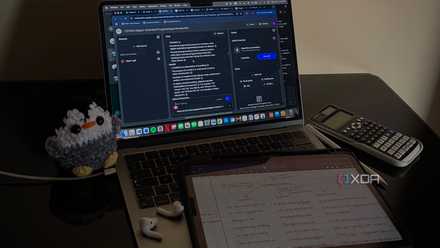
4 features in NotebookLM that changed how I study
At this point, I might just owe NotebookLM my degree.
NotebookLM makes it easy to work with what I already have
Exactly what I need, when I need it
NotebookLM’s strength lies in helping you better understand the information you already have, rather than flooding you with new data. Once you've uploaded your sources to your notebooks, NotebookLM won't tell you anything that isn't already mentioned in them or attempt to "improve" your content.
When you have a lot of scattered research, even finding certain information can feel overwhelming. I’ve always described NotebookLM as a smarter CTRL + F. Instead of needing to remember specific keywords to find what you're looking for, you can just describe the idea or question in natural language, and it’ll surface the right answer, complete with citations from your sources.
One thing I’ve noticed (and this might just be because my memory can be compared to a goldfish’s) is that I start forgetting some of my research over time, especially if it’s a topic I haven’t touched in a while. NotebookLM helps me quickly reorient myself without needing to reread everything from scratch.
When I don’t feel like reading a typed summary, I can generate an Audio Overview and listen to a recap of all my sources (or a specific source) as I take my evening walk. I like to think of NotebookLM as a personalized search engine that only searches through my stuff. Once you've built a solid foundation, NotebookLM genuinely starts to feel like an extension of your brain.
I can't imagine researching without NotebookLM
I don’t say this about a lot of AI tools, but NotebookLM has become such an integral part of how I work that I genuinely feel lost without it. Whether I’m starting fresh on a new topic or circling back to something I researched months ago, it's the one place where everything clicks into place.