
Google Labs is probably one of the most underrated spots for finding cool experimental tools, and it doesn't get talked about nearly as much as it should. NotebookLM is technically still a Google Labs experiment, which is wild considering how mainstream it's become. Stitch is another one I covered recently, it's a vibe design tool I stumbled on while poking around the suite.
Flow is the one I've been spending the most time in lately though. It's been getting steady updates since launch, and there's more in there than the marketing makes it look like.
Want to stay in the loop with the latest in AI? The XDA AI Insider newsletter drops weekly with deep dives, tool recommendations, and hands-on coverage you won't find anywhere else on the site. Subscribe by modifying your newsletter preferences!
So what exactly is Flow?
An AI creative studio with deeper roots than it looks like
Google Flow started off as VideoFX back in 2024, a Google Labs experiment focused on AI video generation. It was relaunched as Flow at Google I/O 2025 and pitched as an AI filmmaking tool built for content creators. That framing is still all over the marketing today, which is why the interface has things like Characters and Scenes - features built around persona-based storytelling that I personally don't have any use for. But the actual functionality covers a lot more ground than making cinematic clips.
The big change came at Google I/O 2026 with the new Tools gallery, which actually arrived alongside Gemini Omni. That's what reframed Flow from a video tool into something more like an AI creative studio. You'll see this reflected in the left panel which has Media, Characters, Scenes, and Tools, plus a media grid where everything you upload or generate gets stored.
Pricing is tiered. Free users get 50 daily credits but only for Veo video generations. The Google AI Plus subscription, which is what I'm on at the moment, gets 200 monthly Flow credits and includes custom tool building. Pro and Ultra sit above with 1,000 and 25,000 credits respectively.
Underneath all of this is Google's own stack of models. There's Veo 3.1 doing the video work, and Imagen and Nano Banana for the image side, which is what most of the gallery tools actually run on. The training data situation isn't exactly clean if I'm being honest - Google got sued back in 2024 over Imagen being trained on the LAION-400M dataset, and YouTube videos are apparently being used to train Veo too. So it lands somewhere between Midjourney's opaqueness and Adobe Firefly's licensed-only approach.
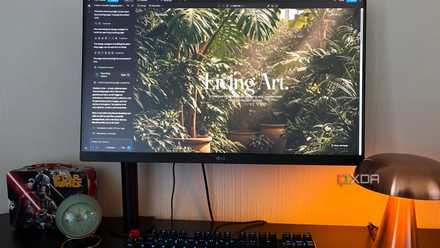
Most of the interesting stuff lives in the gallery
It ships with a bunch of tools now
The Tools gallery is where I've been spending most of my time, and there are a handful that have actually been useful for my image work.
Mockup is the one that surprised me the most. You pick a mockup type from the list of presets, or describe a custom one in plain language, then upload your image. Flow handles the perspective and the lighting in a way that beats what I can do manually most of the time. I dropped in a screenshot of an app interface and it placed it onto a laptop screen with realistic perspectives and lighting, and the result didn't look pasted on. For mockup work where I usually wrestle with the transform handles, this was a nice jump in speed.
The Image Editor is also decent. It has the usual manual sliders for lighting and color, plus a crop function, and the rest is handled generatively through prompts. It reminded me a smidge of Pixlr's Express tool with how it implements its AI. I'd recommend it as a quick AI image editor for one-off edits where you don't want to load anything heavier.
Poster Designer is in the Video section of the gallery rather than Image, which threw me off because it's actually a great graphic design tool. It has the usual text and design controls, plus a timeline at the bottom for animating layers. It's clearly built for social media posts that move. But even if you don't want an animated output, you can just pause the animation at any frame and screenshot it for a still design. It works surprisingly well for static work despite not being pitched that way.
I also tried Blob Tracking because honestly it just looked interesting. It's an experimental tool by Arden Schager that overlays a video with sci-fi tracking graphics, nodes and bounding boxes labeled with random IDs. More of a visual style than a real tracker. I didn't have a use for it, but this is exactly the type of interesting stuff this Flow tool gallery is full of, and I'll probably keep shuffling through more of them.
I tried Claude Design, Replit, and Figma Make for UI design, and one pulled miles ahead
Same prompt, three very different vibe-coding tools
You can even build your own editing tool
Where Flow gets even more interesting
The part of Flow that actually makes it different from other AI creative tools is the custom tool builder. You describe a tool in plain language, including what it should do and what inputs it needs, and Flow builds it for you. It's almost like Tweaks in Claude Design, but better, because you can request anything on demand. Some of the tools you see in the gallery were actually built with this custom builder by Googlers. And it's available to anyone with a Google AI subscription.
Unlock AI Tool Savings — Deals on Software & Subscriptions
Behind it, Flow is generating an actual small web app. There's a Code tab where you can inspect what was built, and anything you make can stay private or you can share it with specific people via a link or publish it into the gallery. When a tool gets published, authorship gets tracked so remixes keep their lineage.
I wanted to try building something specific. I'd built a perspective and mesh transform tool with Claude before, and it turned out well, so I wanted to use it as a benchmark. Flow got me to something usable in the end, but the troubleshooting cycle was rougher than I expected. It hit a few runtime errors I had to prompt it through more than once. So maybe I should have gone for something simpler, like one of the suggested prompts. But I think the fact that it built a working tool at all is the point.
I built an app with Claude Design and Google Opal, and only one actually finished it
One finished the job
Don't let the filmmaking pitch put you off
So if you've been bouncing off Flow because of how it's marketed, I think it's still worth opening up just to see what's in the Tools gallery. The image editing side has been useful for my workflow, and the option to build your own tool is what makes me want to keep it open more than I expected. I think the filmmaking pitch is doing Flow a slight disservice for anyone who'd actually get use out of the image and tool building side.