
The first time I went hunting for an uninterruptible power supply unit (UPS) for my new NAS, I made a rookie mistake. I made it just about getting the one that fit my budget, but things are rarely that simple, right? A UPS isn’t like buying a power strip; it’s a small battery system that is supposed to protect your devices from power issues and give you enough breathing room during power cuts to save any ongoing transfers.
But unless you’ve used one, it’s quite easy to underestimate what matters in a UPS and what doesn’t. So, if you’re buying your first UPS, here are some mistakes you’ll want to steer clear of.
Ignoring power requirements
Factor in your needs first
One of the most common mistakes is not calculating how much power your setup actually needs. A UPS typically comes with a VA rating, which doesn’t directly translate into watts. A 600 VA unit won’t be able to run a gaming PC that needs 600 watts of power. 600 VA would actually mean about 480 watts of power delivery.
To avoid issues with the UPS from day one, ensure that you factor in this variance and allow at least 20–30% headroom for occasional surges and increased power requirements in the future. A UPS is meant to give you time, not struggle to survive on its own.

Does your Synology NAS need a UPS?
You have a NAS, but do you need a UPS? It depends, but it's always better safe than sorry.
Overlooking battery backup time
How long should your system run without power?
Not all UPS units are built to run multiple servers for long stretches. Most of them have enough battery backup to give you 10–15 minutes, which is just enough to save files and shut down the system properly. So, this will leave you disappointed if you expect the system to keep running during blackouts.
This is especially true if you work off your NAS, which should keep running even if there is a power cut without shutting down mid-session. Your options are either to get a UPS with bigger internal or external batteries, or connect your NAS to your home UPS system for the same effect.
Buying the wrong type of UPS
Know your UPS
Not a lot of people know that there are three kinds of UPS: standby, line-interactive, and online (shown above). Most people don’t know the difference and go with the one the salesperson suggests without any explanation.
Standby UPS units are the cheapest kind and kick in during a power cut. Line-interactive ones offer built-in voltage regulation, making them ideal for areas with fluctuating power. Online ones, as their name suggests, remain online all the time and are overkill unless you are protecting something critical like servers or medical equipment.
Picking the wrong variant would either mean you’re overspending or not getting enough protection for your needs.

4 reasons a UPS should be the next investment in your home lab
A UPS may not seem very appealing at first glance, but it's a highly useful device for home lab enthusiasts
Mistaking outlet compatibility
They must be battery-backed
This may sound silly, but many UPS units come with fewer battery-backed outlets than you think. I learned this the hard way when I ended up with only two usable outlets when I needed three for my devices, other than my NAS. Sometimes, you could even get incompatible socket types.
Before you bring one home, double-check the number of sockets available on battery power (not just surge protection) and whether they are compatible with all the plug types your gadgets have. A little attention to this detail saves a lot of frustration later on.
Not caring about noise and placement
See where you put them
UPS units are not silent boxes you can place and just forget about. Many of them have fans to contain the heat generated by the power supply unit and the battery. Plus, the noise from the UPS, in addition to the NAS or your PC, can create a constant buzz if you have your entire system tucked under your desk.
When buying a UPS, consider where you will place it, whether the space will have enough airflow around it, and the kind of noise you can tolerate. These aren’t deal breakers, but they can definitely affect your daily experience.
Disregarding brand support and battery replacement
Find a brand that makes these easy
The UPS itself may last for a long time, but the battery inside doesn’t and needs replacement every 2–4 years, depending on your usage and conditions. If your UPS brand doesn’t have easily available spare batteries or reliable service centers, your UPS could end up as an expensive paperweight.
This is a mistake I see a lot of people make: buying something cheap and obscure only to find that compatible replacement batteries are not easily available. When buying a UPS, check how easy it is to get replacements and at what cost.
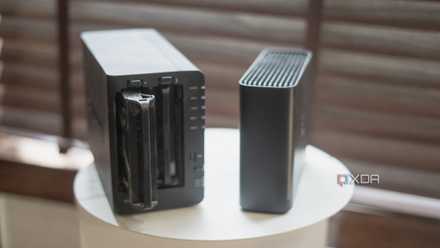
9 common NAS mistakes beginners make and how to avoid them
Put together a robust setup from the get-go
I wish I knew all this before
When I set up my NAS for the first time, I learned a lot of lessons the hard way. And one of the most important ones was that a UPS is a must and not an optional accessory. I then got myself an external UPS and later connected the NAS to my home UPS for a longer backup time without needing a separate box. But it’s important to at least start with a basic UPS for your system so that your data isn’t jeopardized in case of power failures.