
We rarely give our router a break until we feel it slow down the Wi-Fi network. So when I grabbed a new router, the old ASUS RT-AC66U just sat in a corner. Over the past few years, I have repurposed an old router in a few ways — from a VPN router to a web server for self-hosted apps.
Using the old router wasn't precisely a plug-and-play experience. However, custom firmware gifted a second life to the old router. However, it also requires considerable tinkering, which is facilitated by documentation and a supportive community.
That helped me learn quite a lot. For starters, a router's average lifespan is five years. But you can reuse it as an access point for a few years. It'll function as an overkill Wi-Fi extender, too. Want to know more? Here's everything I gathered from using an old router on my home network.
5 Pick an apt mode to repurpose
Crucial for performance
You'll need to decide whether to use an old router in your existing network system. It'll boost the Wi-Fi signal further or be a makeshift network switch for your home lab. Turning it into a simple wireless repeater is easy, but it cost me at least a 50% loss in speed and performance. So, avoid setting it deep in the basement or far from your primary router. Thicker walls and metallic obstructions will hinder wireless signals.
You can make it an Access Point for reliable performance, but that made me run a long LAN cable from my primary router. Since I own two ASUS routers, I linked them to create an AiMesh to enjoy gaming and performance features. If your routers are EasyMesh-certified, you might be lucky to link them up.
4 Prep the router firmware
How old is too old?
Before turning on your old router, check for available firmware updates and security patches. If your router is at least five years old, you are unlikely to find a recent firmware update unless it is a top-tier router from a bygone era. Check if one of the custom firmware options, such as DD-WRT, OpenWRT, ASUSWRT-Merlin, or Fresh Tomato, supports your router. Recent builds of such custom firmware are community-tested and often include critical security updates, especially for routers deemed EOL (End of Life) by brands. If it's an ISP-provided router, you might be out of luck. Also, most brands don't patch security flaws on older routers.
You'll need to search and sift through the massive database of supported router models on respective custom firmware sites. Flashing a custom firmware is easy. But when it didn't work as expected, there was ample documentation and community support in the forums to help me revive the router.
3 Not-so-great speeds and performance
Struggle gets real quickly
Even if you have the latest phone or computer, you won't get the data transfer speeds that match the router's promised data throughput numbers. Wireless technology might be a couple of generations old, but you can turn your old one into a VPN router with custom firmware. That will guard all devices on that network and omit the need to install client apps on phones and computers.
File downloads, app updates, and software updates took longer than my main network. I realized that's because of the bottlenecks of hardware and technologies in the firmware. For example, file transfers using a Samba (SMBv2) share were painfully slow sometimes, and the router would run hot or crash.

5 reasons why your Wi-Fi might be slow
One wrong setting could kill your Wi-Fi speed
2 Curb the device chatter and network congestion
Create a new SSID and hide it
Using an old router to extend the network's wireless range is a double-edged sword. Besides taking a hit in performance, it invites unwanted communication chatter from several Wi-Fi-enabled IoT units and other devices in your and your neighbors' homes. I noticed that smart devices ran hundreds of DNS queries per minute throughout the network, some of which weren't secure.
I decided to reduce network congestion by removing the devices I didn't actively use and adjusting Quality of Service (QoS) features to prioritize the necessary ones. One trick you can employ is to hide the SSID name entirely and share the Wi-Fi credentials manually or through a QR code, just like you'd do for a guest network. This way, it won't appear on your neighbors' and other visitors' devices.
1 Building a dedicated guest network helps
Needs a lot of tinkering around
Things got awkward when friends discovered my NAS and self-hosted apps set up on my network. That's when I turned on that old router to set up a guest network. Unfortunately, not all old routers offer such functionality. You can flash a custom firmware (one actively being developed) on your old router to equip the capability to create a dedicated guest network. Also, most older routers don't offer a VLAN feature, and custom firmware can help.
For instance, I used the Fresh Tomato custom firmware to create a Virtual Wireless Interface to group multiple devices and isolate several devices to improve network performance. That was quite tricky since different custom firmware have specific settings and require slight work.
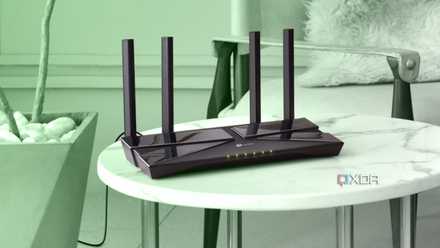
8 signs it's time to replace your aging networking hardware
You wouldn't expect your PC to work forever, so why are you letting your network hardware run into the ground?
I toiled to make an old router work aimlessly, but you don't have to do it
Want to offer better coverage to the front porch or the backyard? The older routers can work great to broaden your network's broadcast reach. You will easily achieve a satisfactory experience, even with an older router. However, the incompatibility with newer devices and standards will be apparent.
The lack of security features and potential vulnerability flaws that won't be patched are a concern. The emphasis on security is not enough on consumer-grade routers. Despite the dated hardware, I was still able to make it work, delivering respectable speeds and sufficient performance. That may warrant tweaking several settings to make it work with newer devices. For better security, I turned off UPnP, among other things. You, too, can dust off an old router and put it to good use, but chalk out a plan before you turn it on.