
Anyone who's had to connect to a corporate computing network knows about forward proxies, otherwise known as VPNs. They're also an important tool for online privacy, and we often recommend setting one up on your router so that all your outgoing traffic is encrypted.
Proxies don't just work one way, however, and reverse proxies protect the traffic coming into your home network. They're awesome for self-hosting your own services because they sit between the wider internet and your home network, giving you another layer of security while also taking over some of the network functions that could slow your self-hosted apps down. Plus, they provide a single point of contact when you want to access your self-hosted services when you're away from your home network, which makes everything easy.

5 self-hosted apps you need to be using that will improve your life
Make your life easier by hosting these cool apps on your home lab
5 Protection from attacks
Keep your self-hosted services safer from danger
Network security is paramount when opening your self-hosted services to the wider internet, and the more layers you can add between the two, the better. Since a reverse proxy sits in between your internal network and the internet, no information about those backend servers or services is visible to outside attackers. It also means that any scans will show a single IP address, which makes it look like you're a normal home user. That makes it hard for attackers to map out your network to determine what's worth further effort so they might move on to easier targets.
But a reverse proxy enables more than security through obscurity. Many reverse proxies include features that reduce the effectiveness of distributed denial-of-service (DDoS) attacks, like rate-limiting and rejecting traffic from individual IP addresses. You also get load balancing, which reduces the chances that an attack will take down your whole network. That's perhaps more important for enterprise users, but it still matters to home lab users who don't want their server structure known.
Plus, you can add some sort of authentication to the public-facing side of your reverse proxy so that only devices with the correct credentials can connect. Adding a service like Authelia will make this process much easier, and you can create custom landing pages to show after login with easy access to the self-hosted services.

What is a reverse proxy and why should you use it on your LAN?
Easily open up access to services within your LAN.
4 SSL encryption
Use your reverse proxy to free up resources on your server
No matter what hardware you use to build your home server, once you start self-hosting apps, adding containers, and performing other tasks, the demands on your hardware increase. Then, when you start connecting to those services with your client devices, your server has to handle decrypting and encrypting SSL (or TLS) communications between them. That eats up CPU time for everything else, which isn't an optimal solution even for home labbers.
But with a reverse proxy in the mix, you can offload the SSL decryption and encryption to the proxy server. No more computational load is needed on the server or servers running your self-hosted services, which can be a huge deal, especially if you're running things on a relatively low-power NAS device. The security of your network and your data is still preserved, as the only unencrypted communications happen on your home network, which is mostly unencrypted anyway under normal circumstances.

4 reasons your cloud provider should be using end-to-end encryption
Using zero knowledge architecture and E2EE makes the web safer for everyone.
3 Simplified administration
Point services to your reverse proxy instead of individually configuring port forwards
When you're just starting out on your home lab journey, setting up one or two self-hosted services can seem like a long-winded chore. Even when you've learned more and can handle most simple tasks without diving into reference manuals, it's still a long process, and the more services you add, the more time you need to spend on administration tasks. And of course, every time something changes in your network setup, you have to change every service to match.
Wouldn't it be awesome if you could simply put that administration in one place? Well, that's what a reverse proxy lets you do, and it's arguably its most powerful feature. When setting up your self-hosted services or backend servers, make them only accept traffic from the reverse proxy. That makes it so you only have to change things like firewall rules on the reverse proxy, making your life as a system admin much simpler.
But this reduced administration overhead benefits not only the services on your local network. Your client devices only need to know the hostname of your proxy, and that's not going to change often. That means you can change whatever you want on the home network or servers without having to track down every client device using those services to change the new network configurations.

4 reasons running your own DHCP server can improve your home network
Running your own DHCP server is a great learning experience for anyone building a network
2 Reach several containers with one IP
A reverse proxy makes using your services easier
Along with the general simplification of admin tasks for your servers, using a reverse proxy makes it easier to reach individual self-hosted apps. This is because you use a domain name to access the reverse proxy, and then the proxy redirects access to the containers and services internally. While you could do this as subpaths, that can make it more complicated for your setup inside the services.
Instead, using subdomains makes it much easier. By setting up your own custom DNS server with subdomains pointing to "app1," etc, the proxy will redirect traffic to the IP addresses of each subdomain.
- app1.example.com is actually container1:5000
- app2.example.com is actually container2:5001
- app3.example.com is actually container3:5005
Then, the only changes you need to make in the future are to the custom DNS because the self-hosted services and the reverse proxy both use hostnames for their configuration files. It's far easier to make changes in one place rather than have to go into each individual service once you've set them up.

4 reasons containers are better than VMs
Containers are the sleek, modern way to run applications on your PC, NAS, or home server
1 Filter incoming traffic
Your home network will be safer as a result👁 The Firewall Rules tab in the OPNsense web UI
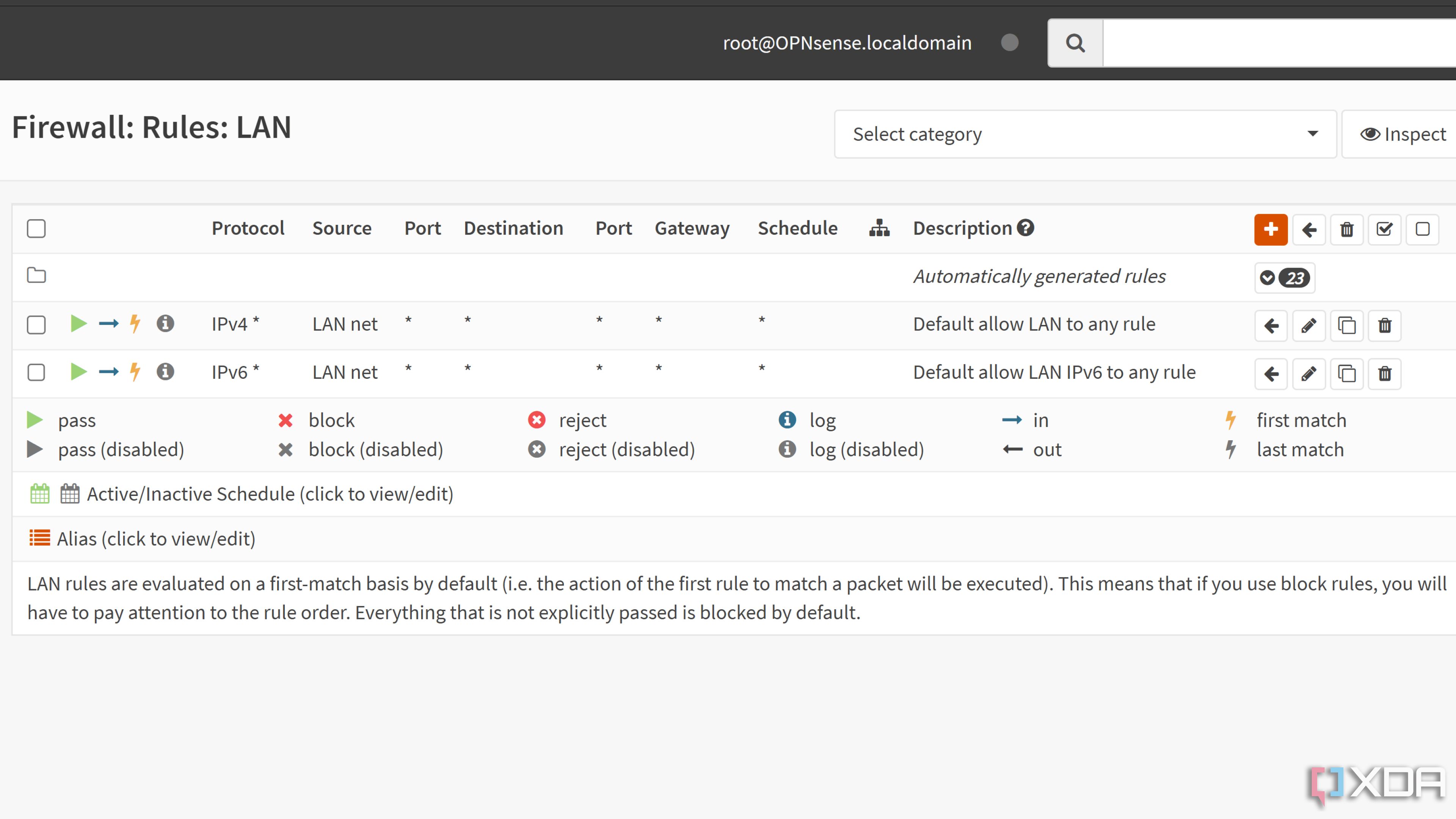
When used in enterprise settings, the reverse proxy will often be put in a DMZ, which doesn't allow it to connect to the internal network. To complete connections, they'll set up two firewalls, one before the reverse proxy, to ensure only traffic that matches the reverse proxy hostname and the self-hosted app protocol can get to the proxy server. Then, another firewall between the proxy server and the internal network ensures that only traffic that is legitimate and bound for the self-hosted service gets through.
A reverse proxy can do some level of inspection and filtering on its own, so you filter out harmful or inappropriate elements before they hit your internal network. The level of risk you want to assume for your home network and self-hosted apps is up to you, but if you want to do it properly, the dual firewall approach is better overall. These don't have to be hardware firewalls; you can virtualize the firewalls, and even have them running on your reverse proxy server to make efficient use of resources.

You can virtualize your router and firewall - here's how
Virtualizing a router isn't anywhere nearly as difficult as you might think, provided you've got some spare network interfaces
A reverse proxy makes self-hosting services easier and more secure
Using a reverse proxy for your self-hosted apps simplifies your administration efforts while teaching you real-world scenarios that will be useful in the professional world. If set up correctly, they also help your security efforts and make it easier to access your internal apps from outside your home network. They also provide other benefits that are more useful in a corporate environment with multiple servers, like load balancing, which might be useful for your home lab if it's extra complex. They're not a security solution in and of itself but they can make existing security structures both stronger and easier to manage.