
Used PC components can be a lifesaver when you're trying to minimize your investment without sacrificing performance. With the way the PC hardware market has become unpredictable in the last five years, used hardware is more relevant than ever. However, there's a line I never cross when it comes to pre-owned hardware. Some used PC parts are just too risky to buy, even if the price is exciting. Some have very little life left in them to be of any use, while others are known to have fundamental hardware faults. And then there are the components that were never good buys, even when they were brand new. I'd rather spend slightly more on hardware I'm more comfortable with than be stuck with parts that are a waste of my money, no matter how little.

4 used PC parts you can buy to bypass the terrible PC hardware market
Pre-owned PC parts may be the best choice in this market
SSDs with QLC NAND
It's too big a compromise
More than the form factor and speed of an SSD, I often fixate on the type of NAND it uses. The flash memory inside your SSD can be SLC, MLC, TLC, QLC, and the emerging PLC. They store one, two, three, four, and five bits per cell, respectively, and this affects the performance, durability, and price of the SSD. While SLC and MLC NAND are no longer used for consumer drives due to their higher cost, TLC NAND is still used in high-performance drives. QLC, on the other hand, is the cost-effective option, offering more storage density and a lower cost per GB compared to TLC NAND. The flip side, however, is that QLC SSDs make one too many compromises to achieve the lower price point.
QLC NAND stores four bits per cell, so it needs more frequent write operations compared to TLC NAND. Functions like garbage collection further accelerate the wear on the cells. QLC SSDs are rated for just 100 to 1000 Program/Erase (P/E) cycles, whereas tri-bit TLC NAND is rated for at least twice that, if not more. Even the performance of QLC SSDs can drop to HDD levels once the pseudo-SLC cache on the drive is exhausted. If there's no DRAM cache on the drive either, the performance suffers even more.
Investing my money in a subpar QLC SSD when I can get a superior TLC SSD for not much more is foolish. Even if I can't afford a brand-new SSD due to inflated prices, I would still avoid QLC SSDs. The performance drawback is too severe, and my data will be at risk due to the lower endurance of the QLC NAND.

QLC isn't evil so long as you know its limits, but not everyone does
Let's set the record straight on modern QLC SSDs
Power supplies with no warranty
A strict no-no
Power supplies are usually avoided when buying used parts due to their capacitors and other internals wearing out over time. It can be difficult to estimate what kind of stress the previous owner put on their PSU. Risking your system with a compromised power supply can lead to a lot of damaged hardware in the worst cases. However, I believe that buying highly-rated PSUs with sufficient warranty left is fine. If I'm buying a pre-owned PSU, I probably don't need it for my main PC. The objective is most likely a secondary build intended as a media server, shared home PC, or productivity machine.
If the seller is reputable on a platform like eBay, and the PSU in question has around half its warranty left, I'd be willing to invest in it. PSUs usually have 10-year warranties, and reliable units don't fail as much as some people believe. A PSU whose warranty has expired, however, is a whole different story. No matter how good or cheap the unit is, I'd stay away. There's no safety net to fall back on, and the years of use probably killed the lifespan of the unit.

5 ways to protect yourself before buying used PC parts
Buying used PC products seems scary for a newcomer. But you can minimize your risk by following these tips.
AIO coolers
I'd buy a used air cooler, but not an AIO
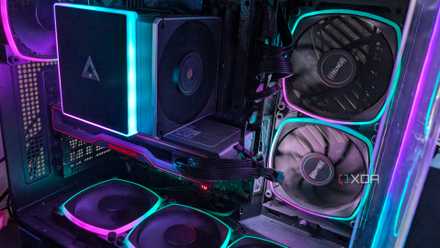
AIO liquid coolers still have their place despite budget air coolers being more than sufficient for most CPUs. You have to go the liquid route when taming high-performance chips like the Core Ultra 9 285K or Ryzen 9 9950X. That said, if I ever switch from a 6-core CPU to a high-end 16-core processor, I'd stay away from pre-owned AIOs, if only because the potential headache isn't worth the small amount of savings. Unlike air coolers, AIOs have multiple points of failure. From the pump and radiator to the tubes carrying the liquid, you may be looking at a myriad of problems. And that's not even considering a pre-owned cooler that already has a few years under its belt.
If you risk it with a used AIO cooler, you may be looking at pump failure, coolant leakage, radiator damage, or coolant clogging. Air coolers can also suffer from noisy or faulty fans over time, but you can simply swap them out with new ones. On an AIO, all you can do is replace the entire thing. AIO failure is less common than it used to be, but I know fellow XDA writers who've experienced first-hand failures after buying brand-new coolers, let alone pre-owned ones.
4 reasons I'm sticking with air cooling instead of liquid cooling
Whichever way I look at it, air cooling wins
Intel 13th and 14th Gen CPUs
Would you risk it?
Intel's Raptor Lake CPUs were some of the best productivity CPUs on the market, that is, until the overvoltage bug came to light. Reports of unstable operation and unexplained crashes came to light in 2024, and Intel narrowed them down to a "Vmin shift" bug that caused elevated voltages on 13th and 14th Gen CPUs. The company released microcode updates to address unaffected chips, but affected CPUs had already suffered irreversible damage. The company also admitted to manufacturing issues caused by oxidation that affected some batches of 13th Gen CPUs, causing system instability and blue screens.
This was one of the worst PC hardware scandals in years, and contributed to Intel's worsening fortunes in the last two years. Although the prospect of scooping up a Core i9-14900K at a massive discount on the used market feels lucrative, the potential instability puts me off. Even if I somehow get lucky and don't experience any weird behavior for months or years, I'll always be looking over my shoulder, waiting for the other shoe to drop. Hence, it's best to avoid Intel's 13th and 14th Gen CPUs altogether, no matter how cheap they are on the secondary market.

7 worst PC hardware failures of 2024
2024 might have been lackluster for PC hardware, but at least it gave us some juicy scandals
GPUs with less than 16GB of VRAM
The bare minimum
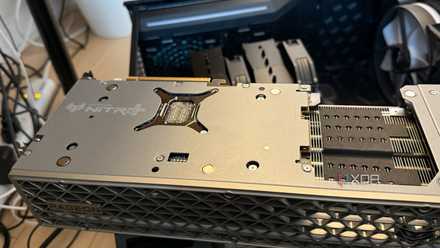
A few years ago, the RTX 3070 launched with 8GB of VRAM. Although a decent performer for its price, reviewers warned about its limited VRAM, which could become a problem soon. And a few years later, games started exceeding 8GB of VRAM even at 1080p. GPUs that were otherwise capable of pushing higher resolutions and settings were bottlenecked by their subpar framebuffers. Nvidia became infamous for skimping on VRAM, but you can find some AMD cards that did it, too. In 2025, we still saw both companies launch 8GB VRAM GPUs, apparently for "budget" gaming, conveniently ignoring the fact that older systems with limited PCIe bandwidth are the worst affected by insufficient VRAM. Intel's Arc Battlemage cards were the only ones that brought 12GB VRAM to the budget segment.
If I'm buying a used GPU, I intend to access a higher performance tier than my current one without paying a premium for the latest-gen hardware. In that case, buying any card with less than 16GB of VRAM (at least) doesn't make any sense; I consider it to be the minimum for 1440p and 4K gaming, with higher capacities being ideal for the most demanding games. 16GB of VRAM is still questionable on a high-end product, but that's what the market leader, i.e., Nvidia, deems worthy for gamers. The company uses VRAM as an artificial segmentation lever because it knows AMD isn't competing at the high-end anymore. If you're buying a GPU, new or old, stay away from 8GB and 10GB VRAM GPUs. Their time is long gone.
You have to draw the line somewhere
Used PC hardware is a fantastic source of great deals as long as you know how to protect yourself. Buying last-gen high-end components can allow you to avoid the latest-gen premium while still enjoying top-tier performance. Older CPUs, graphics cards, and RAM can slash your budget significantly without too much of a compromise on performance. That said, some components are more trouble than they're worth at any price. You're better off buying brand-new hardware by paying slightly more.