
For a long time, I didn't engage with NotebookLM's slide decks, even though I'm a fan of the AI tool's features. However, while investigating whether the AI could generate visuals for certain workouts, it suggested I create a slide deck.
That's when I realized that I had the wrong impression of the feature. Rather than just being a tool for supporting presentations, it's a powerful feature for generating a range of graphics and imagery. Here are just a few ways that I've used them to support my NotebookLM research and projects.
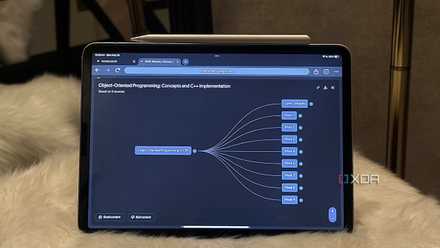
4 ways I use NotebookLM’s mind maps to work smarter and not harder
One feature, countless ways to use it.
Generating visuals for exercises
Adding guiding imagery with descriptions
One of the unusual ways that I use NotebookLM is to get workout routines that take into account my chronic pain from fibromyalgia. However, before slide decks were introduced, these suggestions were just descriptions. The ability to generate visuals is why I think that slide decks are one of the features that have made NotebookLM better.
I decided to use a slide deck for an exercise routine when I asked NotebookLM about its ability to generate visuals for exercises. It noted that it could only generate visuals using the slide deck and infographic features. Prompting the AI to create a slide deck of exercises for neck pain yielded immediately helpful results.
Even though I'm familiar with many of the stretches used to help with specific issues like neck pain, having a visual reminder is incredibly helpful. It saves me a lot of time by giving me images as references, saving me from having to read the full descriptions of each exercise.
For exercises I'm not familiar with, the image paired with a description is much easier to understand than standalone text. I've found this most helpful for yoga poses I haven't encountered or whose names I've simply forgotten.
Breaking down complex topics into a simple format
A visual guide makes things more accessible
There are plenty of times when I need to dive into a topic, and I'm not sure where to start. With limited time and energy during the day, NotebookLM becomes a useful tool to summarize information from a variety of high-quality sources.
However, when a topic is particularly dense, and I need a quick primer, the slide decks feature is incredibly handy. It creates a visual summary that highlights the most important points in the sources. Because the format is a bit more accessible than a wall of text, it also takes less time to go through than reading NotebookLM's generated responses.
I recently used this to get a broad overview of Stage 2 chronic kidney disease in cats, since my own cat has just been diagnosed. I had researched the disease when she was first diagnosed with Stage 1, but I realized that I had forgotten many of the main points I had researched.
Now I have a visual guide that I can easily revisit. Getting NotebookLM to break down the topic into its main points also gave me a roadmap for what I want to research further and questions I want to ask my vet.
I've also used slide decks to make other topics more accessible, such as PC building and chronic migraine treatments. These decks supplement the other resources you can generate with NotebookLM.
Creating handy guide booklets
Turning slides into guides
Rather than creating presentations for others, I use slide decks to create resources for myself. I have a garden care notebook that I've been using as a hub of information on the plants in my garden.
With the recent integration of Gemini Notebooks, I have also been able to add important context about where I live and the condition of my garden. With all this information, I've been using slide decks to generate simple handbooks that remind me how often to water the plants in my garden during summer.
While I could try to use the infographics feature to do this, I've found that this results in a very cluttered image with too much information. Slide decks work better for this purpose because they're able to space out the information between multiple slides.
Right now, my slide decks remain as digital resources I can reference when needed. But I plan to iterate on them until I'm fully happy with the results so that I can print out the most helpful slides to use as a physical guide when my devices are powered down.
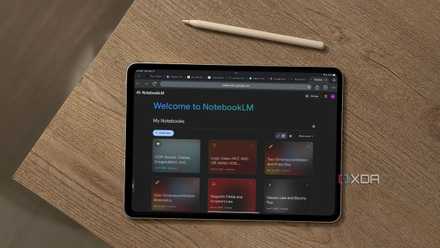
3 NotebookLM prompts I use that practically make my presentation slides for me
The last thing I expected NotebookLM to help me with. But here we are.
Slide decks do more than you realize
A trend I've noticed with NotebookLM's more recent features is that they do a lot more than you expect. As I dive deeper into the features I've neglected, I realized that I've underestimated how versatile NotebookLM's generation capabilities are.
I had a similar experience with reports in NotebookLM. For a long time, I made the mistake of mostly treating NotebookLM like a chatbot, meaning that I missed out on its most interesting features.
NotebookLM is Google’s AI-powered research assistant that turns your uploaded documents, notes, and sources into an intelligent, conversational workspace that helps you connect ideas, summarize insights, and generate new ones.