
I have been trying to move away from VS Code and its forks, like Cursor and Antigravity, for the same reasons many developers are experimenting with newer editors. I switched to a leaner editor like Zed because it felt lighter, cleaner, and noticeably faster once I spent a few hours with it. It was far less cluttered than the extension-heavy and AI-integrated VS Code setup I had built over time.
The strange part was that I barely missed VS Code until the first time I closed Zed mid-project and reopened it later. I immediately noticed something was missing from my usual workflow. I had no context, no history, just blank shells, and I had to rebuild the entire environment from scratch, which VS Code never made me do. The structure was there. The workflow wasn’t.
I rebuilt my VS Code setup from scratch this year, and it's the fastest it's ever been
My VS Code was drowning in extensions
VS Code turned my terminal into part of the workspace
Not just shells — operational context
Like most devs, VS Code was my first real code editor, setting aside the C++ era, where I used Notepad as a code editor. VS Code started as a code editor, and with time, it evolved into an environment where I don’t have to leave the window for any task, such as compiling the code, executing it, or debugging. The integrated terminals initially felt like a convenience and eventually became central to how I organized my work. Modern projects depend on multiple processes at the same time, and VS Code’s built-in terminal helped with that.
If I take the context of one of my ongoing projects, MSDL or Windows ISO Downloader. The project depends on three processes to run: the React frontend, the Go backend, and the Cloudflare Worker (when in production). Even when testing on localhost, I need the frontend and backend processes running simultaneously on two terminal tabs and a third tab for a utility shell like Git-related commands. Each terminal has a role, and VS Code made it easier for me with split and named terminals. The default layout organization made it meaningful instead of cosmetic. One workspace contains the entire operational state of the project.
VS Code was doing something I hadn't consciously noticed until I used another editor. For example, I was working on a project, and suddenly I got other work I couldn't skip, so I closed the VS Code window. When I came back and reopened VS Code, it automatically reopened those working terminals for me, even with the history preserved. Meaning I wasn’t lost with what I was doing and the commands I ran before leaving. Obviously, the sessions were not truly persistent like tmux; the processes died, but at least I knew the context. The commands and logs were still there for me to revisit. I didn’t have to open the editor and rebuild the entire environment from scratch.
VS Code remembered enough of my workflow environment that my brain didn’t have to.
Zed made me realize what VS Code was actually doing
The terminals came back, but the workflow didn't
When VS Code was working perfectly, why did I even think of switching to a different code editor, anyway? In the last two to three years, AI has started embedding itself into coding workflows. I had tested almost all the AI code editors that were based on the VS Code foundation, such as Cursor and Antigravity. I even loaded VS Code with extensions that felt right at the time. With time, those started to create friction in my workflow; the UI felt bloated, and the experience was slow.
That was when I decided to take a step back from AI-augmented editors to pure code editors. I tried several code editors, such as Zed, Sublime Text, and Neovim, and finally settled on Zed. After using Zed for a couple of hours, I observed it had a cleaner UI, a faster feel, less Electron heaviness, and an overall smoother editing experience. And it even had a built-in terminal that supported multiple tabs and split panes. So, my initial feeling was, “Okay, this workflow exists here too.”
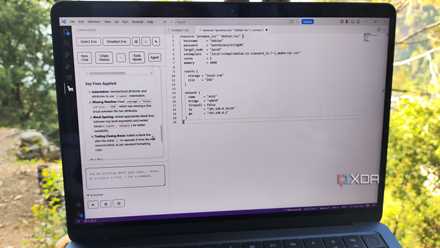
I started to miss VS Code when I closed Zed for the first time while two processes were running and later reopened the project. Zed restored only the two terminals, but only as placeholders. They were in the same split structure but with blank shells, while VS Code restores the terminals with history that had visible command context, CWD state, and workflow clues. In VS Code, I instantly remembered what was happening, and rebuilding the environment took seconds, whereas in Zed, I had to manually rebuild everything from scratch.
It's not VS Code vs. the world — it's the foundation
The gap no one talks about
After what I experienced with Zed and similar pure code editors such as Sublime Text and Neovim, I immediately checked Cursor and Google Antigravity. Since both of them had VS Code as a foundation, I wanted to see whether these also had the same VS Code behavior or whether it was exclusive to VS Code. Surprisingly, both of them preserved it, and that’s when I realized this wasn’t a VS Code feature; it was a VS Code foundation feature. The terminals were treated as workspace state, not disposable utilities. And it was part of the VS Code ecosystem model itself.
Save on developer setups: deals for faster coding
While in non-VS Code editors like Zed, terminal management happened externally, and the shells were temporary. In simpler terms, the orchestration belonged outside the editor. So it was the same as opening an external terminal app like Windows PowerShell and running the terminal inside Zed. Neither had any direct relation to the code editor. These days, developing a modern project is inherently multi-process, and that’s why terminals, logs, and utility shells aren’t optional extras but a part of the workflow itself.
I wasn’t looking for tmux or zellij behavior but a similar normalized workflow that VS Code successfully integrated into mainstream GUI editors without requiring a separate multiplexer or terminal-centric environment. The real feature wasn't the split terminals or CWD state; it was workflow continuity and operational context that made VS Code and its forks a tool that is hard to leave behind.

4 VS Code forks built for specific tasks
The classic VS Code is great and all, but these specialized forks are better for certain programming tasks
Switching is easy. Leaving this behind isn't.
I still feel that editors like Zed and Sublime Text represent what an actual coding environment looks like. They are lighter, faster, and far more focused on the actual work than the bloated experience of editors like VS Code. After testing multiple editors side by side, I realized that I wasn’t looking for better features or less AI involvement; it was operational continuity that mattered the most. Modern projects are complex and multi-process by nature, and this is where these editors create a gap and break the workflow. VS Code didn’t replace terminal multiplexers like tmux; it simply made workspace-aware terminal workflows so effortless that developers started depending on them without realizing it.
Visual Studio Code
Visual Studio Code or VS Code is an IDE developed by Microsoft for Windows, Mac, and Linux to write, edit, format, run, and debug code.