
I'm a solid convert to Home Assistant, which gives me the closest approximation of the integrated smart home I was promised decades ago. Whether it's reducing the number of apps I need to use to a single one, or being able to configure my smart home hub how I want, it's one of the best open source tools I've used.
But it can always be better, and one way is through its deep scripting language for automation. You can use almost anything connected to your smart home as a trigger, and what's better to use than the smartphone you're never far from? There are a ton of individual ways to use your phone's sensors in Home Assistant, but they all fall under four main categories. Let's dive in and get those neurons firing with some automation ideas.

Home Assistant isn't just powerful; it's also very user-friendly
Home Assistant strikes the right balance between simplicity and functionality
Battery and power monitoring
This is one of my favorites to use
While there are a ton of sensors on any smartphone that Home Assistant can use, I wanted to start with the ones that make my life a lot easier. I don't like leaving lights on overnight if I can avoid it, or leaving anything electronic on if it doesn't have a low-power sleep state. I also hate having to get back out of bed once I'm settled, which often happens because I either remember that I've left a light on or forget whether I've turned them all off or not.
I used to have Home Assistant monitor a smart plug next to my bed so it would detect when my phone was plugged in and charging, drawing current through that plug. This trigger also checked to see what time of day it was, and if it was past 10 pm, it would turn off every light in the house, and turn off every smart plug that I have set up on other devices.
This works great, to be honest, but you can do the same effect without using a smart plug. Once you have the Home Assistant app installed on your smartphone, you can expose many sensors to Home Assistant for use in automation. The one you want to use here is sensor.battery_state, which returns Charging, Not Charging, or Full when queried. I use this the same way I used the smart plug as a trigger, but I can use it from any room in the house, which is handy if I'm working late in the office and want to keep the rest of the house as low-power as possible.

Power monitoring plugs are the best addition to your smart home, but not for the reason you might think
These 'dumb' devices hold the key to a smarter home
Location and presence detection
Automate your whole house or individual rooms
Having the Home Assistant app on your phone means you can use its location to trigger automations. This can be from the GPS sensor on your device usually, and really the sky is the limit here. Once you Enable location tracking in the app, you'll see a new integration card in the settings of your HA install. This will be in the format of device_tracker, like for mine it's device_tracker.iphone_17_pro. Don't forget you can use smartwatches, as well.
The easiest way to use this for automation is in conjunction with the Zones feature. Your home zone is set during the onboarding process, but you can add new zones for work, school, and for various family members. Never worry if your kid has made it to school by using their smartphone and a school zone to tell you once they get there. Or set up a work zone that adjusts your thermostat to a more efficient temperature and turns off the lights once you get there.
And your smartphone can function as a BLE iBeacon transmitter for room-level presence detection, enabling all kinds of things to happen. Audio playing on smart speakers can follow you around the house, or the lights in individual rooms can turn on when you walk in, and turn off when you leave.
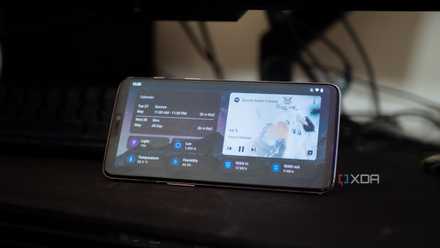
I turned an old phone into a Home Assistant dashboard for my desk
It's actually really useful, and super easy to do, too.
Network connectivity
This is the gateway to a whole world of options
Home Assistant can detect your Wi-Fi connection, including signal strength, the type of network your phone is using at the time, Bluetooth status, and connected devices, as well as your public IP address. This could be used in conjunction with your GPS location for Home/Away detection, because dropping off the Wi-Fi is a quicker trigger than the GPS. You'll want to add the HA Composite Device Tracker integration to your installation, which lets you set up composite tracker entities.
composite:
 default_options:
 time_as: device_or_local
 require_movement: false
 trackers:
 - name: Your Device Tracker Name
 time_as: local
 entity_id:
 - entity: binary_sensor.your_wifi_tracker_name
 all_states: true
But you'll also need to add a binary sensor for each device you're tracking, similar to this example:
#Device Tracker Home Assistant Companion App Wifi SSID
 - platform: template
 sensors:
 your_wifi_tracker_name:
 friendly_name: Your Wifi Tracker Name
 icon_template: >
 mdi:wifi
 value_template: >
 {% if "your_SSID" in states('sensor.your_ha_app_ssid_sensor') %}
 on
 {% elif not "your_SSID" in states('sensor.your_ha_app_ssid_sensor') and (as_timestamp(now()) - as_timestamp(states.sensor.your_ha_app_ssid_sensor.last_changed)) on
 {% else %}
 off
 {% endif %}
Adding the device_tracker to a person in HA then lets you use that device as a trigger when it connects or disconnects from your Wi-Fi. It's a little more granular than GPS tracking, and it works faster, which is handy if you want it to lock your doors or close the garage door when you drive away.

You're not monitoring the 5 things that actually break your home network
The more devices you have on your network, the harder this gets
Device status and usage
These need a little more imagination to use well
One of the automations I use is to set a do-not-disturb mode once my AirPods are connected to my iPhone. I only ever use my AirPods when I'm working and want to concentrate, as I find the ANC is perfect for my needs, so this is a very specific trigger for my working hours. But if I only used my earbuds in the gym, I could set up a similar trigger, and then I could get some peace.
I could also set up triggers based on specific apps, to turn on various devices when I need them. I'm sure this will be more useful as I dive deeper into automations, but for now, the only thing I have set is to turn on a few smart plugs that my Sonos speakers are plugged into when I open the Sonos app.

The best use for an old Android phone isn't a security camera
Level up your smart home
Your smartphone can be a wealth of automation via Home Assistant
It's all too easy to think about home automation in terms of time of day, or what you're doing, but it's also equally powerful to use presence sensing as a trigger. And really, there's no better device to use than a personal smartphone, since that's more likely to be in your pocket than anywhere else.