
You want the best performance of your PC, and you're on the hunt for the best DDR5 RAM to help your rig run as fast as it can. There's just one little hurdle: do you go with the XMP or EXPO kit?
XMP and EXPO are memory overclocking profiles, and although they come from Intel and AMD, respectively, they share a lot in common. If you want a quick answer, there's very little difference between XMP and EXPO as long as your memory is certified to work on your motherboard. There's a bit of nuance when looking at the standards and how they differ, however.

Here's why AMD EXPO/Intel XMP isn't enabled by default
Having XMP/EXPO turned on by default seems reasonable until it isn't
Differences between XMP and EXPO
Basically the same
XMP and EXPO are the same thing, at least at a high level. Both are memory overclocking profiles that are built into your RAM. They define the frequency of your memory, as well as the timings and voltage, and they pass that information onto your motherboard as your PC boots. Each DIMM (memory module) includes a serial presence detect (SPD) chip, and that includes information about memory speeds and timings. During the power-on self-test (POST), your PC reads the information in the SPD, configures the memory appropriately, and boots.
XMP and EXPO simply define a profile that's stable. The standard speed and timing of a DIMM is defined by JEDEC, a standard organization that defined the original DDR standard. The XMP or EXPO profile is an overclock for your memory that the manufacturer has validated as stable. You could, theoretically, plug in the correct timings, voltage, and speed manually and get the exact same result. If the overclock settings are consistent, you'll get identical performance regardless of whether you overclock yourself, use XMP, or use EXPO.
The differences between XMP and EXPO have less to do with overall performance and more to do with features. XMP is Intel's standard, and it stands for Extreme Memory Profile. It's a closed standard, which means memory brands need to pay Intel a licensing fee to use the branding. Recent DDR5 memory mostly supports XMP 3.0, which includes three on-board memory overclocking profiles alongside two user-defined profiles. In most cases, you'll want to select the first profile, as it usually includes the speed and timings the memory is rated for.
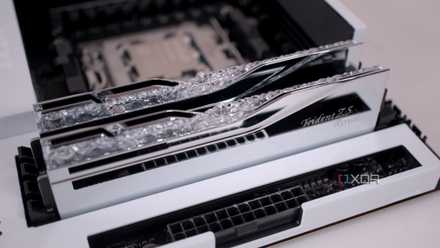
If you haven't enabled XMP in your BIOS, you're leaving performance on the table
Your motherboard doesn't enable XMP or EXPO by default, so make sure you enable it for peak performance
EXPO is AMD's standard, and it stands for Extended Profiles for Overclocking. EXPO released with the first DDR5 kits, so it's only available with DDR5 DIMMs -- XMP has a much longer history, and you'll find it in memory dating back several generations. Unlike XMP, EXPO is an open standard. Theoretically, a memory brand could take the exact profile it uses for XMP, transfer that over to EXPO, and certify its DIMMs with both standards.
Where EXPO stands out is flexibility, for better or worse. All XMP DIMMs need to adhere to a list of specifications, while some specifications on EXPO DIMMs are optional. In most cases, there aren't any differences between the XMP and EXPO profiles, but you may find some fine-tuned tweaking on expensive EXPO kits. Unlike XMP, you get three profiles with EXPO -- two preset overclocking profiles and one user-defined profile.
Can I use XMP with AMD, or EXPO with Intel?
Short answer, yes. Long answer, mostly yes.
XMP and EXPO will work regardless of what CPU brand you're using. You can use XMP with AMD or EXPO with Intel, and you shouldn't have issues. Both are based on the same parameters, handing over speed and timing information when your PC boots. Your CPU is none the wiser about what brand is slapped on the box of your RAM kit. Prior to the release of EXPO, most AMD motherboards explicitly supported XMP DIMMs, even.
Significantly more important than your memory is your motherboard. Each motherboard manufacturer maintains a Qualified Vendor List (QVL) that specifies what memory is supported on each motherboard. You'll commonly find EXPO and XMP kits on the QVL, regardless of if you're purchasing an AMD or Intel motherboard. For example, you can see from the Gigabyte Z890 Aorus Master that there are several kits that are certified with EXPO or XMP profiles, and sometimes even both.
Although you won't necessarily run into issues with a memory kit that's not on the QVL, it's possible, and it can create a massive troubleshooting headache down the line if something breaks with a BIOS or Windows update. So, if you're going to cross your Ts and dot your Is when picking out your components, sticking with the QVL is far more important than worrying about whether a memory kit comes with an XMP or EXPO badge.
Should I use XMP or EXPO?
You paid for extra performance
If you aren't using the XMP or EXPO profile on your memory kit, you're leaving extra performance on the table. Memory speed doesn't always translate to big performance gains depending on the application you're running, and in some cases, you won't see a performance bump at all. But your memory has been validated to run at higher speeds if it includes an XMP or EXPO profile, and there's no reason to leave it turned off.
Turning on the profile is overclocking your memory, and as long as you stick to the profile, you shouldn't experience any issues with stability. However, memory isn't perfect. If you suddenly start experiencing application and system crashes after turning on the XMP or EXPO profile, you may want to see if you can exchange your memory kit.
Branding, branding, and oh, more branding
At the end of the day, EXPO and XMP are terms that AMD and Intel can slap on a box. They're brands. But EXPO and XMP do the exact same thing. There are some differences when it comes to how the memory is tuned and validated, as well as licensing fees. But you don't need to worry about that when building your PC. As long as you stick the QVL of your motherboard, you shouldn't run into issues regardless of what CPU you have and what badge is on the front of your memory box.