
My relationship with NAS is age-old. I have had one at home for my personal and work needs for years now. It powers my storage needs, backup needs, and syncing needs. It’s so reliable that I use it as my primary archival machine. It just sits there, quietly doing its job in the background without becoming too apparent. And I’d credit that to one thing majorly — that I didn’t go out of my way to flood my NAS with Docker containers just for the sake of it.
That sounds like an odd admission in the world of home servers, where running Docker is worn like a badge of honor, giving you the right to have a superiority complex. After setting up your NAS for the first time, the next step is to go down the Reddit and YouTube rabbit holes. And from there, you straightaway go to installing containers, because that’s what you do as the next logical step.
But for me, Docker was never made for the center stage.
A tale of two NASes
One gets Dockers, the other doesn’t
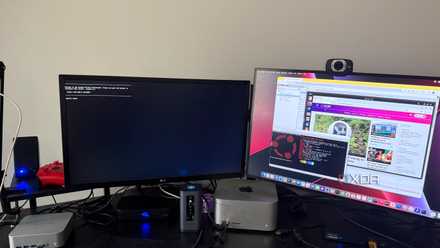
It’s not like I’ve never touched a Docker container. They just never made it to my primary NAS. I have a secondary NAS that is reserved for experiments and testing things, breaking them, and putting everything together. That’s where Docker lives; it’s the place where new containers go to experiment with my automation ideas and whatever services I need to try out for my writings.
My main NAS lives in a minimalist silo of its own, unspoiled by the complexities of containers and virtual machines. It’s certainly not exciting, but it’s dependable and just works. It syncs my folders across my devices, backs up both my laptops, keeps my and my family’s photos safe, and serves as a nice Netflix replacement with Plex.
It doesn’t do anything more than that, and neither do I expect it to.

Why I always test self-hosted services on my main PC before moving them to my NAS
As a self-hosting newbie, I've created a process that makes testing my apps easier for me
The endless rabbit hole
One that you can’t come out of
The problem with Docker is that you can never stop at just one container. You start with something simple, such as Pi-hole or Tailscale, and soon enough, you have a full container stack before you even know it, and you don’t even fully understand most of them. The worst thing is that maintenance starts piling up still, with no way to avoid it in the long run.
Some days you’re dealing with updates breaking something, other days configuration files need something. And when nothing breaks, there are updates lined up that I must manually install. Maybe that’s fun if your NAS is sort of a weekend project, but on a machine that holds all my freelance work, personal photos, and whatnot, I consider all that unnecessary disruption. I refuse to debug things on workdays — when I expect my servers to do their best most times.
6 problems I ran into while trying to self-host everything on my NAS
Self-hosting sounds like freedom, until it doesn’t
When simplicity becomes addictive
There is no going back from there
I find it quite refreshing that I don’t need to maintain my NAS every single day. From treating my NAS like the Swiss Army knife — one that could do everything for me, replacing every cloud app I used — to using it as part of my larger storage system, my mindset about NAS has changed quite a lot.
Instead of forcing myself to use NAS for everything, even if it’s inconvenient or impractical, I recognize it for what it’s best for and use it only for that. The rest of the tasks are delegated to apps that do a better job, such as Google Docs, which offers unmatched collaborative features. This kind of hybrid system gets me the best of both worlds without compromising convenience or adding a lot of everyday maintenance work that I absolutely don’t wish to handle.
Docker would make my main Synology NAS powerful, sure, but it would also make it more demanding. It just handles backups, syncing, versioning, etc., using the native apps available through the app store, which more than serves the purpose for my needs, and, I assume, for a lot of home users too.

Everyone keeps telling me to build a NAS — here's why I still avoid it
Having a NAS has multiple benefits, but I'm just not there yet
The urge to overbuild
And how to successfully avoid that
Like a lot of tech enthusiasts, I, too, had this reflexive urge to overbuild just because I can. I wanted to utilize any hardware I had to its maximum if it showed any potential, and modern NAS devices have an endless supply of that. But actual implementation of that only adds more friction than freedom, I now reckon by experience.
Docker itself isn’t complex. It’s just that every new container I add becomes a new moving part, a new point of failure that could affect my entire system if something major occurs. I can afford that on a test system, but not on the NAS that is tasked with keeping my data safe.
And to be honest, even after setting up a bunch of containers, I have realized that I am not using half of them all the time. Once the excitement fades, these containers just sit there, eating up resources. Wouldn’t it be better to simply offload them and save on compute?
If I find something truly useful, I might — might — install Docker on my main NAS someday. But that would definitely be something I truly need. For now, I’m happy keeping that side of my data setup separate. My NASes — one for reliability and the other for tinkering — are going to stay separate for the near future.
TerraMaster F4-424 Max
- CPU
- Intel Core i5-1235U
- Memory
- 8GB DDR5 non-ECC SODIMM (up to 64GB)
- Drive Bays
- 4 HDD bays + 2 NVMe SSD slots
- Ports
- 2x USB Type-A (10Gbps), 1x USB Type-C (10Gbps), 1x HDMI 2.0, 2x 10GbE RJ45
The TerraMaster F4-424 Max is a premium hybrid NAS enclosure that combines a solid Intel Core i5-1235U processor with ultra-fast 10GbE ports and ample storage capacity. It also supports up to 64GB RAM and is as amazing for home lab workloads as it is for storing your precious data,