
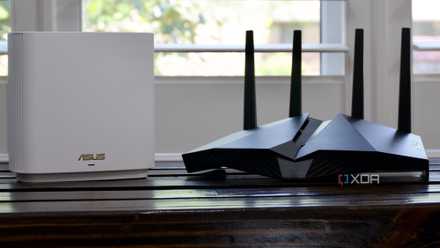
We all understand that wireless connectivity, like that of the best Wi-Fi routers, is sent and picked up from the antennas. But have you given any thought to how the antennas should be pointing or how the effective area of Wi-Fi around each antenna looks? How about when there are no visible antennas at all, like on a mesh router? The good news is that understanding all of these questions is relatively simple, even if the physics behind why isn't.
5 ways you can get better Wi-Fi signal in your home
You can quickly and easily improve the Wi-Fi signal of your home network, but you might need to invest in new hardware in some situations.
What's in an antenna, anyway?
Not much, because they're passive devices
All devices that use wireless connectivity have antennas, whether you can see them or not. Most external antennas are directional and will project a donut-shape of Wi-Fi signal around their axis. Internal antennas are usually at 90 degrees from each other because that gives the best coverage when you're not able to move the antennas around. The important thing to remember is that antennas are passive and are there to help transmit or receive the signal sent by the AP. It's the router's power specifications and which wireless band is in use that control how far the signal can go.
The other thing is not to get distracted by the number of antennas that the manufacturer has used. Four, six, or more antennas don't equate to better coverage or range. While more antennas do enable higher speeds due to increased throughput thanks to MIMO, they also help with signal link quality and reliability. Sometimes, they're only there for looks, as manufacturers know consumers think bigger numbers are better. It's rare to get more than a 3x3 MIMO setup on consumer routers, and most consumer devices like phones or laptops are either 1x1 or 2x2.

Best Wi-Fi cards for your PC in 2025
Upgrade your online experience with top Wi-Fi cards for your PC, which increase your connectivity for seamless performance.
Antenna replacements won't improve signal quality
Transmitters and receivers have to match for the best results
If your Wi-Fi router or PC's wireless card has removable antennas, you might wonder if you can simply buy some higher-gain ones to increase your signal strength. I've fallen into this trap, and it won't make your Wi-Fi signal any better. In fact, it can make it frustratingly worse because of how the communications work and how your device shows wireless strength.
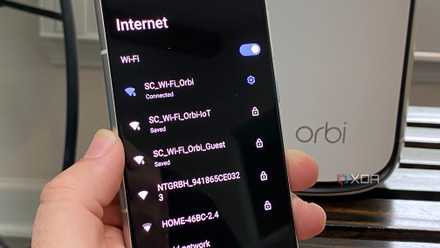
With the router or AP supplying the transmission strength of the wireless signal, you might think increasing the transmission power will solve any issues with coverage in your home. In practice, all this does is increase the distance that your router can talk to your devices. But remember, that's only half of the communication link, as your devices need to be able to talk to the router. If your device's transmission strength is lower than that of your router, you will see strong bars of signal on your device, but you won't be able to access the internet.
2.4GHz wireless isn't great but here's why it's still useful today
2.4GHz Wi-FI isn't as bad as you might think
So what can I do to improve antenna performance
It's all about angles and coverage
If you have a router with internal antennas, the best you can do is put it in a central location and raise it to around shoulder height. That gives it the best line-of-sight to any device you might be wandering around with and takes full advantage of the internal antennas' already optimized layout. If you have two external antennas, it's often best to have them at 90 degrees to each other, with one pointing up to the ceiling and one pointing to the side. For three, you extend that to have one up, sideways, and one pointing backward if you have the space. That has the same effect as the way internal antennas are designed, and should give similar performance.
If your Wi-Fi signal still has issues after angling the antennas, that's a sign that your home needs more than one wireless AP to cover it. While you could use Wi-Fi extenders or powerline adapters, these are both aging technologies that have been replaced by mesh networks. Mesh networks are a far better option for getting consistent wireless signal wherever you are in your home, even if the initial outlay can seem expensive.

Best mesh routers in 2025
Get a fast Wi-Fi mesh router kit to keep speeds high all over your home
Wireless antennas do matter, but not perhaps in the way you'd think
The antennas used on routers and client devices do have an effect on the efficiency and coverage of your Wi-Fi network, but you can't really upgrade them to get better coverage. To do that, first think about router placement, as Wi-Fi networking is like real estate, it's all location, location, location. If moving your router doesn't help, it's time to consider a mesh network to spread Wi-Fi over every inch of your home.