
Passwords are almost ingrained in culture and are still used to secure accounts, connect to wireless networks, and more. But what if I told you, for World Password Day, that you should cease using them altogether? It sounds counterintuitive, right? Why would you stop using a password to secure your account? Well, that's where passkeys come into play! These handy little keys are essential to create a more robust account management strategy where you're less likely to encounter (and be affected by) breaches and compromised access.

4 They can be guessed
No password is completely secure
All passwords are insecure. Yes, that even includes that 50-character-long password you have with more symbols than a drum kit. It can be guessed ... eventually, with the right computing power and knowledge. Even with password managers, you're still relying on a single string of characters to keep your sensitive information safe. Two-factor authentication (2FA) improves things, but even these aren't immune to vulnerabilities. It's hard to believe, but people are still out there in 2025 using severely weakened passwords.
Switching to a passkey or some other method of securing an account removes this important, yet often compromised step. It's far easier switching someone less tech-savvy from insecure, memorable passwords to encrypted passkeys on their smartphones than teaching them about password managers, the importance of generators, two-factor authentication, and phishing. Quickly configure the account with a passkey, and they're good to go!
3 reasons I'm excited for the upcoming rise of passkeys for security
Passkeys promise us a future without passwords, and I'm all for it.
3 Vulnerable to phishing and data breaches
Some things are out of your control
Accidentally clicked on a dodgy email link and logged into what appeared to be your bank website? Say farewell to your account security! That's one of the major downsides to passwords; once they've been cracked or obtained, there's no stopping anyone from logging into your account, so long as other authentication steps aren't required (or also compromised). Even if you have the most secure password known to mankind, it will be rendered useless once available to malicious parties.
You're also not in control of data management at companies where you hold accounts. We all rely on their security practices to ensure all our information, including account credentials, is safe. There's a reason password managers and other services allow you to check if any of your accounts or passwords have been included in data breaches. Accidents happen, and while companies may try to do their very best to protect our data, some seriously smart individuals would like nothing more than to obtain it themselves.
2 They're inconvenient
Even with the fastest fingers
Want to log into your account on a smartphone? First, you'll need to enter your password manager, then copy the password for that particular login. Switch back to the browser or app and paste the password into the field. These steps can take upwards of 30 seconds, depending on how quick your fingers are, whether autofill is supported, and whether a new password needs to be created for a fresh account. Passkeys are more convenient and can be instantly generated or loaded with a quick biometric check. The same goes for the desktop PC, though passwords are oftentimes slightly easier to manage.
You can also kiss goodbye any pesky 2FA codes.

I tried dozens of password managers and I keep coming back to this open-source tool
The open-source password manager that earned my loyalty
1 Passkeys are simply better
Less likely to have your account compromised
Passkeys were developed and launched by a consortium of companies, including some tech giants. Microsoft, Apple, and Google were all involved in the process to replace passwords. Passkeys aren't new, having been used for multi-factor authentication (MFA) for years, but they are for mainstream usage. Requiring hardware, passkeys are inherently more secure than passwords in that they are fully encrypted and are tied to the device they are loaded onto, creating extra barriers for account security and allowing anyone to use their smartphone as a passkey manager to log into supported services.
Two keys are generated in the process, one stored on the service where the account is located, and the other is stored on your chosen device, be it a PC or smartphone. These things are incredibly secure, utilizing cryptographic secrets, and they can be tied to biometric readers, such as Windows Hello or Face ID. Instead of hunting down the password in your chosen manager, the passkey can automatically be used from your device to log into the chosen account. It's far more convenient and notably more secure than passwords.
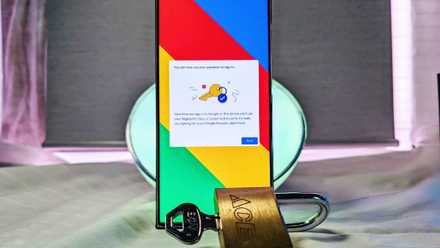
5 reasons you should be using passkeys for security
If you want a secure and password-free sign in experience, consider using passkeys for security.
Passwords still have their uses
Wireless connections are often secured by passwords, which can be changed regularly to enhance security. Guess networks can also be configured with randomized passwords (and scannable QR codes for geek points) or memorable ones. Local systems such as your desktop PC login will still use passwords, and these can be memorable as you'd have to physically be at the PC to start breaking into it (excluding remote attacks, of course). It's a basic line of defence that still has a part to play in today's security landscape, but technology is advancing and so should account security.