
By and large, PC gamers retain their CPUs far longer than GPUs, since a slightly weaker CPU is less of a bottleneck for gaming. Upgrading the GPU every 3 to 4 years can keep your gaming PC up to date while you can keep using the same CPU for 7 or even 10 years (as many users do). However, sometimes, your ancient CPU can become a genuine roadblock to maximizing gaming performance.
Beyond a point, an obsolete CPU starts losing support for modern features that can contribute to gaming performance. In CPU-bound titles like simulation, RTS, competitive FPS, and even heavy single-player games, a 6-to-7-year-old CPU can significantly hinder performance, even if you have a high-end GPU. And even outside of gaming, you will start noticing sluggish performance in multitasking and multi-core workloads.

Should you upgrade your CPU or GPU first?
PC struggling to keep up? Here's how to know if it's the CPU or the GPU that needs to be replaced first.
3 Poor multitasking performance
Gaming isn't the only thing you do, is it?
A CPU that's way past its shelf life isn't just a bottleneck in gaming; it can also make your overall PC experience sluggish. Since everything you do on your PC — browsing the web, running wallpaper apps, installing a game, and more — involves the CPU, you'll notice the performance taking a hit once your CPU isn't able to keep up with the demands of modern applications. Your ancient CPU will still do everything you ask of it, but it'll take terribly long to do it.
If you consider any remotely multi-threaded workload, your CPU's performance will take a severe hit. Video editing, streaming, 3D rendering, and the like are dependent on multiple CPU cores, and newer versions of the associated software will need modern CPU power to run efficiently. Many users tend to retain their CPUs for over 5 or even 10 years, but they choose to be okay with compromised performance in CPU-intensive programs and day-to-day usage.

Will upgrading your CPU make your PC perform better?
You'll want to look at the benefits, pricing, and more if you want to upgrade
2 No support for Windows 11 and Resizable BAR
Don't leave performance on the table
The older your CPU, the higher the chance of it losing support for modern technologies. According to Microsoft's hardware requirements for Windows 11, CPUs older than Intel's 8th Gen Core and AMD's Ryzen 2000 series aren't officially compatible with Windows 11. While you can bypass this mandate and install Windows 11 on almost any unsupported PC, Microsoft is making it harder than ever.
The bigger problem, at least for gamers, is the lack of support for Resizable BAR on CPUs older than Intel's 10th Gen Core and AMD's Ryzen 3000 series. Resizable BAR or ReBAR is a PCI-e technology that enhances the connection between the CPU and GPU to improve gaming performance, and is essentially a free FPS boost for your PC. You can gain anywhere from 5% to 15% more FPS, depending on the title. Even if you have a recent GPU, your old CPU will not allow you to access the benefits of Resizable BAR.

Microsoft is cracking down on people upgrading to Windows 11 on unsupported hardware
Things are getting tricky.
1 Poor performance in CPU-bound titles
Some games will suffer more than most
You would expect an ancient CPU to bottleneck your GPU in almost every game, but the problem becomes especially worse in games that are heavily CPU-bound. Simulation, RTS, and many open-world games are hit the hardest on systems with older CPUs, since they involve complex calculations and large amounts of data. Even a powerful and modern GPU won't be able to help out much in such scenarios.
Besides the lower FPS, frame pacing, and stuttering issues running your gaming experience, your CPU might be at its thermal limit, running dangerously close to its throttling temperature. Even if the CPU doesn't force a system shut down, you run the risk of long-term damage to the silicon. Sure, your CPU is already too old, but running it constantly in thermally-strained conditions could cause an unexpected failure one fine day, leaving you with a dead system. Acting well in time and upgrading your CPU can avoid that.
AMD Ryzen 5 5600
The Ryzen 5 5600 is still a capable AM4 processor from AMD, perfect for budget gaming PCs. It can handle many mid-range and high-end GPUs with ease, and supports all modern gaming technologies.
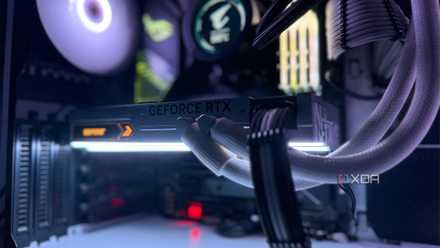
10 ways you can improve the performance of your aging gaming PC
It may not be time to throw out your PC yet! Here are 10 things you can do to improve the performance of your aging gaming PC
Moving on is hard, but sometimes it's the best thing you can do
Running your ancient CPU isn't the end of the world. After all, many people use the same CPU for close to 10 years before moving to something else. However, you should know that you're losing out on performance, whether in gaming, multitasking, or general day-to-day use. Sometimes, the difference between an obsolete processor and something more recent can be day and night. Instead of being surprised one day by a dead CPU, it's better to upgrade in advance. You'll gain peace of mind, better gaming performance in almost every title, and support for modern technologies.