
All too often, the router receives the blame for subpar Wi-Fi connectivity. People love to dunk on their ISP-provided router for poor hardware, outdated standards, and limited features. I did the same, for good reason. My ISP router was a Wi-Fi 5 model that barely passed for acceptable for a modern home. It required rebooting once every few weeks, and the range was pathetic, considering the size of the house. When I finally replaced it with an aftermarket router, I was disappointed to see that things didn't improve on the ground. That's when I realized that my home network had a lot more hidden flaws, which I had ignored while blaming the router for everything. Once I knew what needed fixing, the network finally started working as it should have in the first place.

I finally threw out my ISP router like the trash it was
I only need my ISP to do one thing: send me internet.
My ISP refused to replace the outdated router, so I did it myself
It's important to pick your battles
I've been subscribed to one of the country's biggest ISPs for over six years, and during that time, I've never seen them move on from their trashy Wi-Fi 5 router. Not only is the thing severely underpowered compared to the most basic Wi-Fi 6 routers, but it also has most of the features locked down by the ISP. We were able to make it last all these years because of the relatively limited number of wireless devices in the house. Two smartphones, a smart TV, an iMac, a MacBook, and an iPad were the only devices connected to the router. We were used to restarting the router once a month or so to keep the connection from slowing to a crawl.
However, when we installed a few smart switches and bulbs, a smart air fryer, and a smart water purifier this year, things changed pretty fast. I didn't think some extra devices operating in the background would add too much load on the router, but I was mistaken. The home Wi-Fi started feeling significantly sluggish, especially on our phones and the smart TV. I was seeing a lot more buffering and even visible delays in sending messages on WhatsApp. I decided it was time to replace the shitty router. I tried reasoning with the ISP to replace it with a newer Wi-Fi 6 model (which they provide to new subscribers), but they kept giving excuses.
So, I gave up and bought a Wi-Fi 6 router (Wi-Fi 6E and Wi-Fi 7 models were too overpriced) to bring our home network out of the medieval age. I had to contact the ISP to send a technician to set up their router in bridge mode, so I could use my aftermarket router without running into double NAT issues. If they hadn't locked down most of the router's settings, I would have done it myself.

I regret sticking with my ISP router for so long — it's way better to make my own
Open yourself up to networking nirvana.
Sadly, there was no magical Wi-Fi improvement
Something else was going on
The dream that I had of a supercharged wireless network didn't quite materialize. The new router was surely more equipped and modern, but the network didn't "feel" all too different. I was still getting a spotty connection in the room furthest from the router — Instagram and YouTube took visibly longer to load. Then, there were times when I noticed a significant drop in speed, and this somehow always happened between 9 pm and midnight. The network speed test on my PC and phone often showed numbers over or close to 200 Mbps (the max speed of our plan), but the connection didn't reflect that. The latency was still very much present, and I was starting to regret going through all the trouble. All the smart switches, bulbs, and appliances were running flawlessly — the sluggish performance was showing up on the phones, TV, and MacBook.

Why your Wi-Fi feels slow even when speed tests say it hasn't changed
Speed is only one part of the equation
It turns out the router wasn't the only problem
It was being bottlenecked by hidden faults
Replacing the ISP's router wasn't the silver bullet I imagined because our network had other unresolved problems in the chain. Firstly, I found that the Wi-Fi channels had been reset to their defaults, forcing us to compete with our neighbors on congested channels. Second, the smart TV and iPad supported only Wi-Fi 5, which was one of the reasons that we didn't see any improvements. Third, the Wi-Fi extender in the last room was tanking the speed, so the new router couldn't do much in this case. Lastly, I hadn't optimized the QoS settings on the router, due to which the smart switches, bulbs, and appliances were given the same traffic priority as every other device.
The first order of business was to fix the router's QoS settings so that the TV, MacBook, and smartphones could be prioritized on the wireless network. Next, I changed the Wi-Fi channels to less-crowded alternatives to avoid congestion. Removing the extender actually improved the speed and latency in the furthest room, since it allowed the Wi-Fi 6 router to work its magic unhindered. Upgrading the smart TV and iPad wasn't an option, not until a few more years, so investing in a mesh network is my plan for now. I might have blamed the new router had I not fixed these mistakes plaguing other parts of the network.
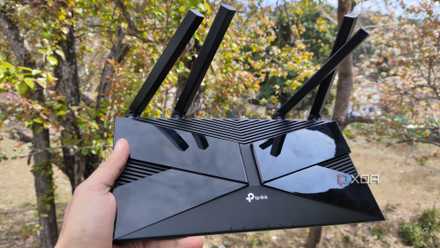
5 router settings most people never touch that fixed my network problems
Lesser-known fixes for well-known problems
Upgrading your router won't work if you ignore other areas of your network
The router is a major link in your network pipeline, but it's not the only one. Often, connectivity problems exist with client devices, which can be less apparent than subpar router hardware and software. You might also be using unoptimized QoS settings on the router and unintentionally prioritizing traffic to home automation devices instead of your phones and computers. Upgrading your router becomes necessary if it's outdated, but if it's relatively new, the problem might lie someplace else.